How to Hide Your Instagram Story from Everyone at Once
Instagram has no single button that hides your Story from everyone at once. The way to do it is the Hide story from list: open it from Settings, select each person you want to hide it from, and tap Done — or, if you want the Story gone right now, delete it or move it to Archive instead.
- SystemAndroid
- AppInstagram
- Last verifiedNovember 7, 2026
Every screenshot below is taken from the actual recording on this device — no stock images.
Steps
Open Instagram and go to your profile
Open Instagram, then tap your profile picture at the bottom right.

Tap the menu
Tap the three lines at the top right of your profile to open the menu.

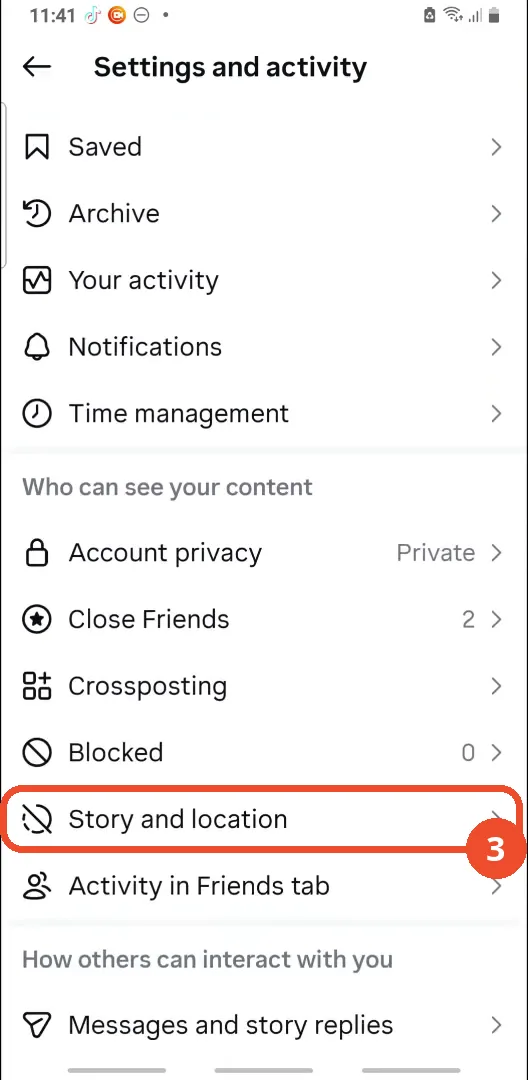
Tap Story and location
On the Settings and activity page, scroll to Who can see your content and tap Story and location.
Tap Hide story from
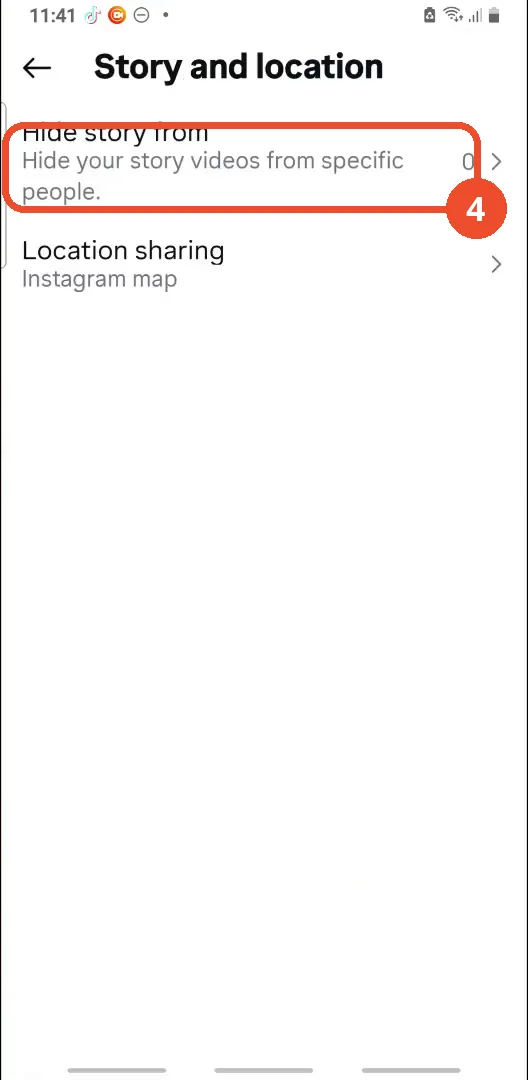
Tap Hide story from at the top of the Story and location page.
Select everyone, then tap Done
Tap each person you want to hide your Story from, then tap Done at the top right. The list is empty here because this account has no followers yet — with followers, each name appears here and you tap it to select it.

Or remove the Story: open it, tap More, then Archive
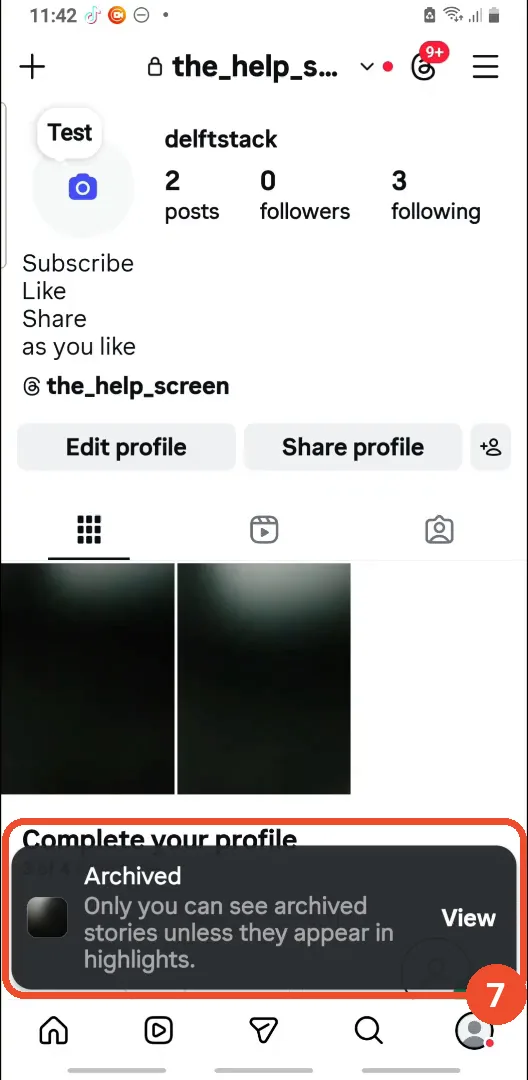
If you want the Story gone now instead, open your Story, tap More at the bottom right, then tap Archive in the menu. Delete in the same menu removes it permanently.

Check the Archived confirmation
Back on your profile, the Archived notice confirms the Story is now only in your Archive — only you can see archived Stories unless they appear in Highlights.
Good to know
- There is no one-tap way to hide your Story from everyone: Instagram makes you select each person in the Hide story from list, one by one.
- The film’s account has no followers, so the list shows “No users found” — the selecting and the Done tap are not shown on camera, only the empty list and the Done button.
- Hide story from shows 0 people hidden until you select someone; the count on the Story and location page updates once you have hidden the Story from at least one person.
- Archive only removes the Story from public view — it stays in your Archive, and you can still add it to a Highlight from there. Delete removes it completely.
- Hiding your Story from someone does not block them or hide your posts; it only stops them seeing your Stories.