How to Hide Your Instagram Account from Search
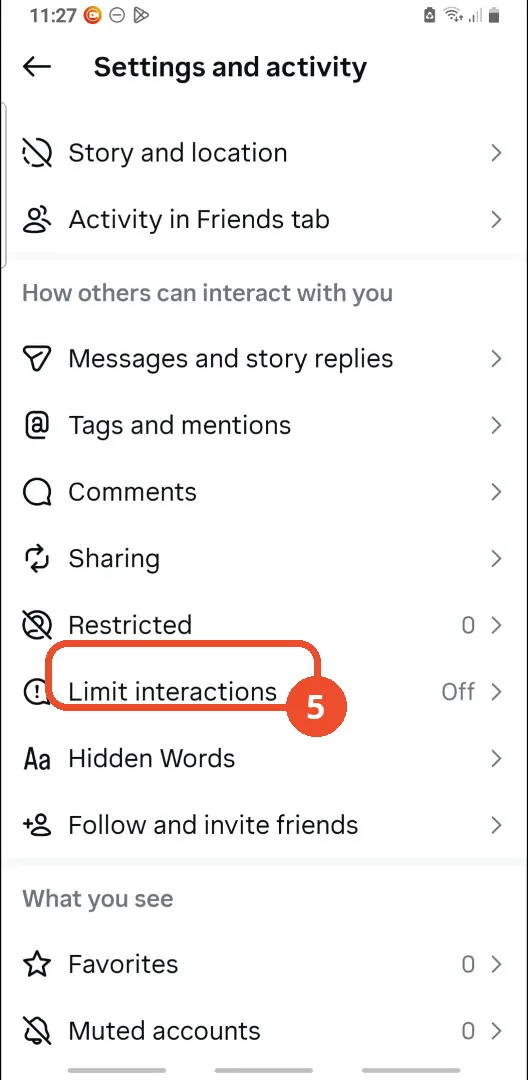
Instagram has no single “hide from search” switch. The nearest options are a private account — only followers you approve can see what you share — and Limit interactions, which limits what people who do not follow you can do. This guide shows where both settings live; the film’s account is already private and leaves Limit interactions off, so the two switches themselves are shown, not switched, on camera.
- SystemAndroid
- AppInstagram
- Last verifiedNovember 8, 2026
Every screenshot below is taken from the actual recording on this device — no stock images.
Steps
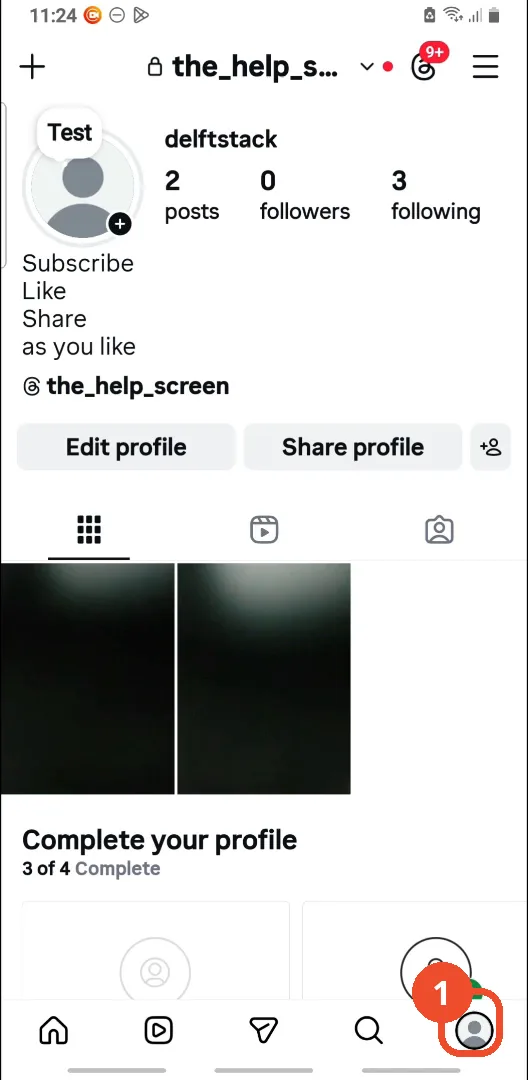
Open Instagram and go to your profile
Open Instagram, then tap your profile picture at the bottom right.
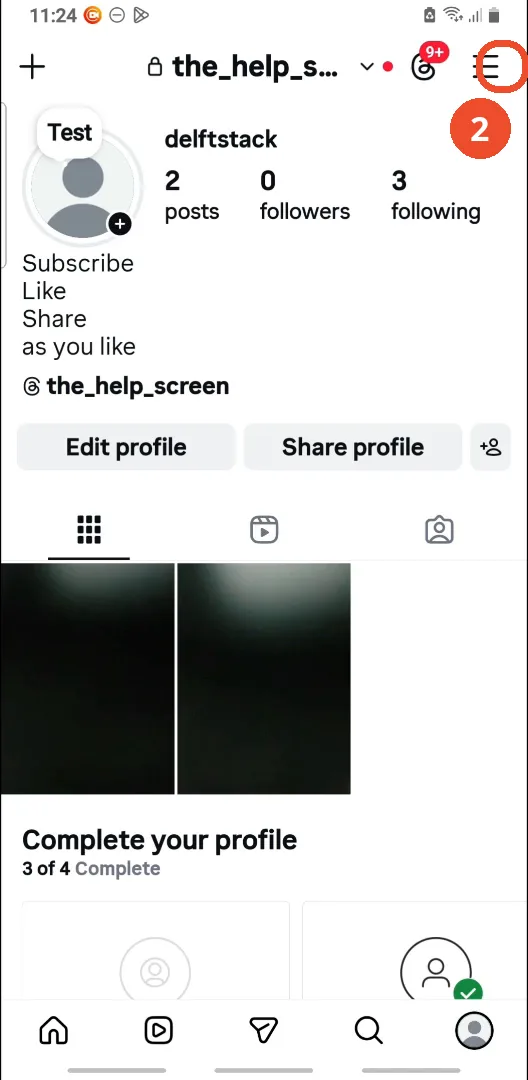
Tap the menu
Tap the three lines at the top right of your profile to open the menu.
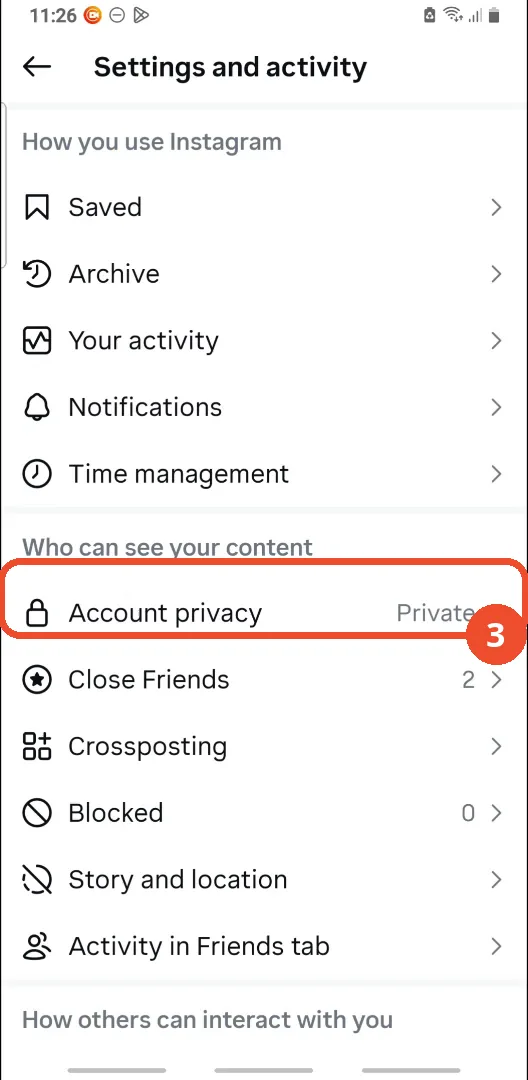
Tap Account privacy
On the Settings and activity page, scroll to Who can see your content and tap Account privacy.
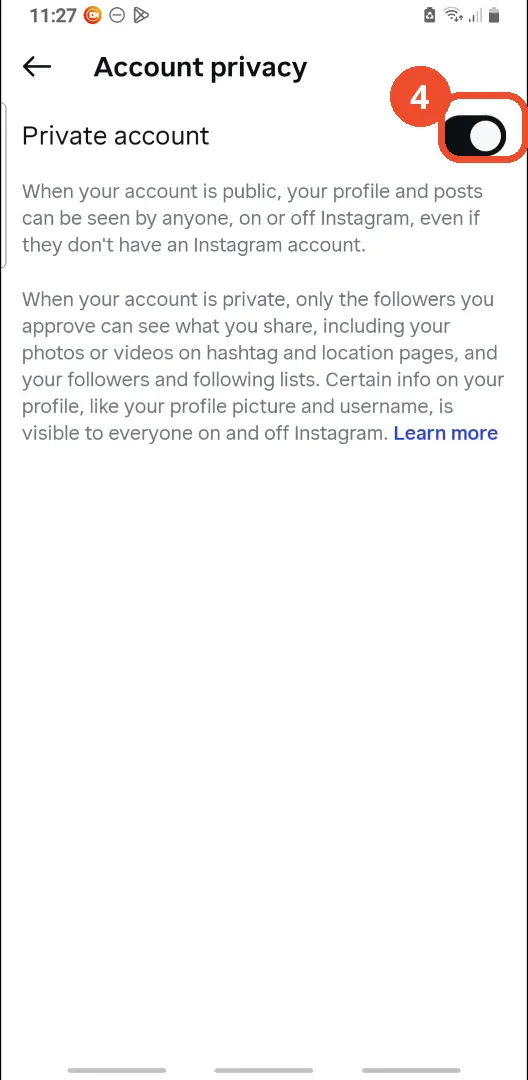
Check the Private account switch
The Private account switch sits at the top of the Account privacy page. If yours is off, tap it to make your account private — only followers you approve will then see what you share. In the film the switch is already on, so no tap is shown.
Go back and tap Limit interactions
Go back to Settings and activity, scroll to How others can interact with you, and tap Limit interactions. It reads Off here.
Tap Turn on
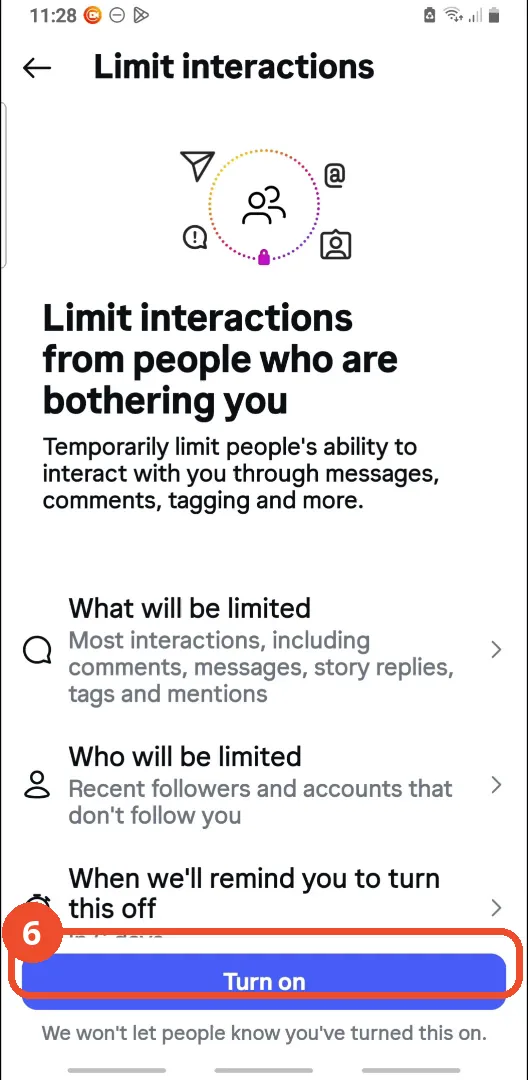
Tap Turn on at the bottom of the Limit interactions page to limit interactions from recent followers and accounts that do not follow you. The film shows this button but does not tap it — it goes back to Settings, where Limit interactions still reads Off.
Good to know
- There is no “hide from search” toggle in Instagram: a private account and Limit interactions are the two settings the film points to, and neither one removes your profile from search results outright.
- The film’s account is already private — the Private account switch is on before the film opens the page and is never tapped — so if your account is public, turning the switch on is the step the film does not demonstrate.
- Limit interactions is also never switched on in the film: the Turn on button is shown, but the film goes back to Settings, where Limit interactions still reads Off.
- A private account hides your posts and Stories from non-followers, but your profile picture, username and bio stay visible to everyone, on and off Instagram.
- Limit interactions only limits recent followers and accounts that do not follow you; it does not hide your account, and Instagram reminds you to turn it off after a while.