How to Hide Notes from Someone on Instagram (Close Friends Workaround)
Instagram does not let you hide a note from one specific person. The workaround is Close Friends: post the note to your Close Friends list only, and leave out the person you want to hide it from — they never see the note, and they are not told they were left out.
- SystemAndroid
- AppInstagram
- Last verifiedNovember 13, 2026
Every screenshot below is taken from the actual recording on this device — no stock images.
Steps
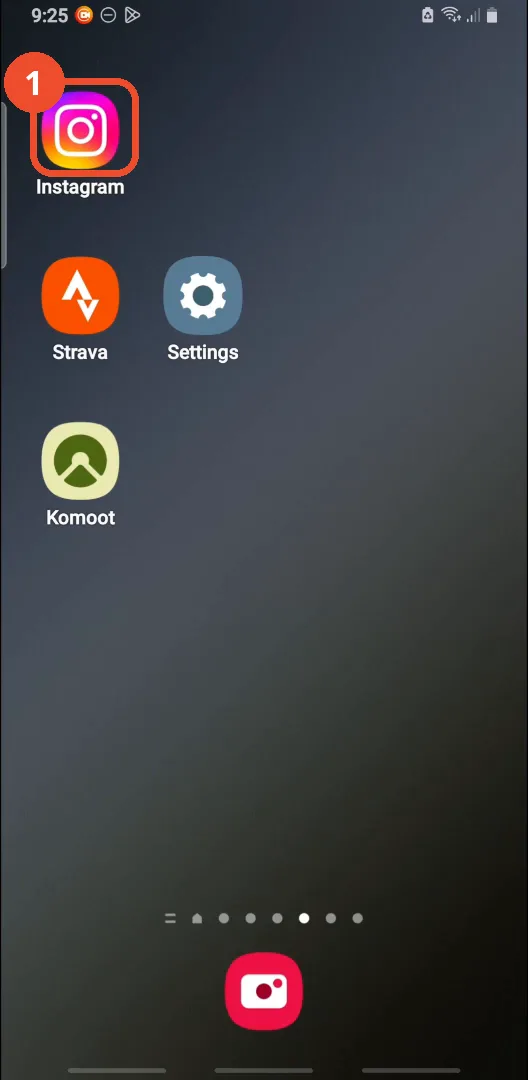
Open Instagram
On the home screen, tap the Instagram icon.
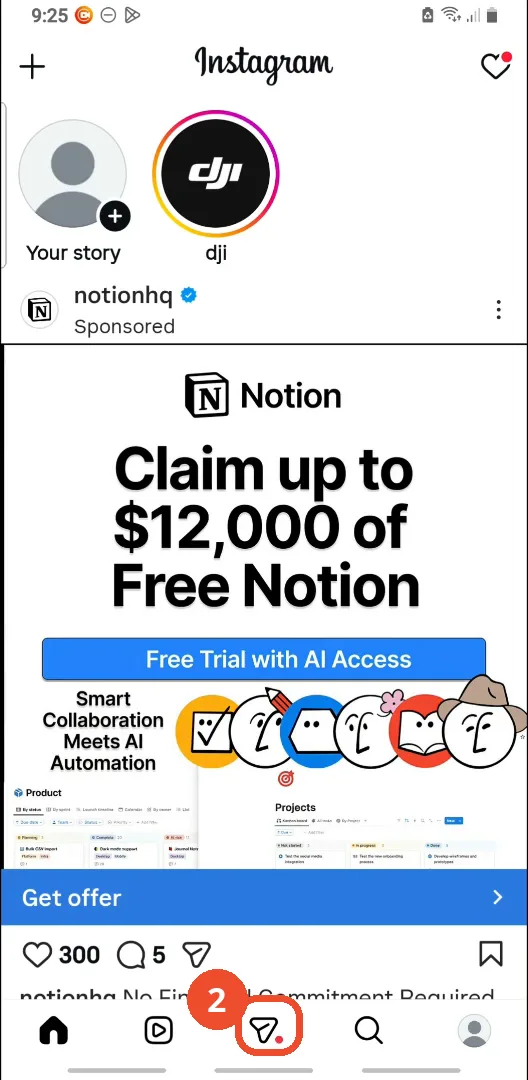
Open your messages
In Instagram, tap the Messenger icon in the middle of the bottom bar to open your messages.
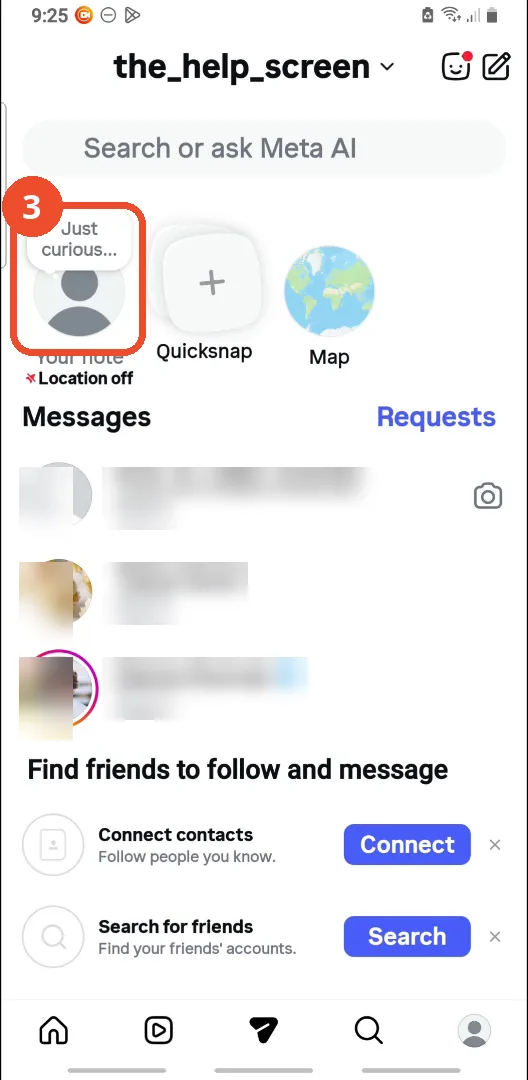
Tap Your note
At the top of the inbox, tap Your note to create a note.
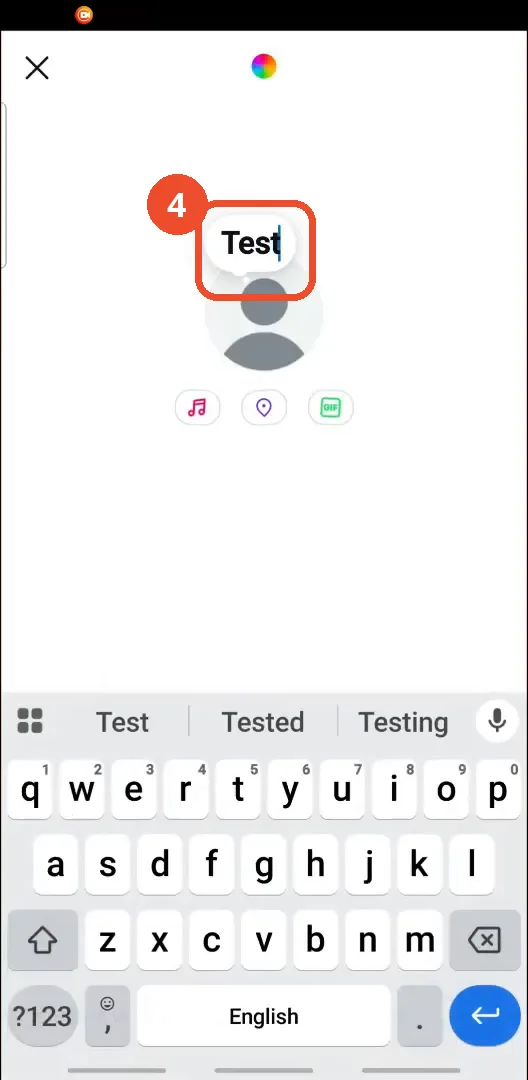
Type your note
Type your note. The film types a demo note reading “Test”.
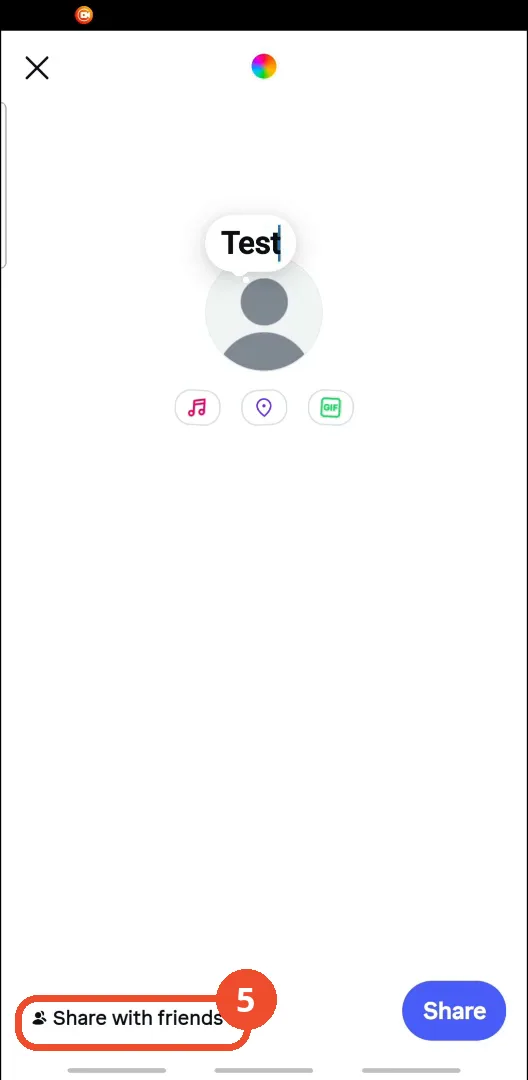
Tap Share with friends
Tap Share with friends at the bottom left to choose who can see the note.
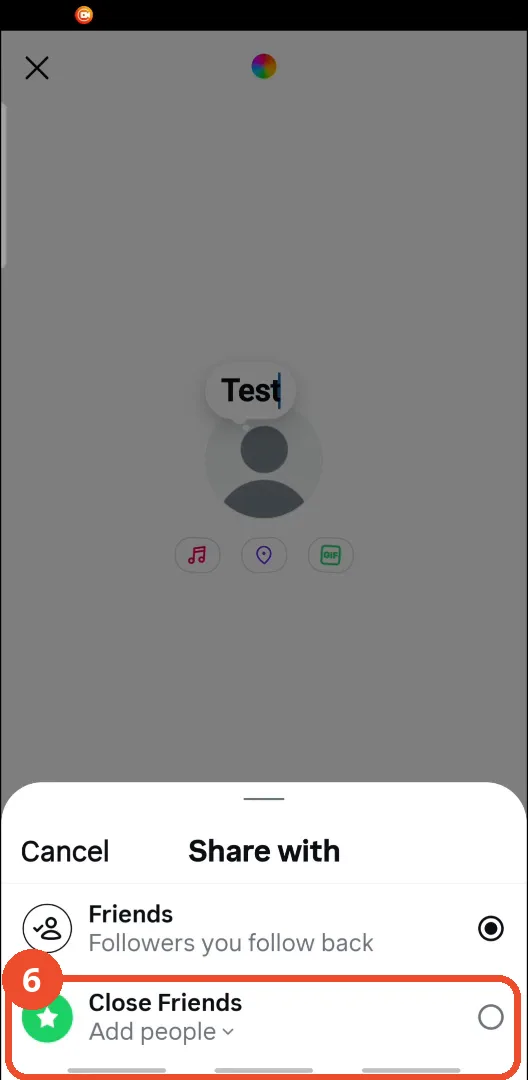
Choose Close Friends
In the Share with sheet, choose Close Friends. Friends — followers you follow back — is the default; Close Friends lets you pick exactly who sees it.
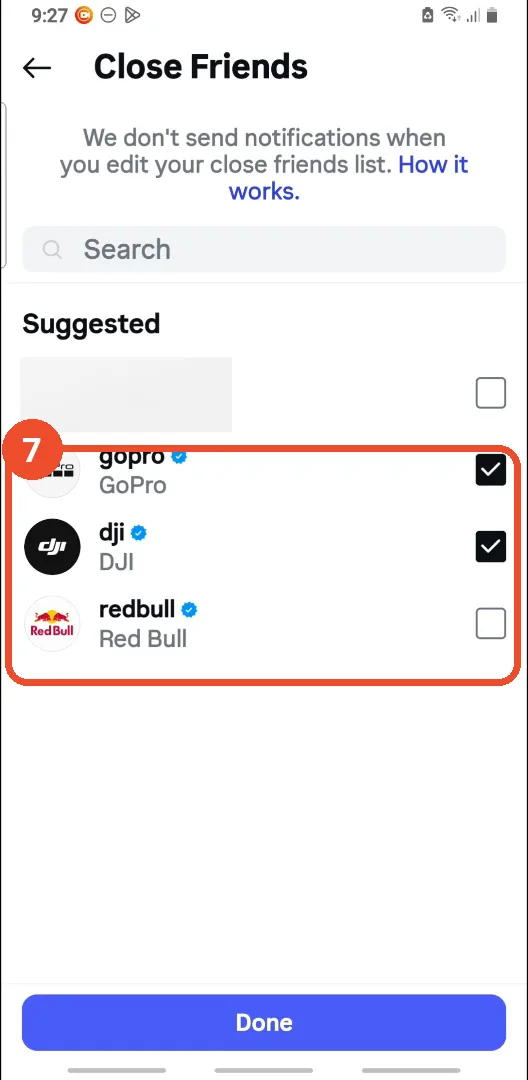
Select who can see the note
Tap Add people and check the people who can see the note. Here gopro and dji are checked and redbull is left unchecked — leaving someone unchecked is what hides the note from them. Then tap Done at the bottom.
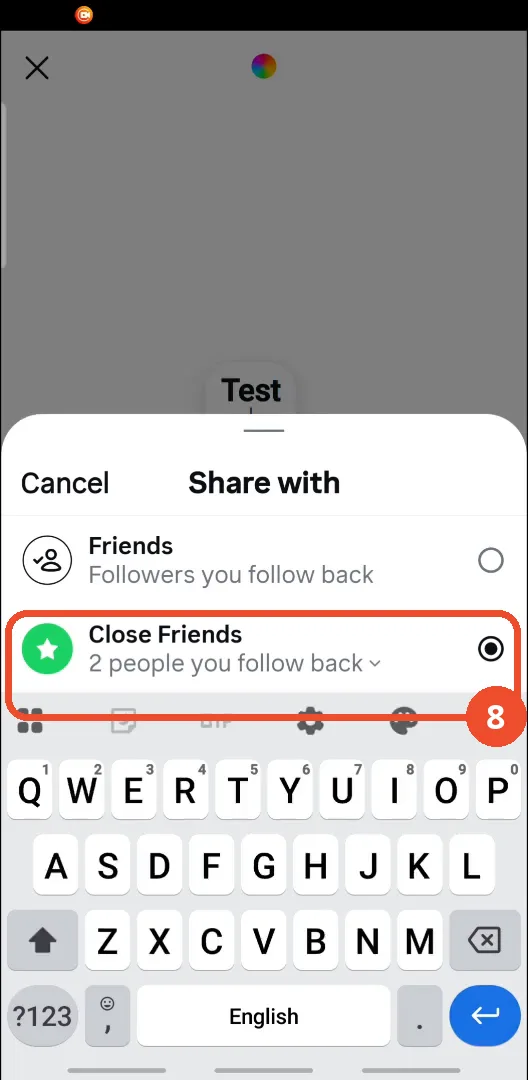
Check Close Friends is selected
Back on the Share with sheet, check that Close Friends is now selected — it reads “2 people you follow back”.
Post the note
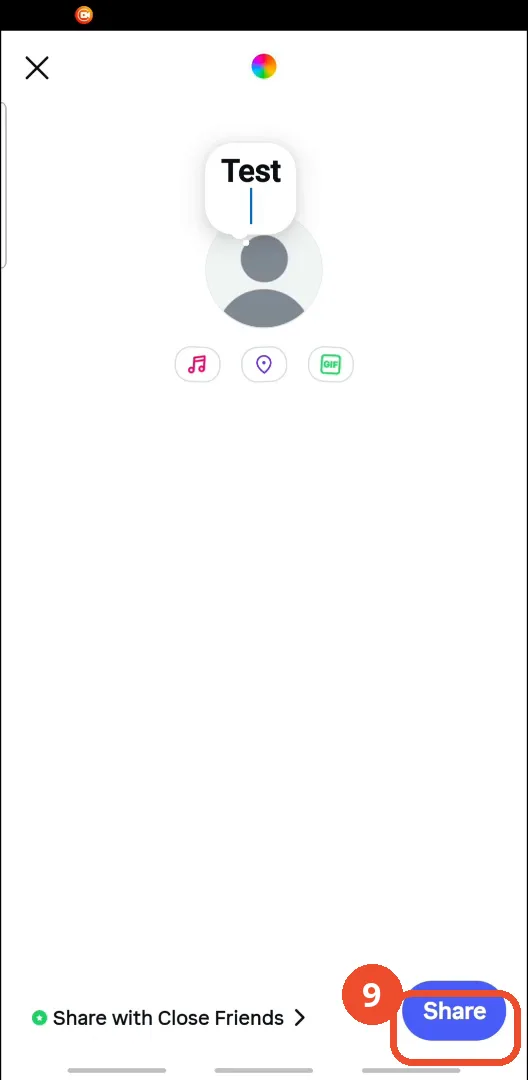
Back on the note composer, which now reads “Share with Close Friends”, tap the blue Share button to post the note.
Check the note is posted
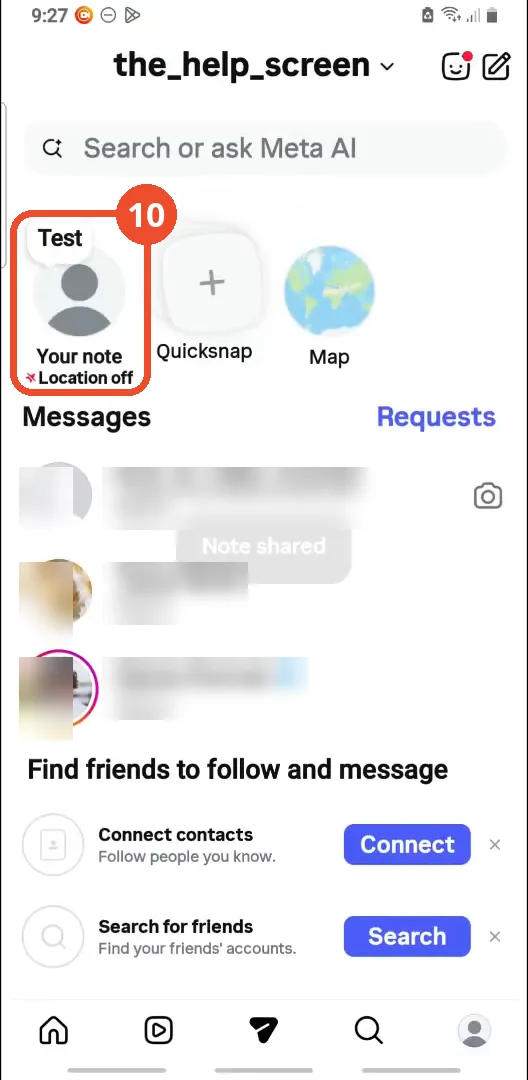
The note appears above Your note in the inbox, and a “Note shared” toast confirms it posted — visible only to the Close Friends you picked.
Good to know
- There is no per-person hide for notes: the film says so directly, and Close Friends is the only way to keep a note from someone. Anyone not checked in the list does not see the note.
- This hides the note, not your activity: it is a different feature from hiding your last seen or your active status, which live in the privacy settings, not in Notes.
- The note in the film is a demo note reading “Test” on the operator’s own account. It is posted for real — the inbox shows it above Your note with a “Note shared” toast.
- In the film, gopro and dji are checked, so they can see the note, and redbull is left unchecked, so it is hidden from them. The first Suggested row is already blanked out in the film itself.
- After picking Close Friends, the composer shows “Share with Close Friends” before you post — that is the confirmation that the audience stuck.
- Notes disappear after 24 hours, so the hiding only lasts as long as the note itself.
- The inbox names in the screenshots are blurred.
More on Instagram
- How to Comment on Your Own Instagram Story
- How to Hide Your Instagram Story from Everyone at Once
- How to Find the Email Associated with Your Instagram Account (2026 Guide)
- How to Unfollow Multiple People on Instagram
- How to Hide Your Instagram Account from Search
- How to View Instagram Stories Without Being Seen
- How to Tag Someone on Instagram (Posts and Stories)
- How to Search Multiple Hashtags on Instagram
- How to Make Your Instagram Bio Multiple Lines
- How to Follow a Hashtag on Instagram (2026 Workaround)
- How to Clear Cache on Instagram
- How to Copy an Instagram Comment (Screenshot + OCR Workaround)
- How to Hide Instagram Chats Without Deleting Them
- How to View All Comments on an Instagram Post
- How to Change Email on Instagram
- How to Comment a GIF on Instagram