How to Find the Email Associated with Your Instagram Account (2026 Guide)
Your Instagram account’s email lives in Accounts Center, not in Instagram’s own settings: Profile, menu, Accounts Center, Profiles and personal details, then Contact info, where the email addresses linked to the account are listed. The film’s own addresses are blurred in the screenshots below — yours will appear in the same place.
- SystemAndroid
- AppInstagram
- Last verifiedNovember 8, 2026
Every screenshot below is taken from the actual recording on this device — no stock images.
Steps
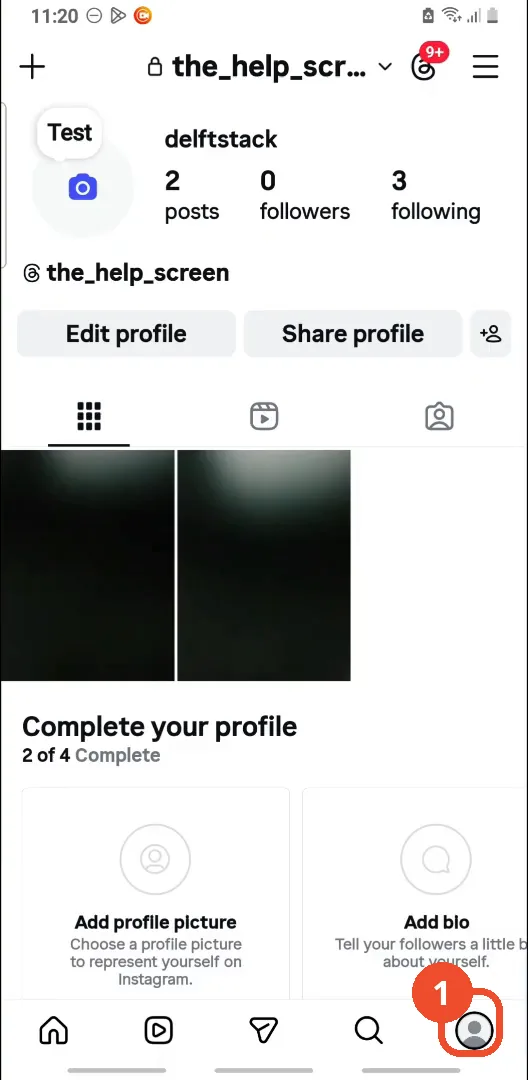
Open Instagram and go to your profile
Open Instagram, then tap your profile picture at the bottom right.
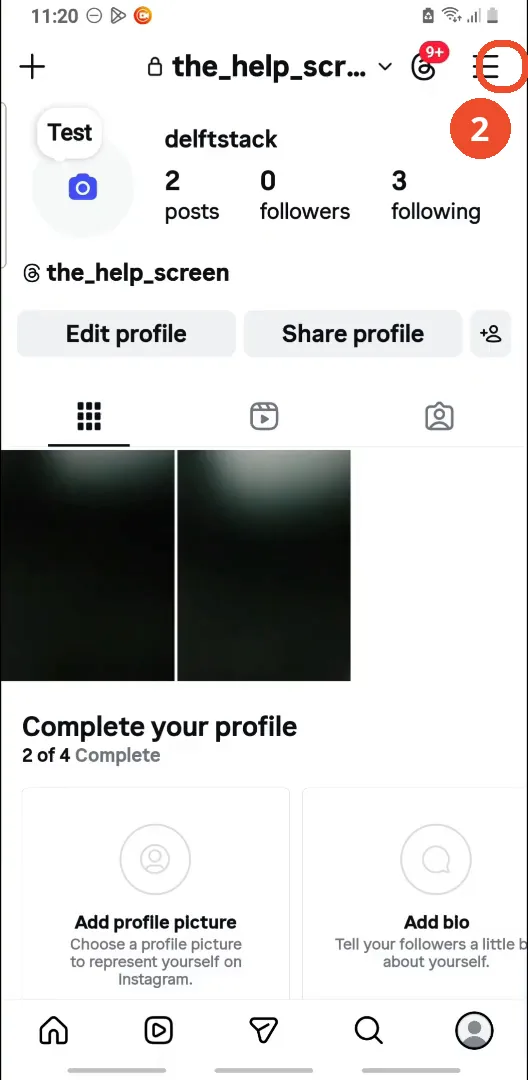
Tap the menu
Tap the three lines at the top right of your profile to open the menu.
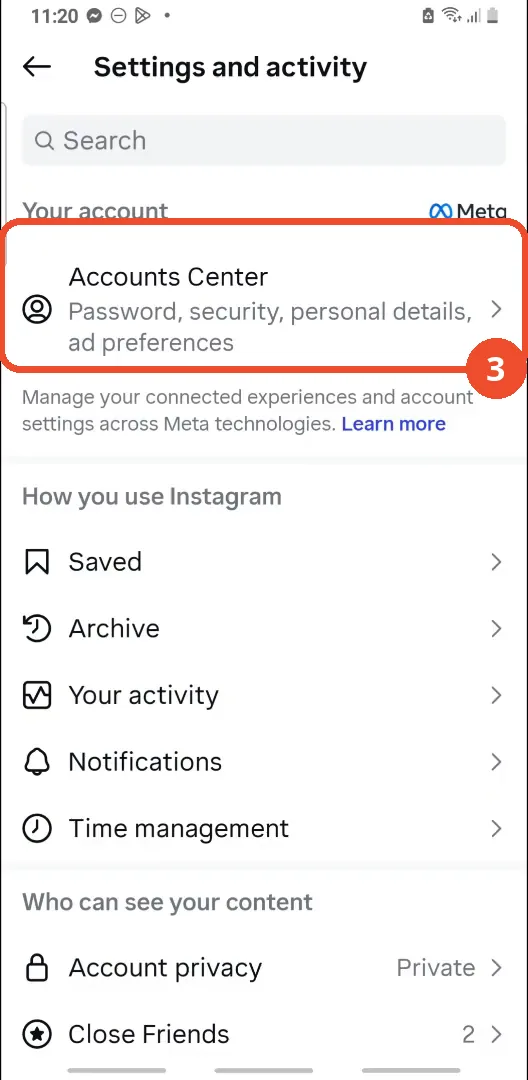
Tap Accounts Center
At the top of the Settings and activity page, under Your account, tap Accounts Center.
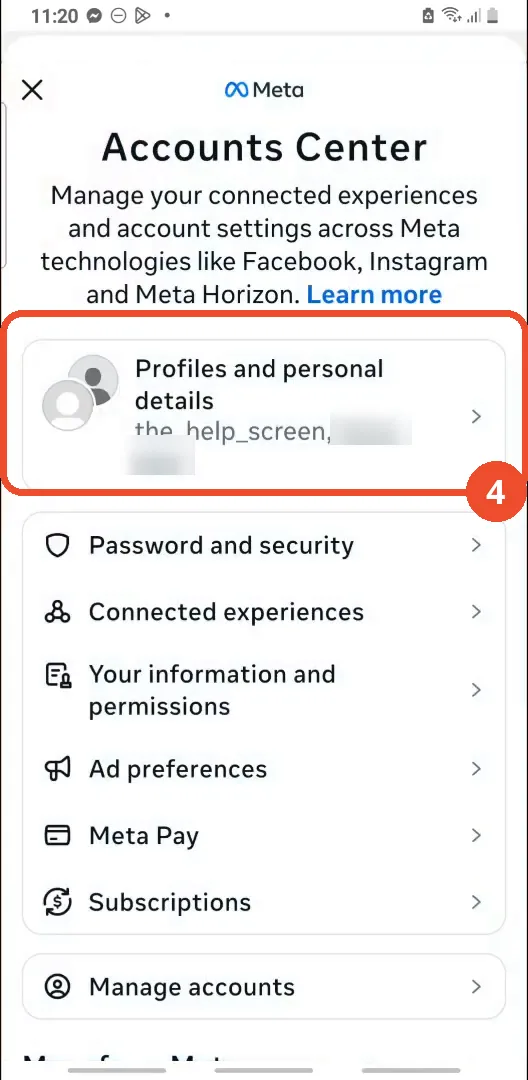
Tap Profiles and personal details
In Accounts Center, tap Profiles and personal details — the first row, showing the profiles linked here.
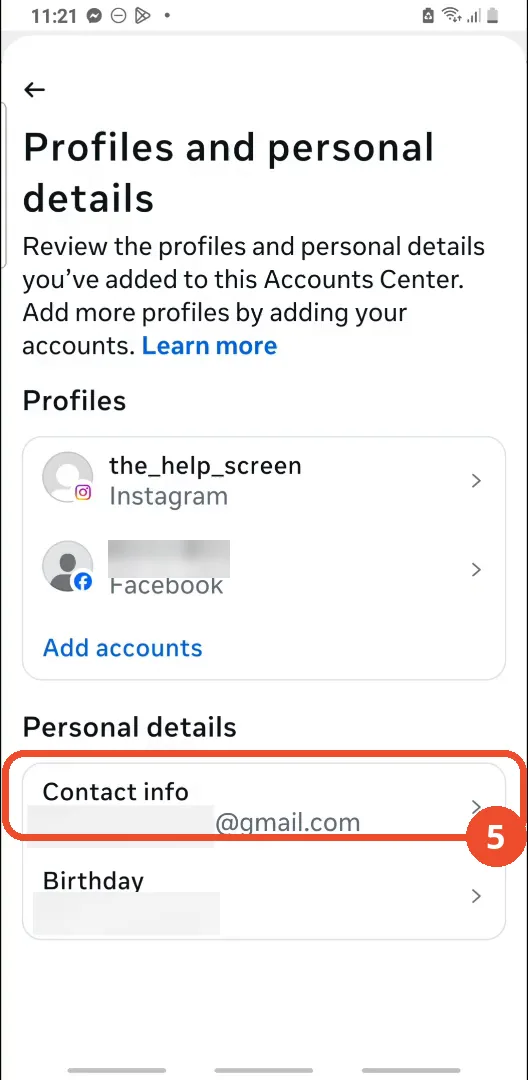
Tap Contact info
Under Personal details, tap Contact info. The row shows the end of one of the account’s email addresses.
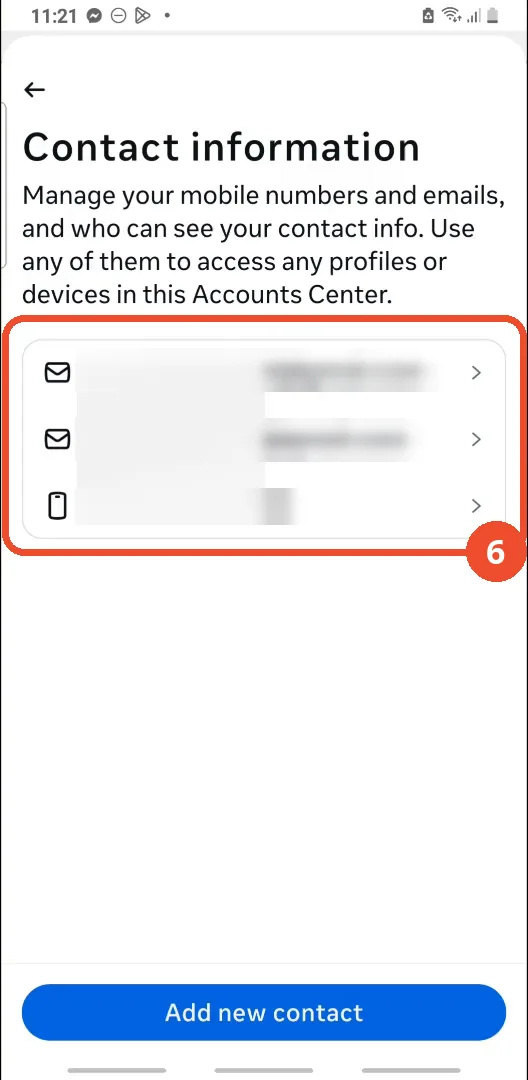
Check your email in Contact information
Your email addresses (and phone number) are listed on the Contact information page. They are blurred in this screenshot for privacy — on your own account, yours appear here in full.
Good to know
- You can only see the email of your own account: Instagram never shows another person’s email address, and the film says so explicitly.
- The email is found in Accounts Center (Meta), not in Instagram’s own Settings pages — that is why the route goes through the menu’s Accounts Center row.
- The film’s account has two email addresses and a phone number listed; both emails are the operator’s own login emails and are blurred in the screenshots.
- The Contact info row itself only shows the end of one address (“@gmail.com”); tap it to see the full list on the Contact information page.
- This shows you the email on the account; it does not change it.