How to Comment on Your Own Instagram Story
You can comment on your own Instagram Story in two ways: add the words as text on the Story before you post it, or post the Story first and then add a comment to it with Say something. This guide shows both, using the same Story.
- SystemAndroid
- AppInstagram
- Last verifiedNovember 7, 2026
Every screenshot below is taken from the actual recording on this device — no stock images.
Steps
Create a new story
Open Instagram, tap Your story and take a photo or pick one from your gallery. The story composer opens, with an Add a caption field at the bottom.
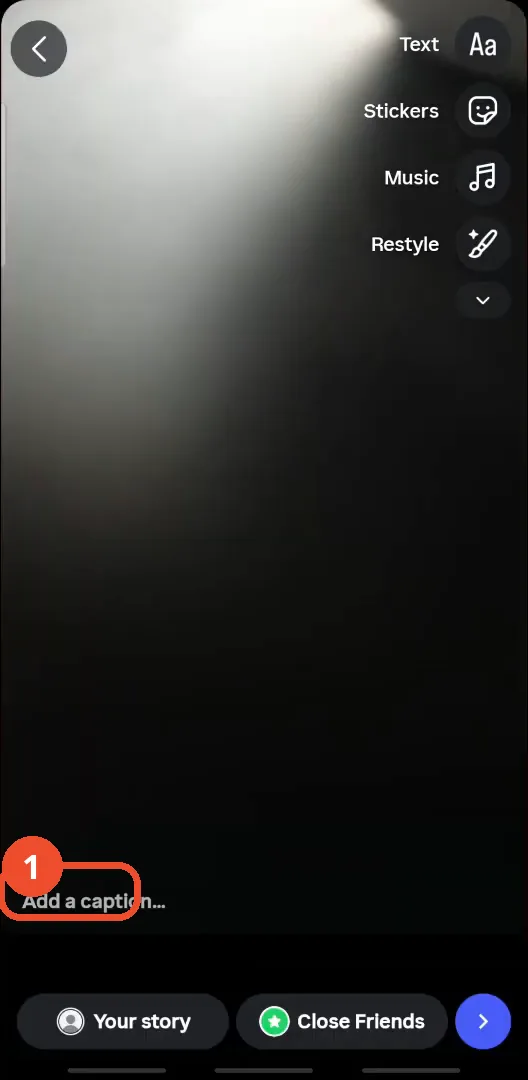
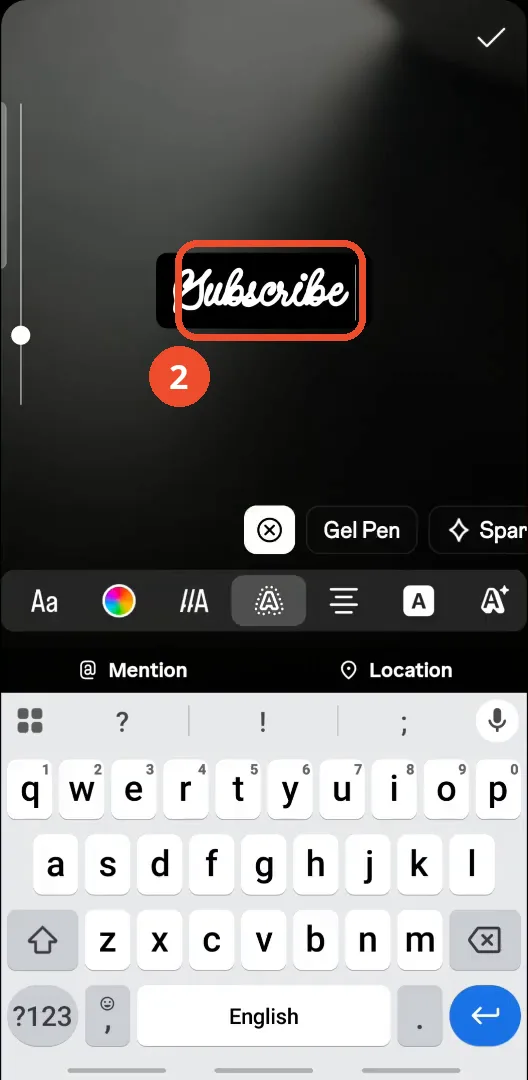
Add text to your story
Tap Aa (Text) at the top right, type your comment — here, “Subscribe” — then pick a font, colour and style from the toolbar.
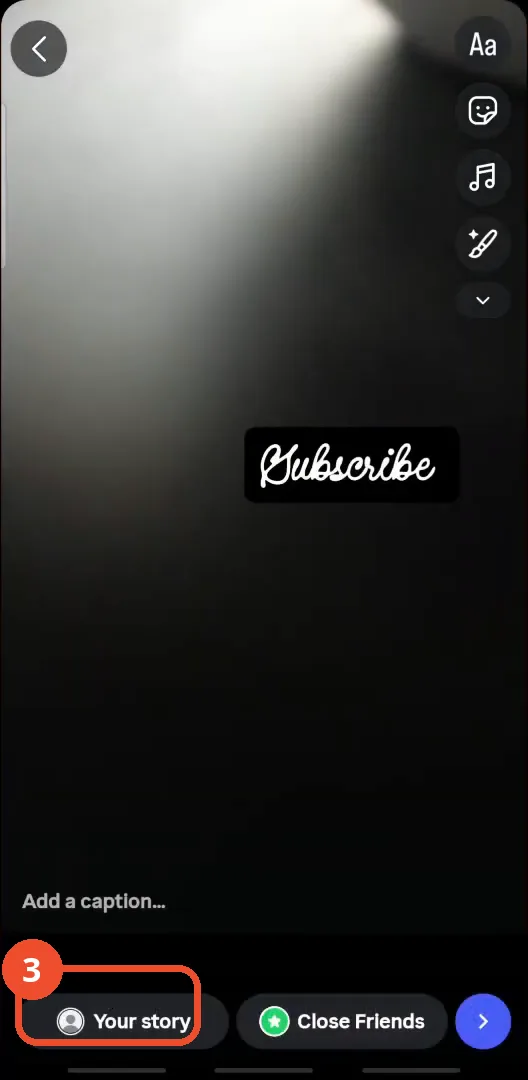
Share it to Your story
When the text looks right, tap Your story at the bottom to post it.
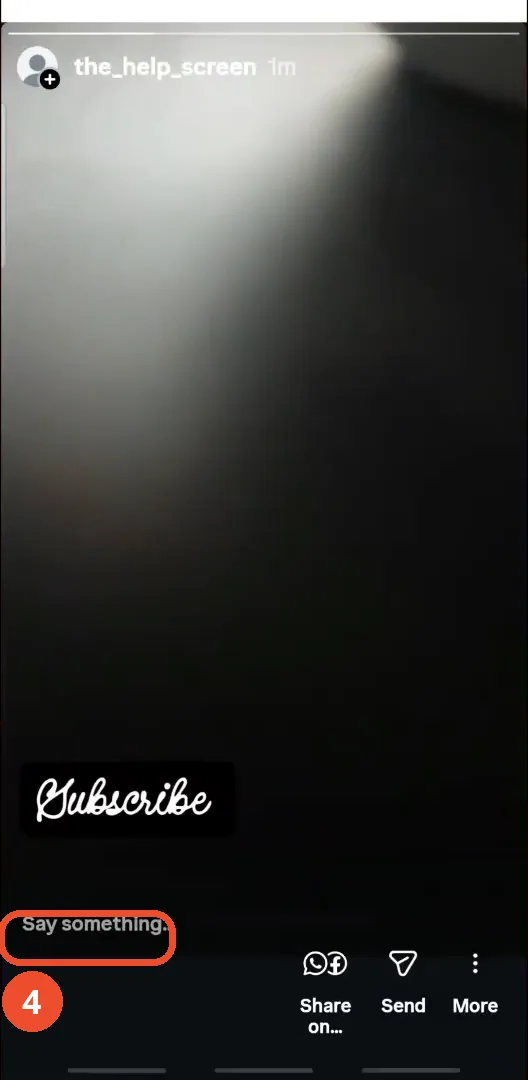
Open your story and tap Say something
Once the Story is posted, open it from your profile and tap Say something at the bottom.
Type your comment and send it
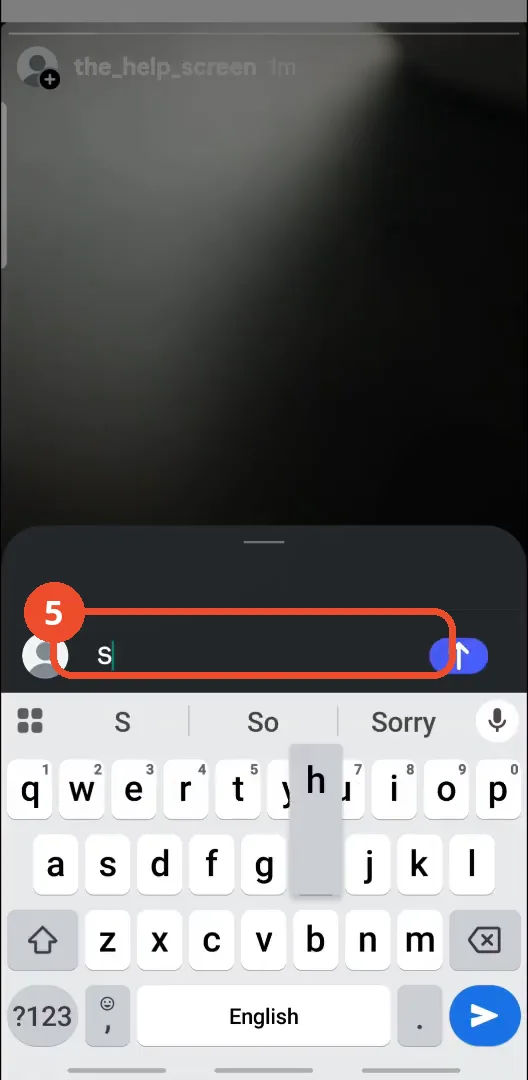
Type your comment in the Add a comment or @mention friends field — the film’s demo comment is the single word “Share” — then tap the blue send arrow.
Check your comment on the story
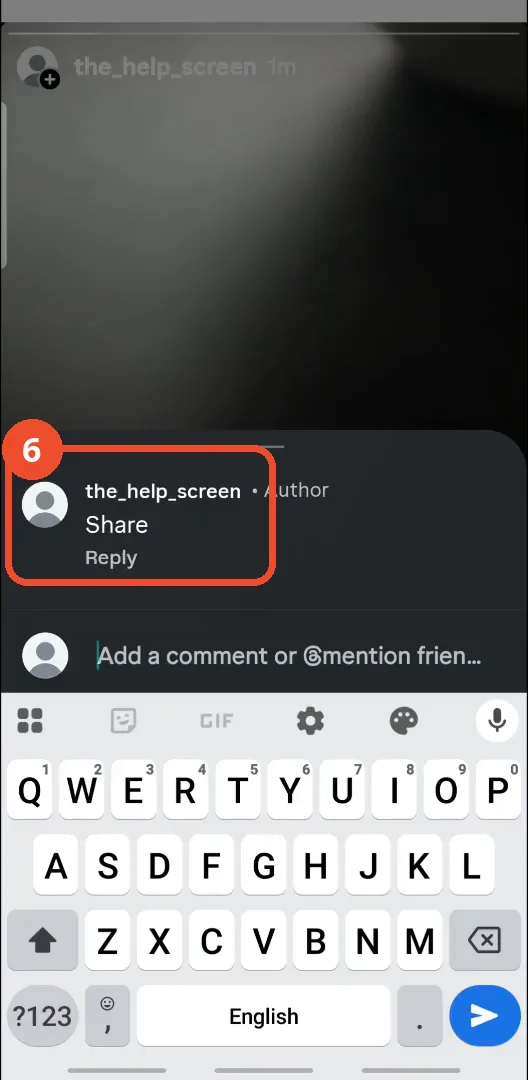
Your comment appears on the Story under your name, marked Author, with Reply underneath — that is how it looks to everyone who views your Story.
Good to know
- The first way is not a comment in the usual sense: it adds text onto the Story image itself, so it is visible to everyone who sees the Story but nobody can reply to it.
- The second way posts a real comment on the Story: viewers see it under your name with an Author label and can tap Reply.
- The comment field also offers @mention friends, so you can mention someone in your comment — the film shows the option but does not demonstrate mentioning anyone.
- The film’s demo comment is the single word “Share”; type whatever you want your viewers to see.
- If you change your mind, the More menu on your own Story lets you delete the Story or move it to Archive.