How to Clear Cache on Instagram
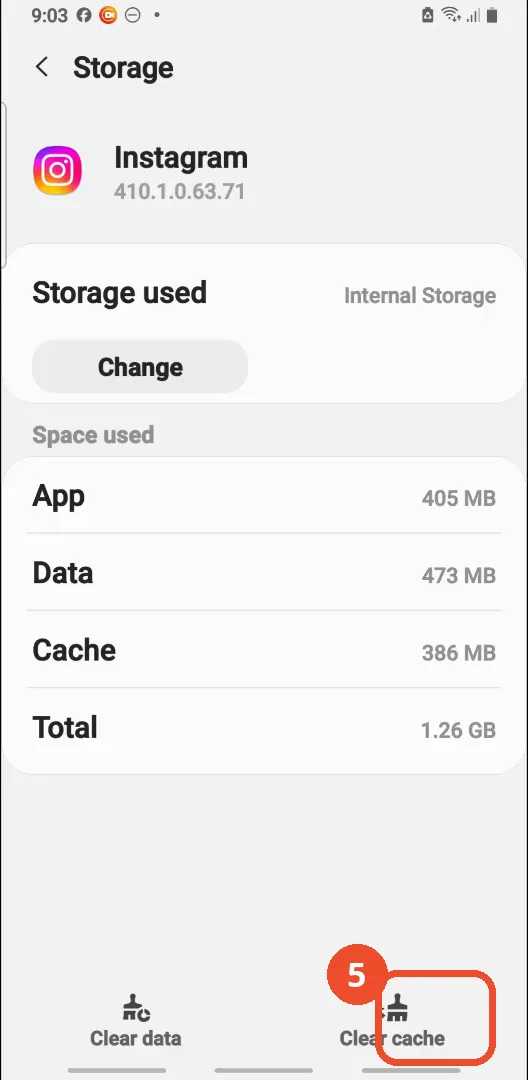
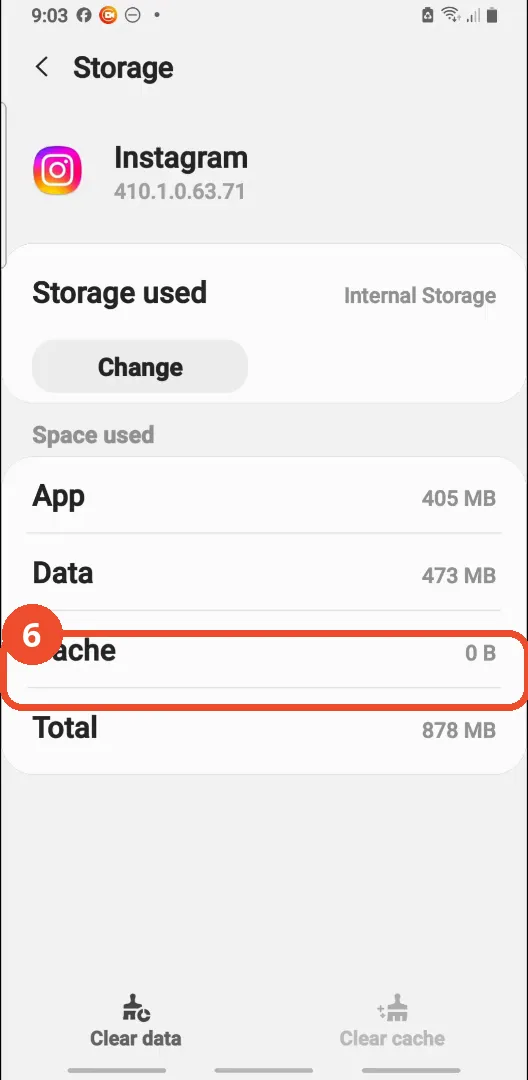
Instagram offers no clear-cache button inside the app, so this film clears it through Android Settings instead: Settings > Apps > Instagram > Storage, then Clear cache. On the phone filmed, the cache drops from 386 MB to 0 B and the total from 1.26 GB to 878 MB - App and Data are untouched.
- SystemAndroid
- AppInstagram
- Last verifiedNovember 12, 2026
Every screenshot below is taken from the actual recording on this device — no stock images.
Steps
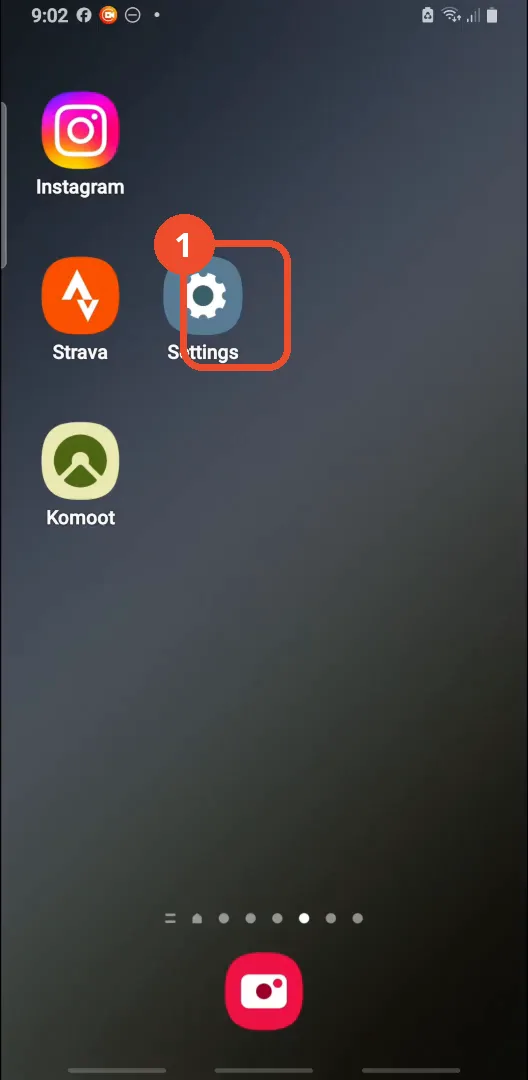
Open Settings
On the home screen, tap the Settings gear.
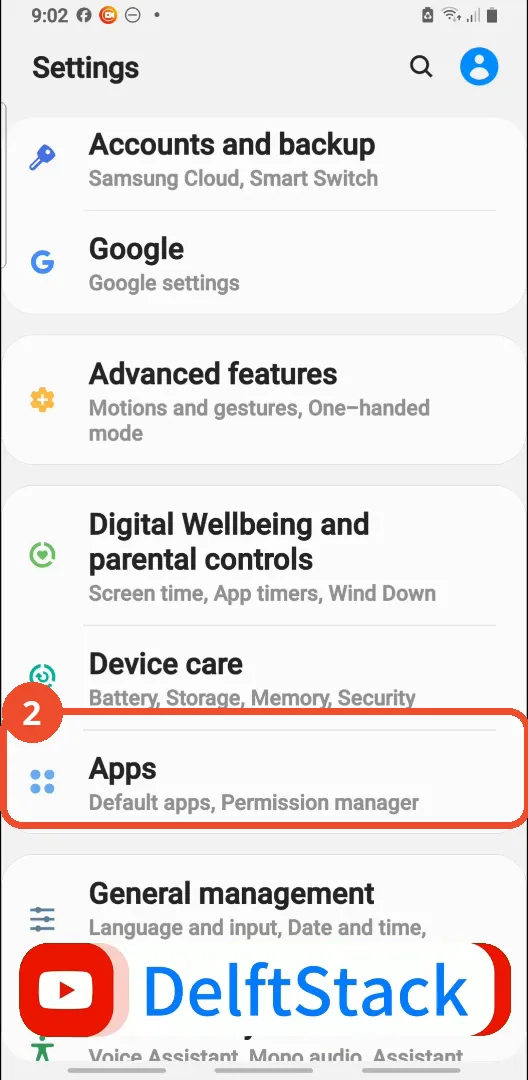
Tap Apps
In Settings, scroll down and tap Apps.
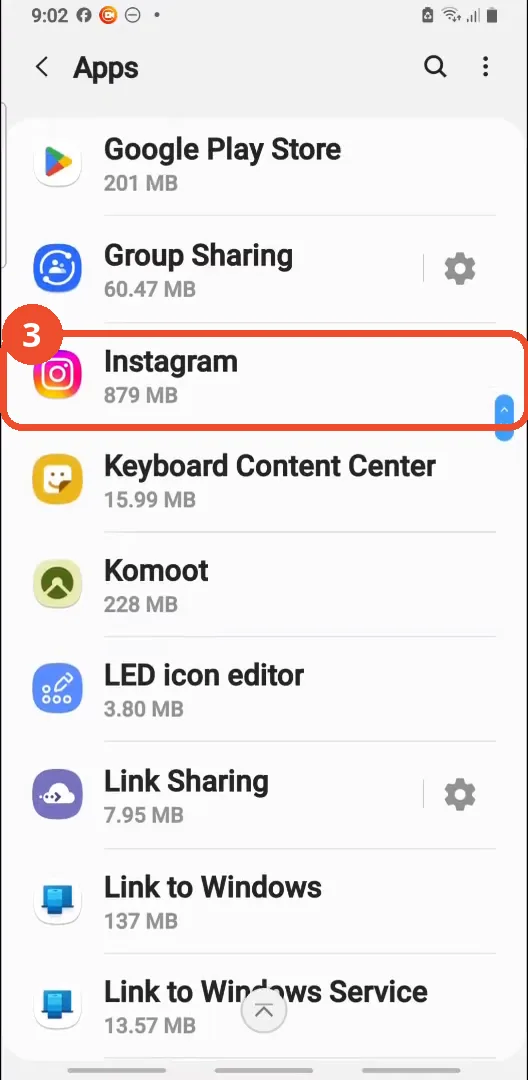
Tap Instagram
In the Apps list, find and tap Instagram - it shows 879 MB here.
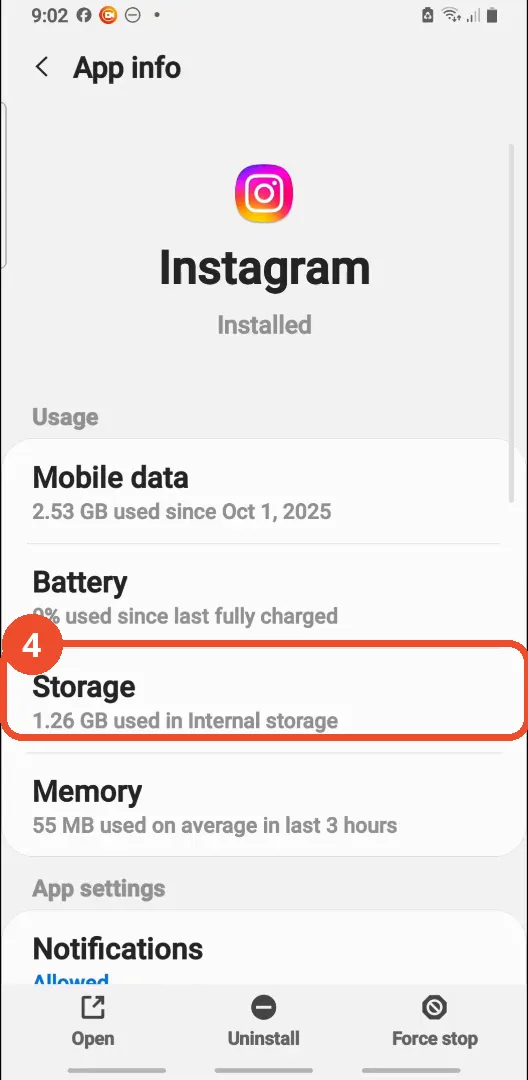
Open Storage
On the Instagram App info page, tap Storage. It shows 1.26 GB used in Internal storage.
Tap Clear cache
At the bottom right, tap Clear cache. Before clearing, the screen reads App 405 MB, Data 473 MB and Cache 386 MB.
Check the cache is 0 B
Cache now reads 0 B and Total drops from 1.26 GB to 878 MB. App and Data are unchanged, so clearing the cache does not log you out or delete your data.
Good to know
- There is no clear-cache option inside Instagram itself - the film uses the phone Settings route (Settings > Apps > Instagram > Storage).
- Clearing the cache does not log you out or delete saved data: App (405 MB) and Data (473 MB) are identical before and after; only Cache (386 MB) drops to 0 B.
- The narration says the total was 1.56 GB; the screen actually reads 1.26 GB before clearing and 878 MB after.
- The film also shows the Clear data option and its warning - “All of this application’s data will be deleted permanently” - but never taps OK, so no data is deleted on camera. Clear data is a separate, destructive step: it would sign you out and wipe the app’s stored data.
- The Apps list shows Instagram as 879 MB - that is App plus Data only, and does not include the cache.
- The phone filmed is a Samsung running One UI on Android, and Instagram is version 410.1.0.63.71; menu names can differ on other Android phones.
More on Instagram
- How to Comment on Your Own Instagram Story
- How to Hide Your Instagram Story from Everyone at Once
- How to Find the Email Associated with Your Instagram Account (2026 Guide)
- How to Unfollow Multiple People on Instagram
- How to Hide Your Instagram Account from Search
- How to View Instagram Stories Without Being Seen
- How to Tag Someone on Instagram (Posts and Stories)
- How to Search Multiple Hashtags on Instagram
- How to Make Your Instagram Bio Multiple Lines
- How to Follow a Hashtag on Instagram (2026 Workaround)
- How to View All Comments on an Instagram Post
- How to Copy an Instagram Comment (Screenshot + OCR Workaround)
- How to Hide Instagram Chats Without Deleting Them