How to Change Vehicle Icon on Google Maps
Google Maps lets you swap the blue navigation arrow for a car in the color of your choice — but only in the mobile app, and only while you are navigating. Set a destination, start navigation, tap the arrow, and pick a vehicle.
- SystemiOS (Google Maps app)
- AppGoogle Maps app
- Last verifiedNovember 19, 2026
Every screenshot below is taken from the actual recording on this device — no stock images.
Steps
Open Google Maps on your phone
Open the Google Maps app on your phone. This only works in the mobile app — the desktop site has no vehicle icon option.
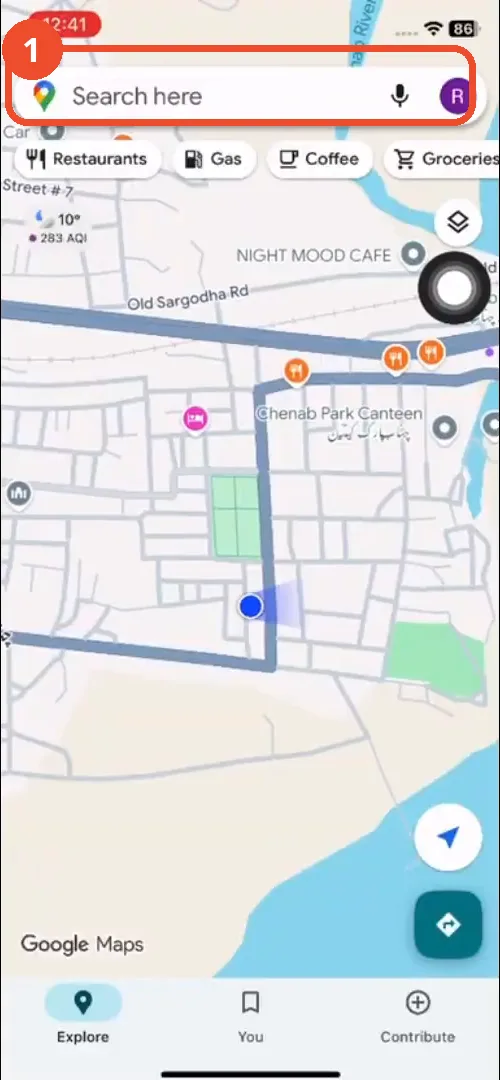
Set your location and choose a destination
Tap the directions button, check your starting point, and tap Choose destination. The film picks a nearby place as the destination.
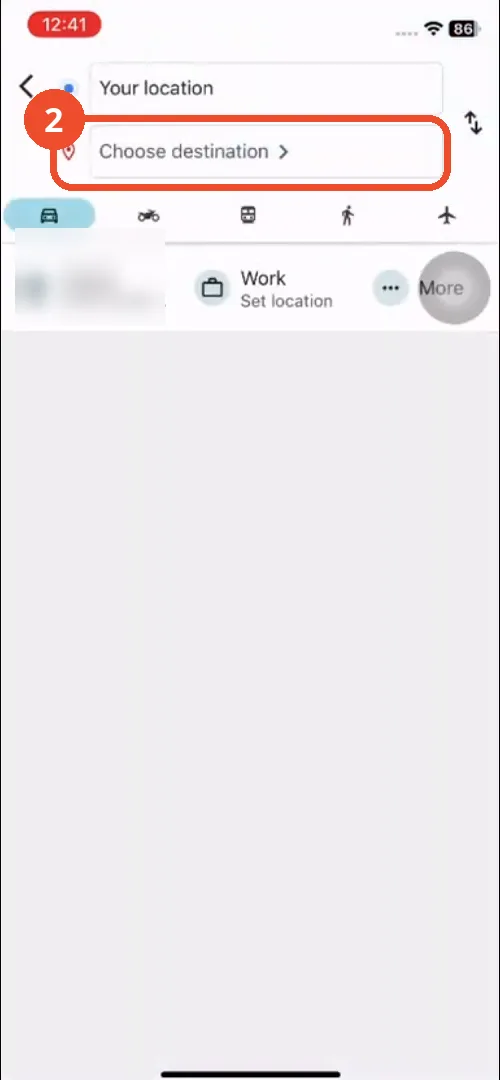
Type the destination and pick it
Type the destination and tap it in the suggestions. The film types “chee” and picks Cheese ’n Crunch.
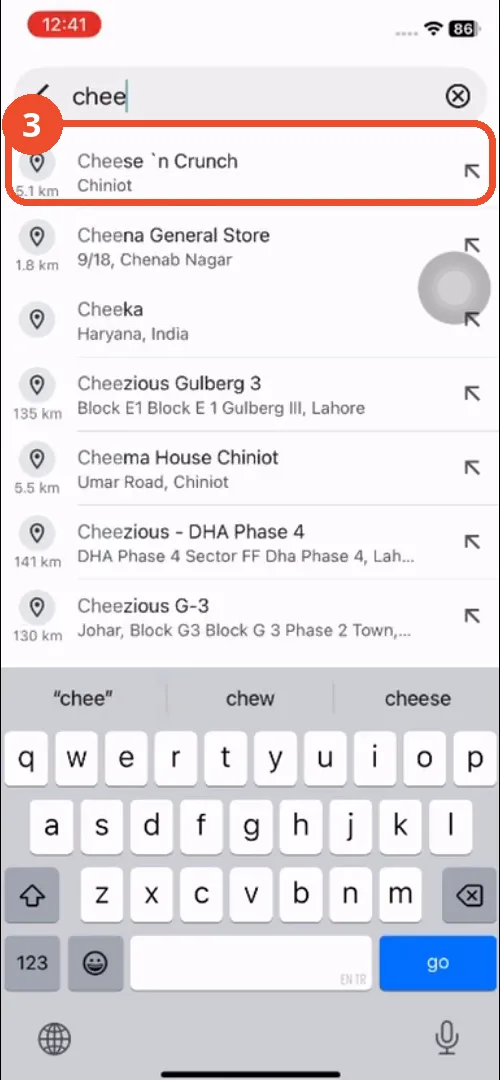
Tap Start
Tap Start at the bottom to begin navigation. The route preview shows 14 minutes for the film’s trip.
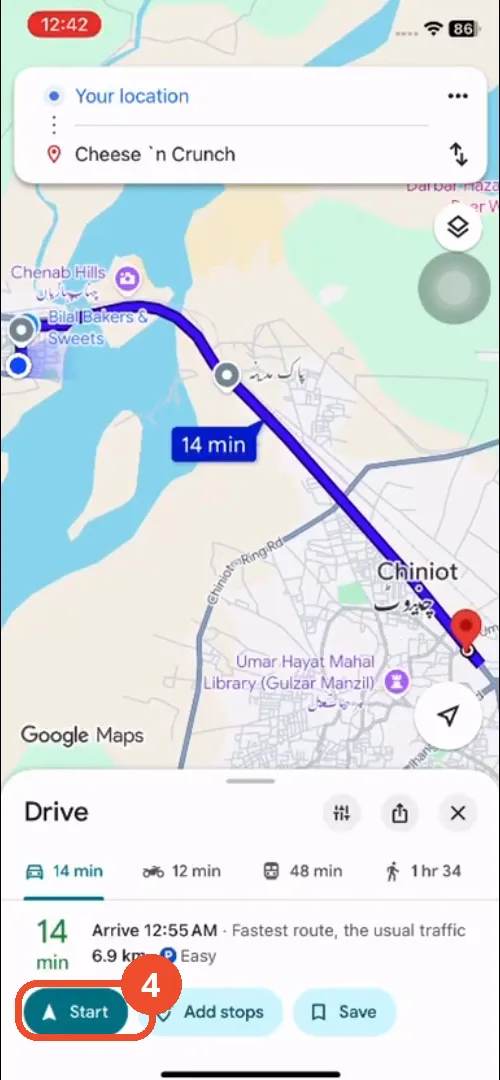
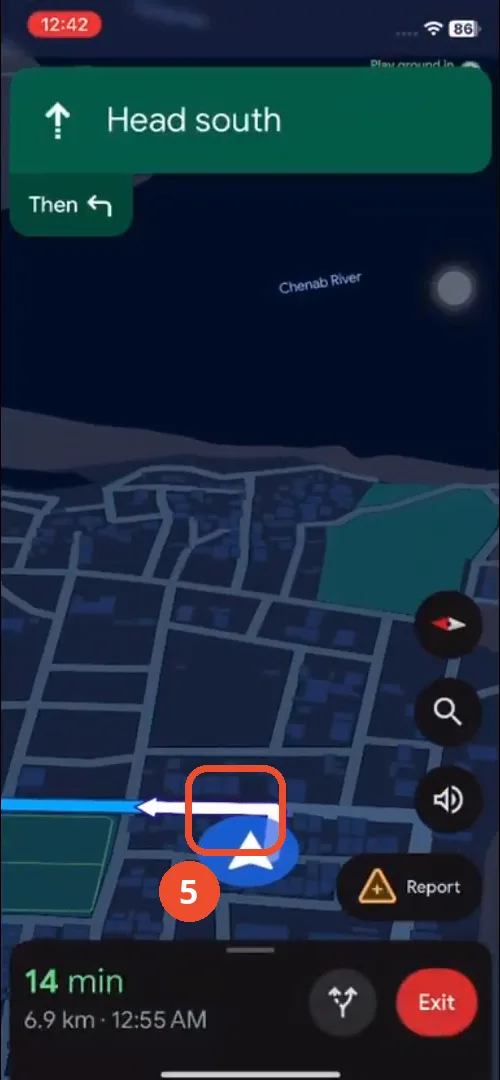
Tap the navigation arrow
Once navigation is running, tap the blue arrow that marks your position on the map. That arrow is your current vehicle icon.
Pick a vehicle and a color
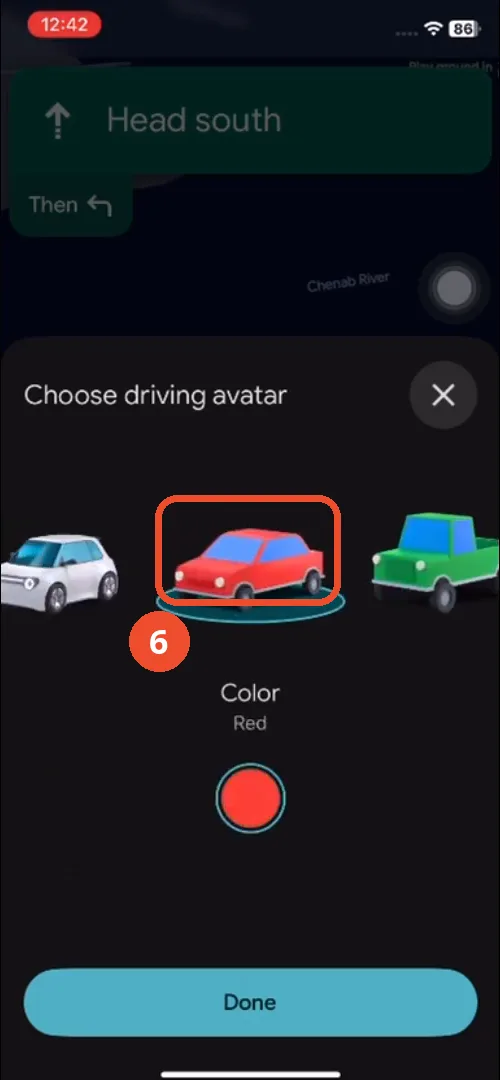
The “Choose driving avatar” sheet shows several vehicles and eight colors. The film tries the red car first, then looks at the yellow and magenta ones.
Tap Done — the new icon is on the map
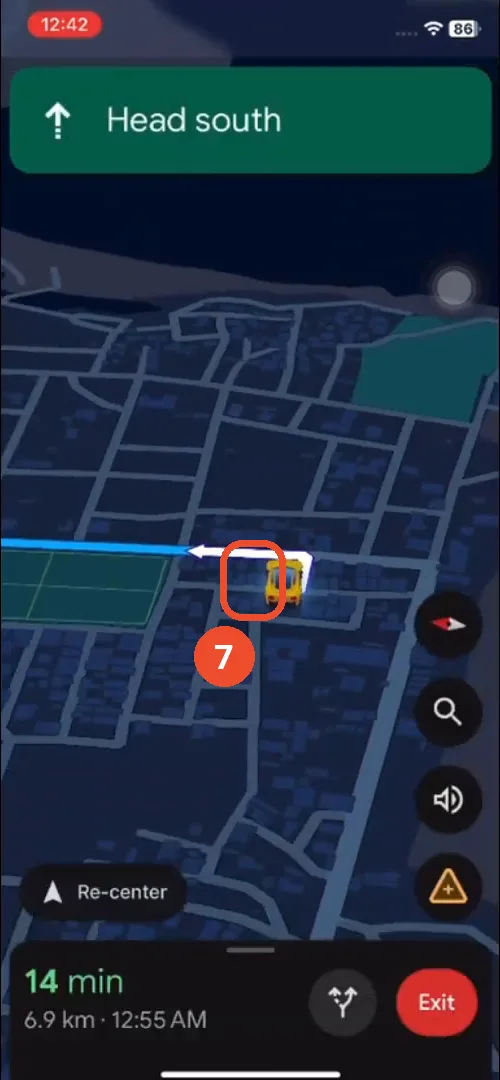
Tap Done. The blue arrow is replaced by the vehicle you picked — the film ends up with the yellow car.
Good to know
- The vehicle icon only appears while navigating; the option is not in the app’s settings.
- The film tries three colors — red, yellow, then magenta — before settling on the yellow car and tapping Done.
- The film’s destination is a nearby place picked for the demo; any destination works.
- The Home shortcut in the directions panel shows part of the operator’s saved home address; it is blurred in the screenshots.
More on Google Maps
- How to Fix Blank Google Maps in Firefox
- How to Track Family Members on Google Maps
- How to Get Compass on Google Maps
- How to Change Routes in Google Maps
- How to Change the Year in Google Maps and View Past Locations
- How to Change Google Maps from Walking to Driving
- How to Pin Multiple Locations on Google Maps
- How to Remove Labels from Google Maps
- How to Create a Walking Route on Google Maps
- How to Delete Saved Trips on Google Maps
- How to See Elevation on Google Maps