How to Send Encrypted Emails in Gmail Using Confidential Mode
Gmail’s Confidential Mode adds an expiry date to an email and stops the recipient from forwarding, copying, printing, or downloading it. The film turns it on for a new message: pick an expiration, choose whether to require an SMS passcode, and save. The message itself is never addressed or sent on camera - see the notes below.
- SystemWindows (browser)
- AppGmail web app
- Last verifiedNovember 17, 2026
Every screenshot below is taken from the actual recording on this device — no stock images.
Steps
Open Gmail and start a new message
Open Gmail in a desktop browser and click Compose. The film cuts straight to a New Message window already open over the Trash list.
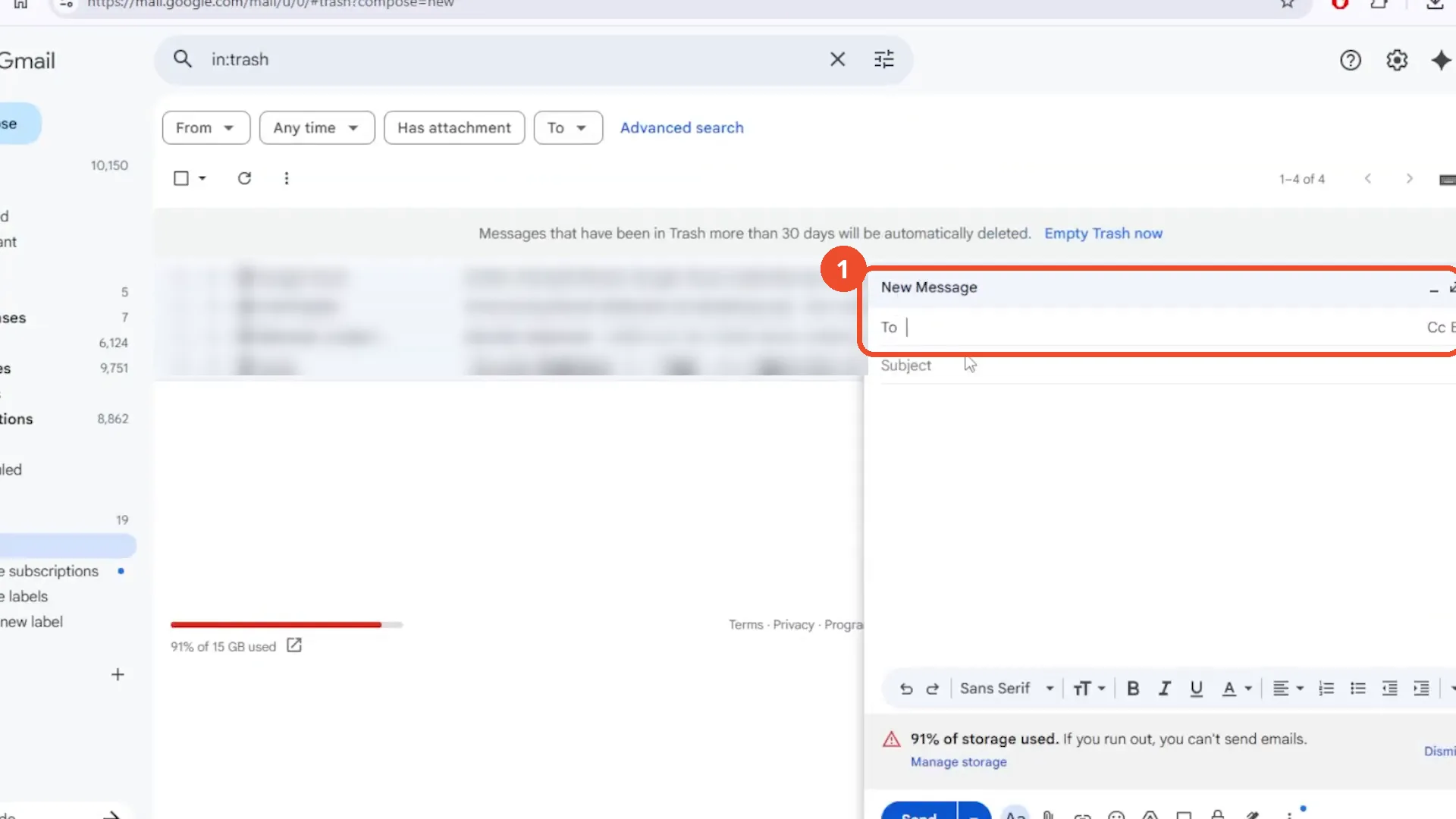
Click the lock icon for Confidential Mode
At the bottom of the compose window, click the lock-with-clock icon. The film clicks it with the message still empty - no recipient, subject, or body has been typed.
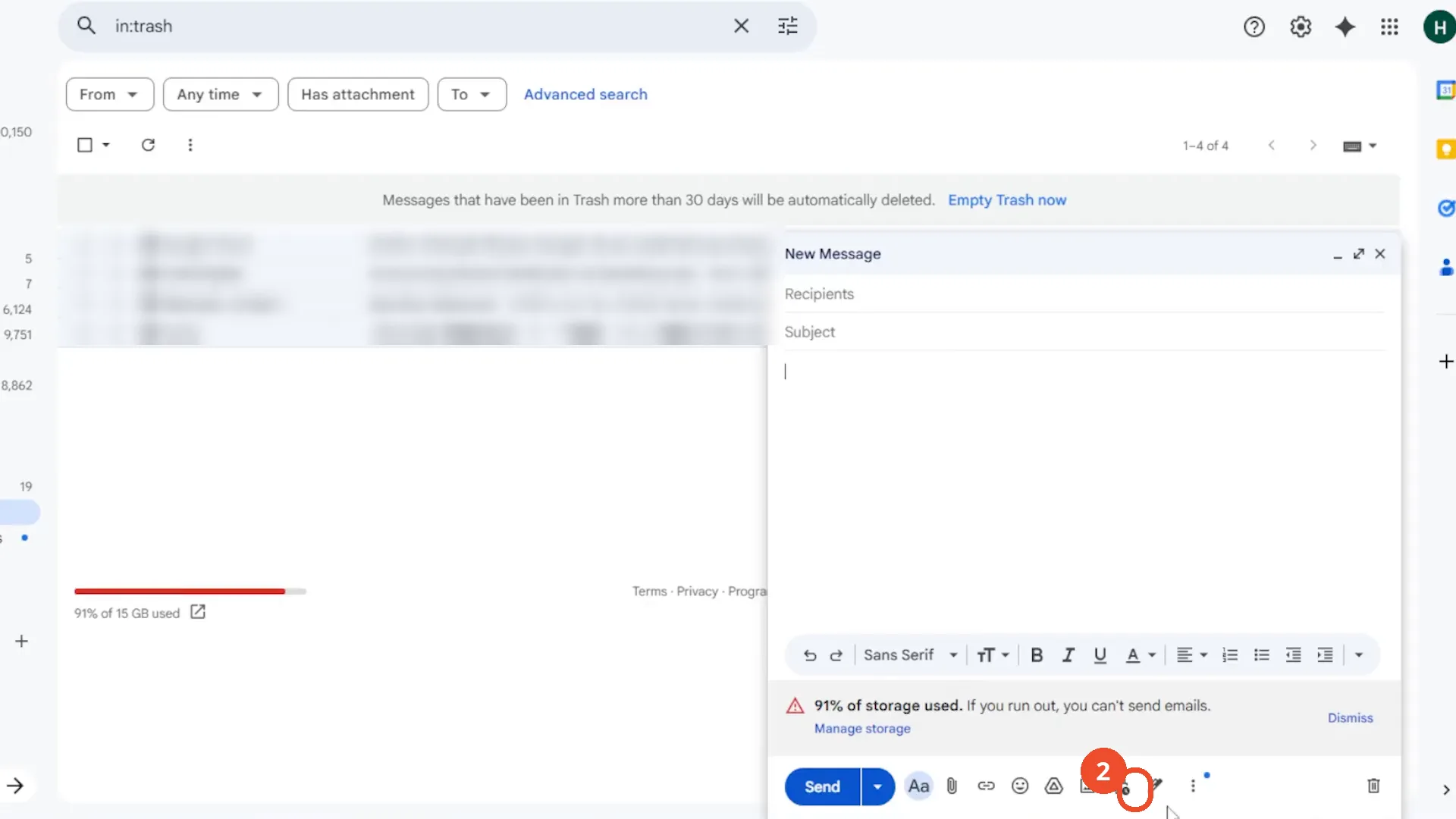
Open the expiration menu
The Confidential mode dialog opens: ‘Recipients won’t have the option to forward, copy, print, or download this email.’ It defaults to ‘Expires in 1 week’ (Tue, Feb 17, 2026) and ‘No SMS passcode’. Click the expiration menu.
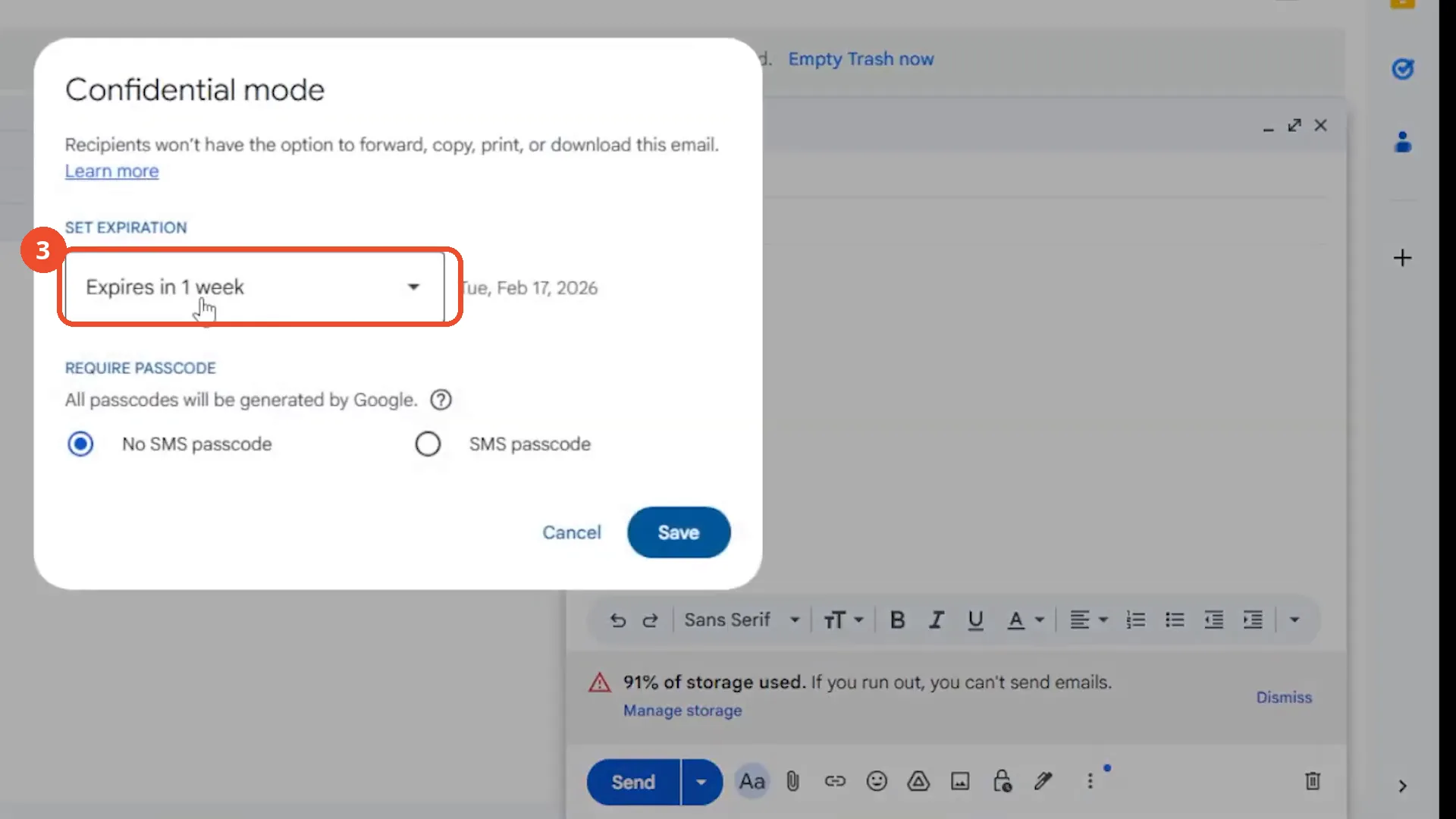
Choose an expiration date
The menu offers 1 day, 1 week, 1 month, 3 months, or 5 years. The film picks ‘Expires in 1 day’.
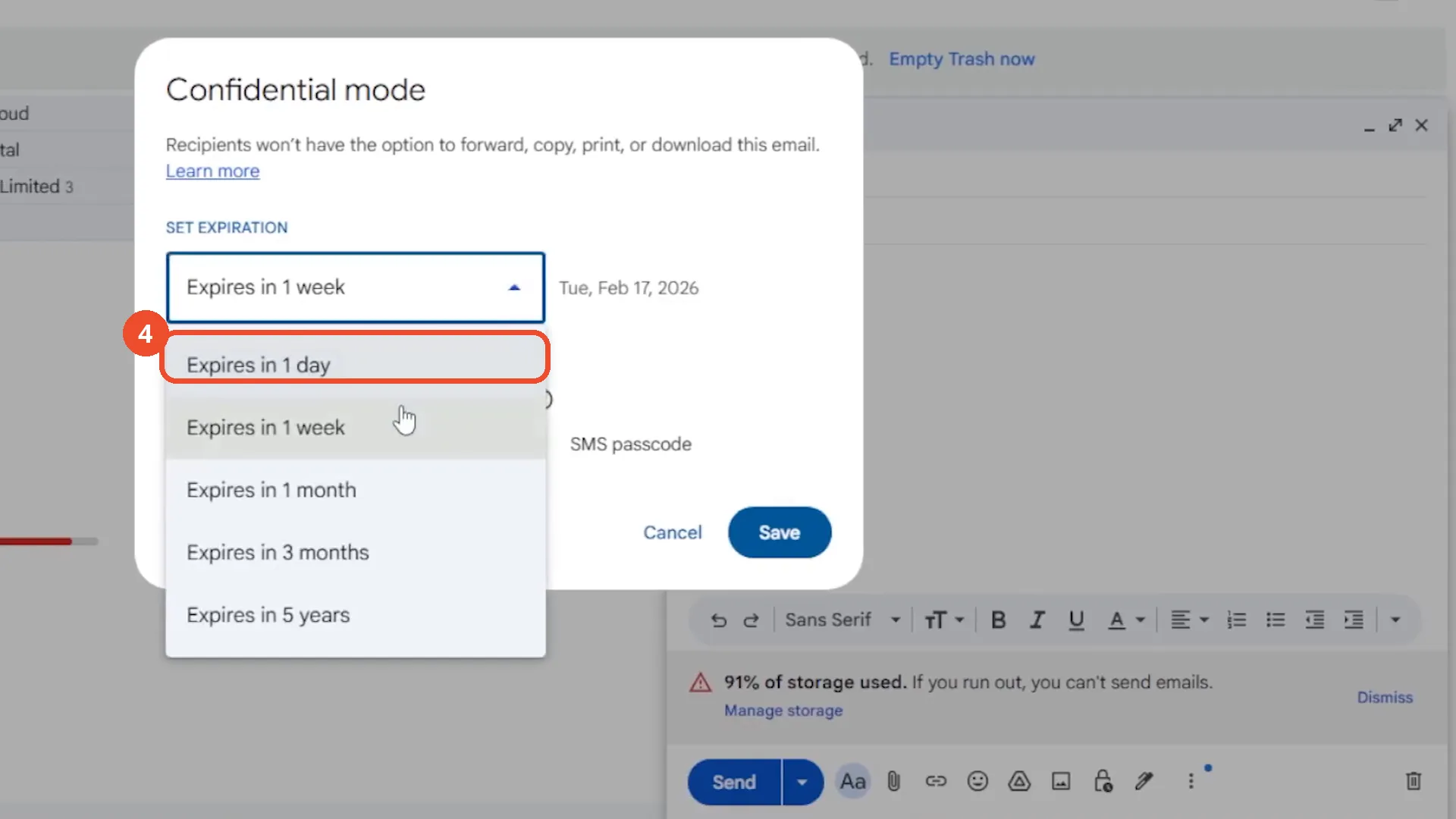
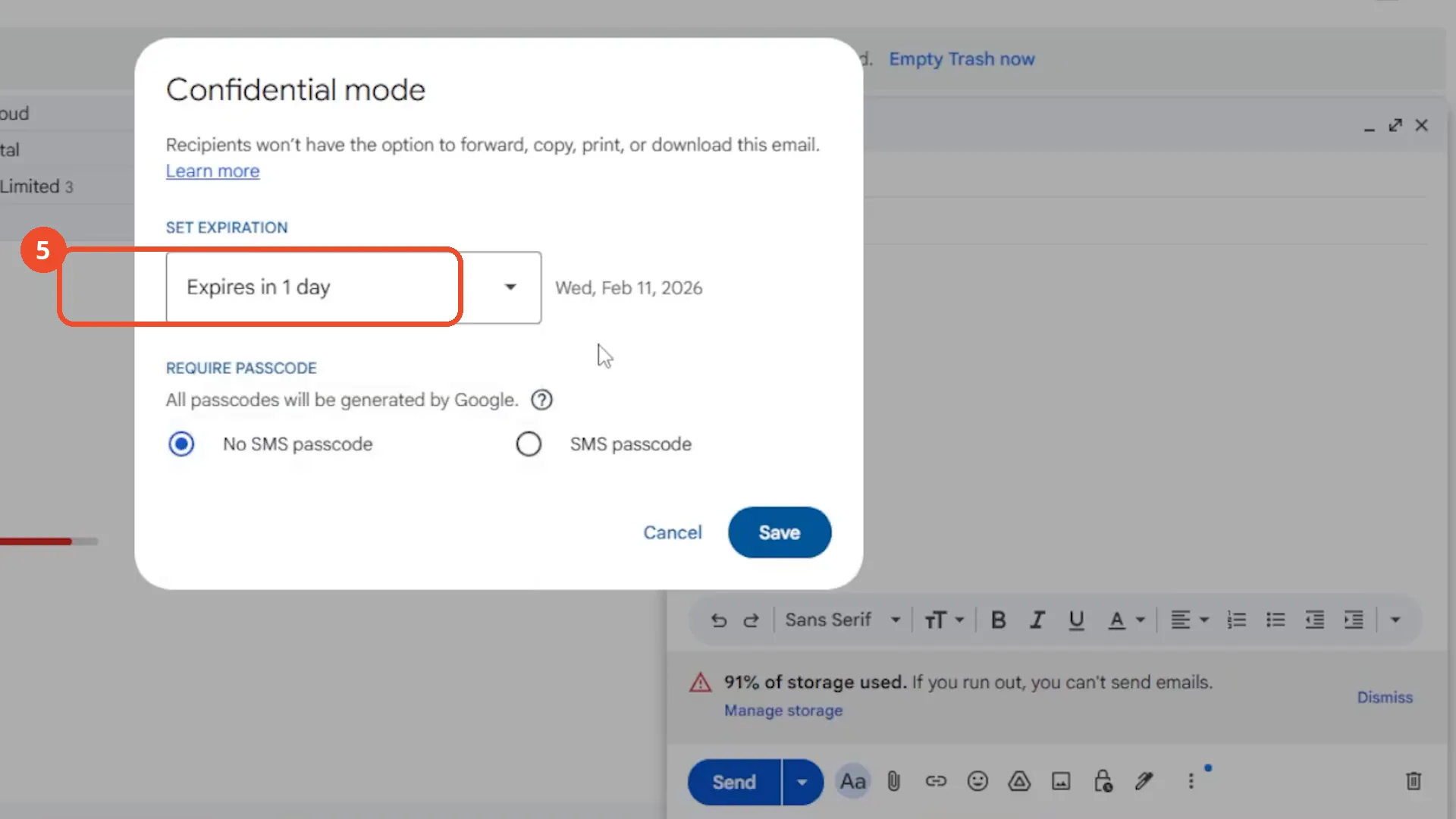
Check the new expiration date
The dialog now reads ‘Expires in 1 day’ - Wed, Feb 11, 2026. ‘No SMS passcode’ is still selected at this point.
Turn on SMS passcode
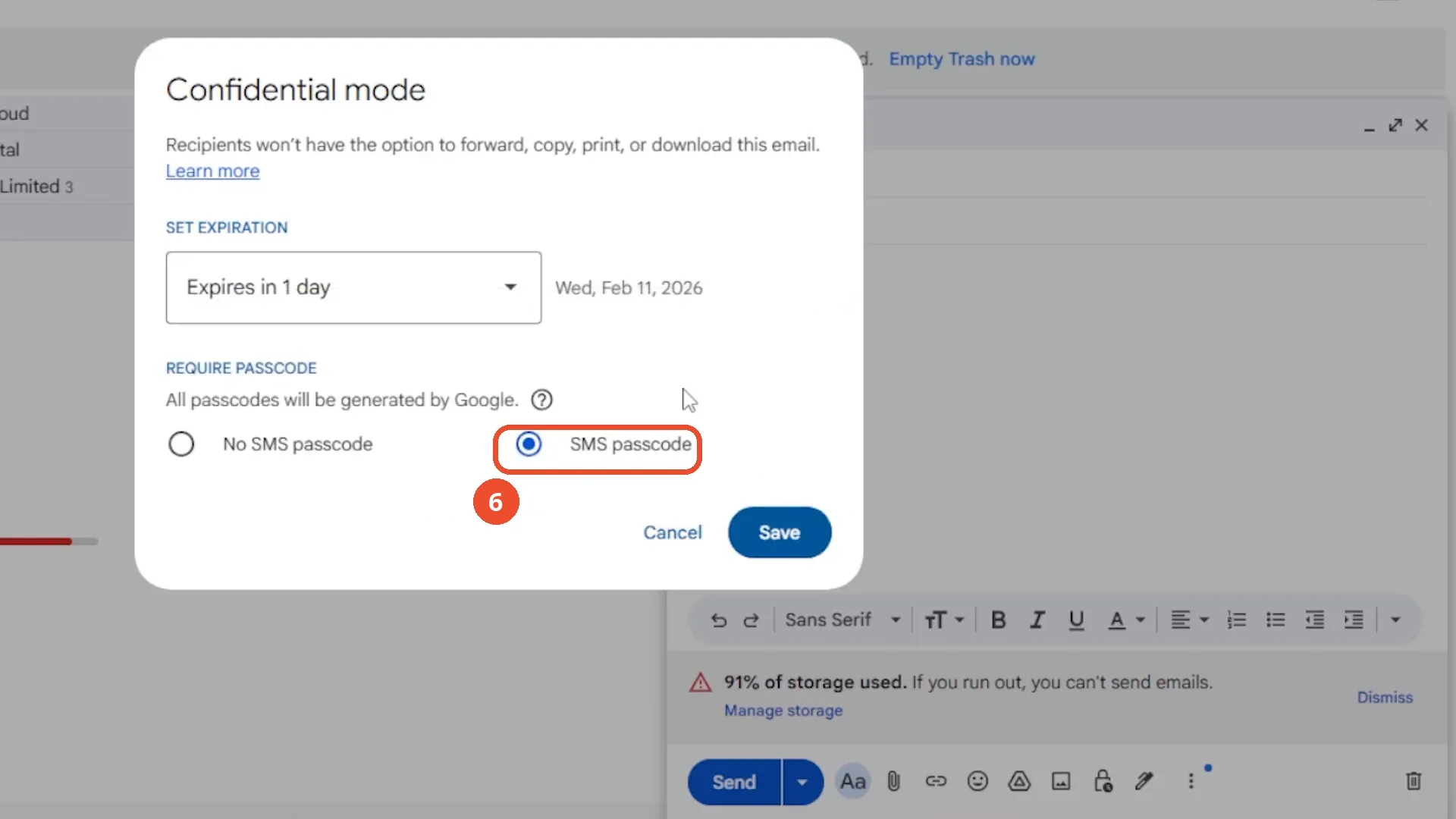
Select ‘SMS passcode’ if the recipient must enter a code texted to their phone before opening the message. Gmail generates the code; no phone number is typed on camera - that prompt only appears when you send.
Save and check the banner
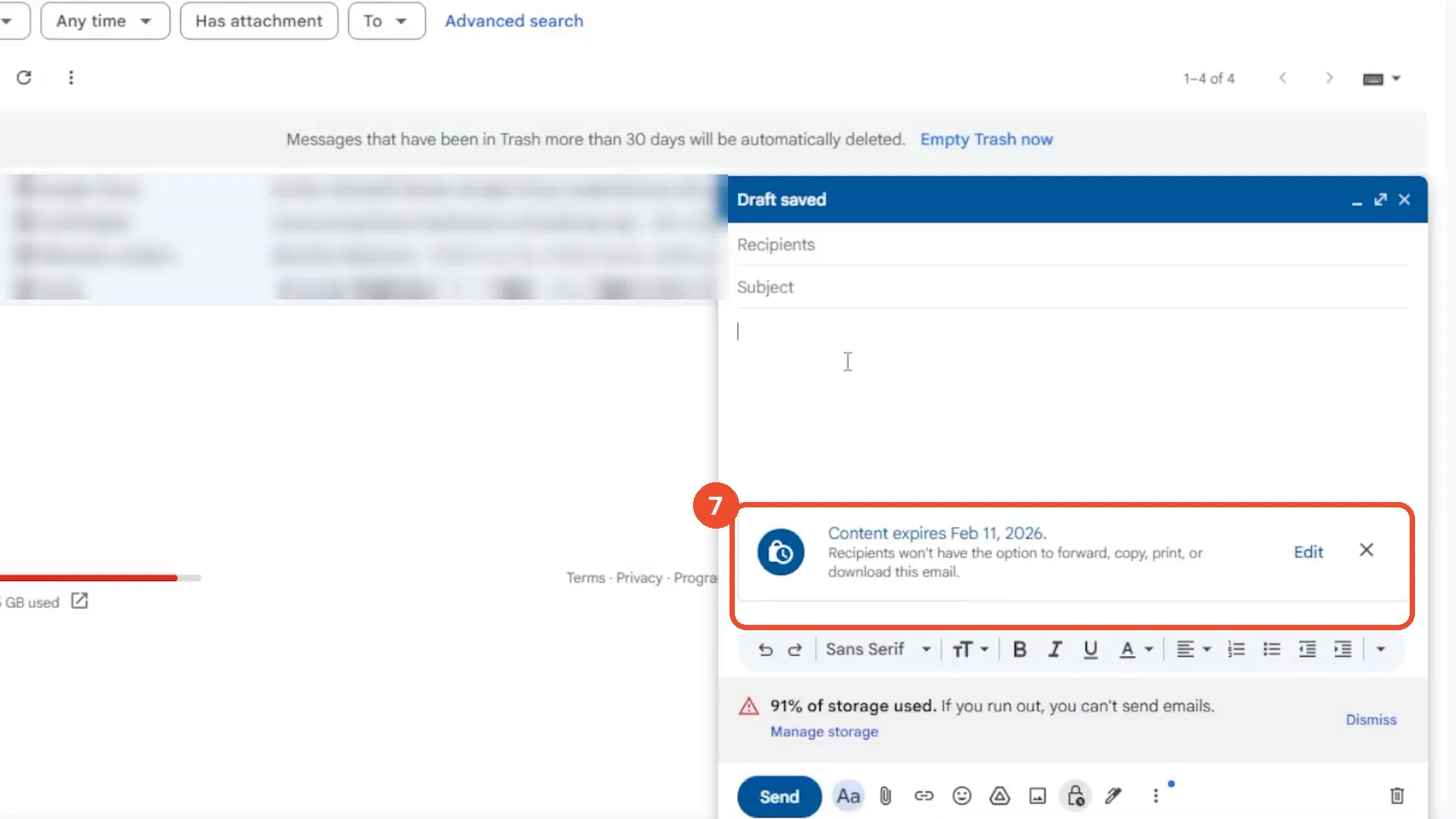
Click Save. The draft shows ‘Content expires Feb 11, 2026. Recipients won’t have the option to forward, copy, print, or download this email.’ The draft stays unsent: Recipients, Subject, and the body are still empty.
Good to know
- No email is ever sent on camera: the compose window stays empty (no recipient, subject, or body) from start to finish, and Send is never clicked.
- The recipient’s view - a secure notification, or a link for non-Gmail addresses - is narration only; no received email appears in the film.
- The film picks ‘Expires in 1 day’, not the 1-week default. After Feb 11, 2026 the message can no longer be opened.
- SMS passcode is selected on camera, but no phone number is entered: Gmail asks for the recipient’s number when the message is sent, which never happens here.
- Confidential Mode is not full end-to-end encryption - Google can still read the message, and the recipient can photograph the screen. It blocks forwarding, copying, printing, and downloading inside Gmail.
- You can revoke access later by opening the sent email and removing Confidential Mode; that step is also narration only in this film.
More on Gmail
- How to Create a Contact Group in Gmail
- How to Delete All Emails Before a Certain Date in Gmail
- How to Delete Folders in Gmail
- How to Delete All Unread Emails in Gmail
- How to Recover Deleted Emails in Gmail
- How to Download Emails from Gmail in Bulk
- How to Automatically Forward Specific Emails in Gmail Using Filters
- How to Change the Archive Option to Delete in Gmail