How to Forward an Entire Email Thread in Gmail
Gmail can forward an entire thread as a single combined message instead of one email at a time. The film opens a message, uses the three-dot menu, and sends the thread on - but the recipient, the message, and the send itself all happen behind the film’s own blur, so read the notes below before you follow along.
- SystemWindows (browser)
- AppGmail web app
- Last verifiedNovember 18, 2026
Every screenshot below is taken from the actual recording on this device — no stock images.
Steps
Open Gmail and open the email thread
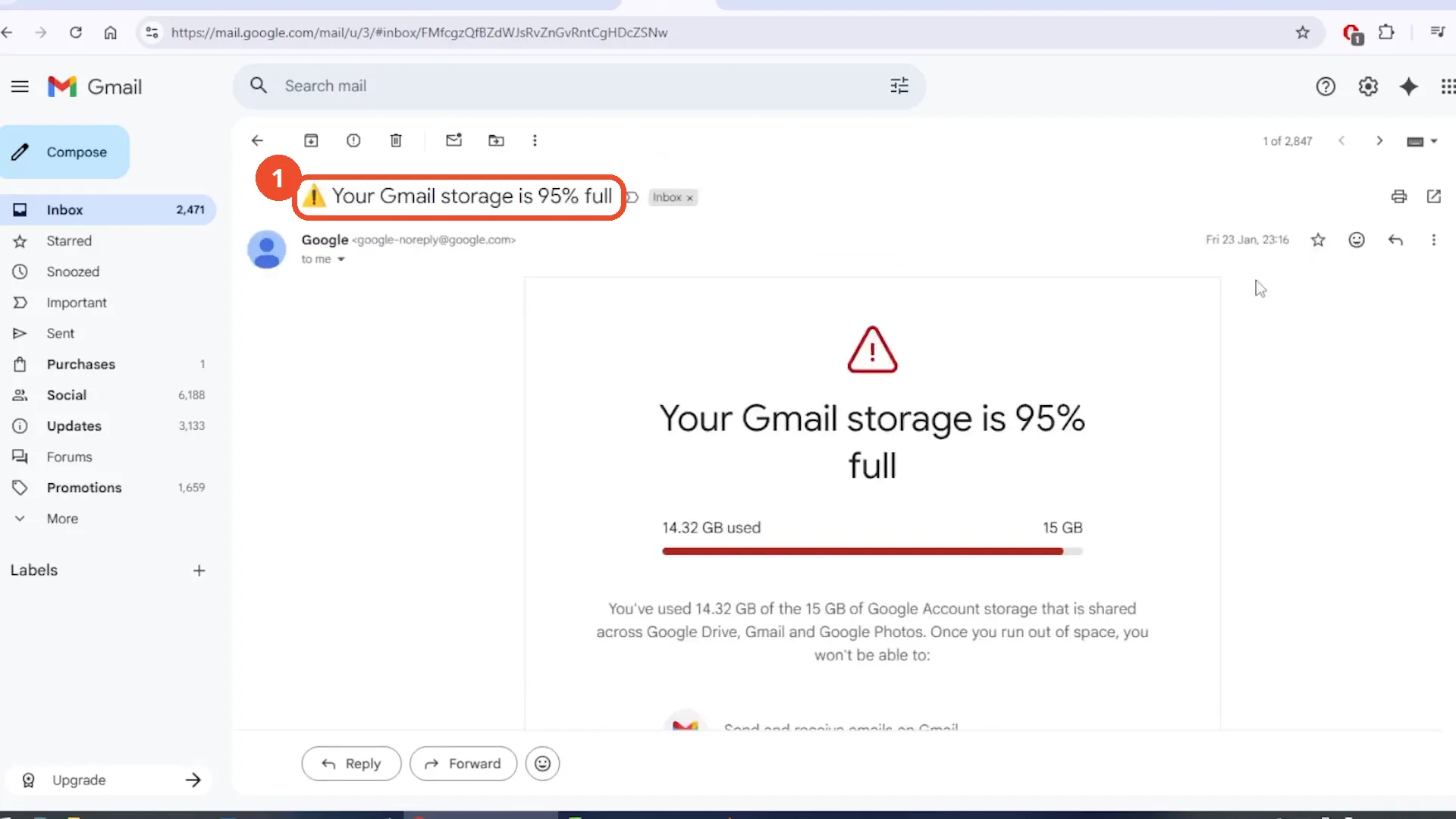
Open Gmail in your browser and open the thread you want to forward. The film opens Google’s storage email - ‘Your Gmail storage is 95% full’ - after a detour through the empty Bin.
Click the three-dot menu
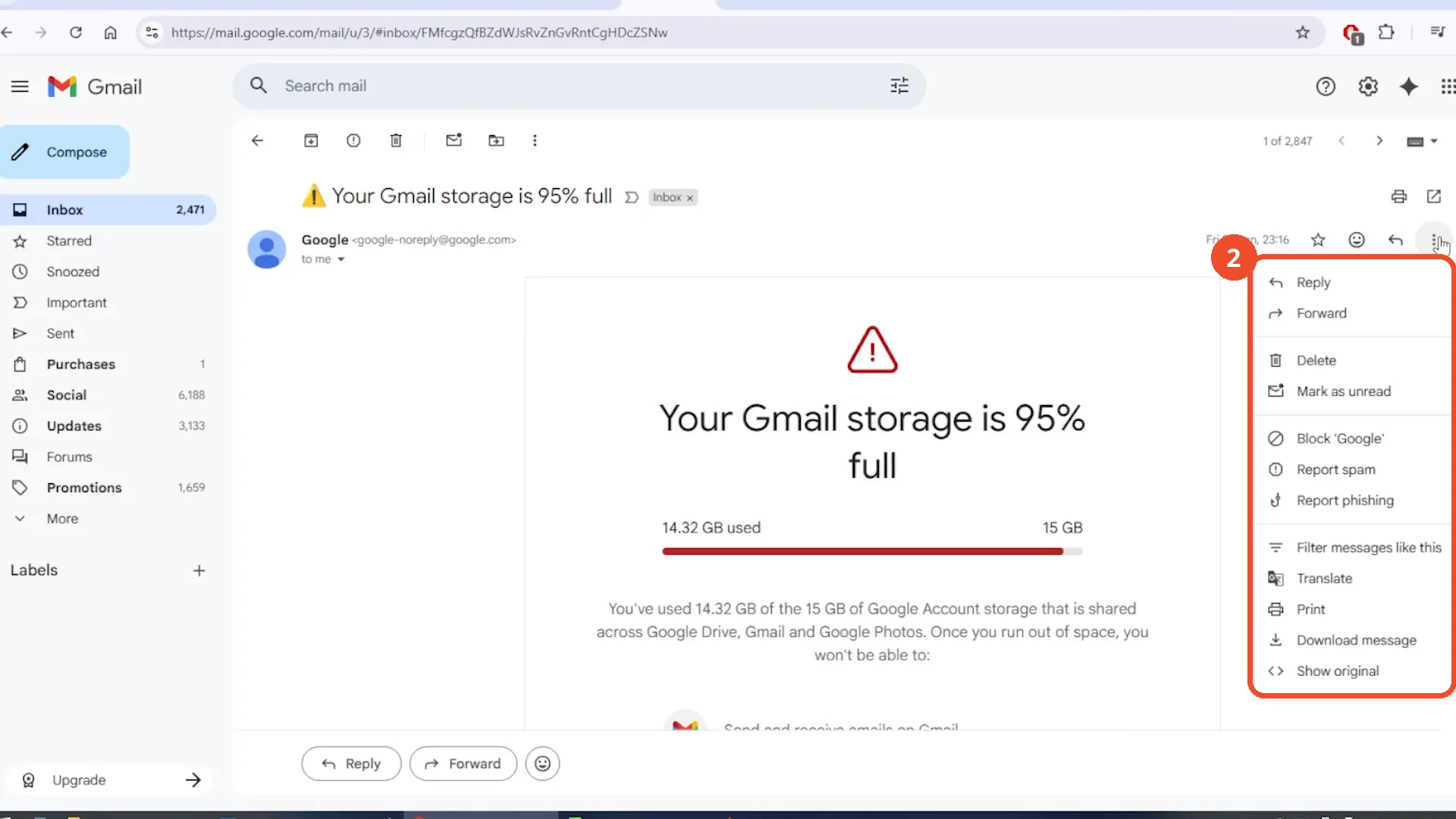
Click the three-dot menu at the top right of the message. The film opens the menu on the storage email and hovers over it without clicking anything yet.
Choose Forward from the menu
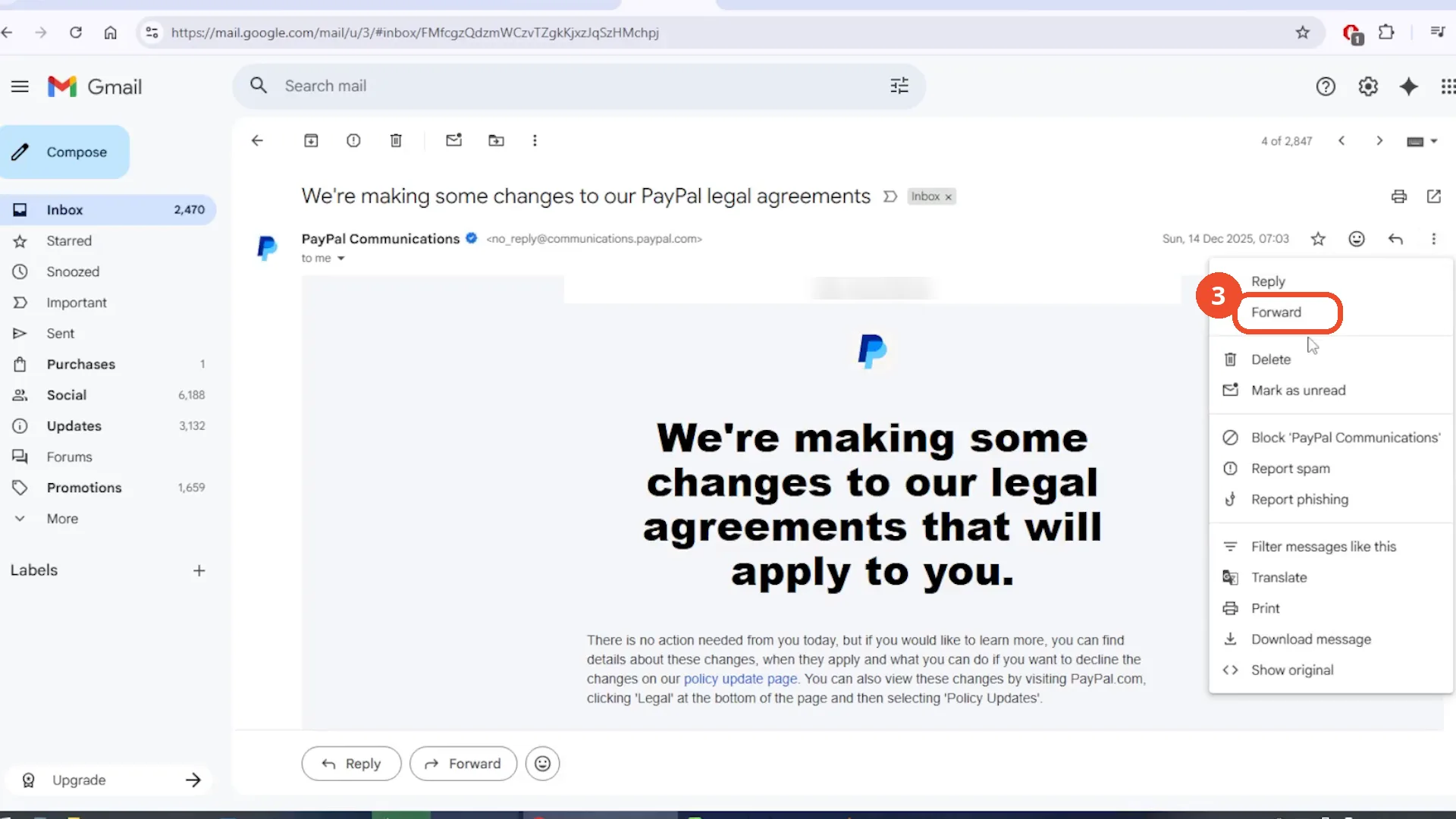
Choose Forward from the menu. Note the film cuts to a different message here - the PayPal legal-agreements email, not the storage email it opened the menu on - and clicks Forward on that one.
Add the recipient, review the thread, and send
A forwarded compose window opens with the thread attached. Add the recipient, write a note if you want one, and click Send. The film blurs the whole compose window itself, so the recipient, the note, the attachments, and the Send click are all narration only - and no ‘Message sent’ confirmation ever appears on camera.
If Forward is missing, check Conversation view
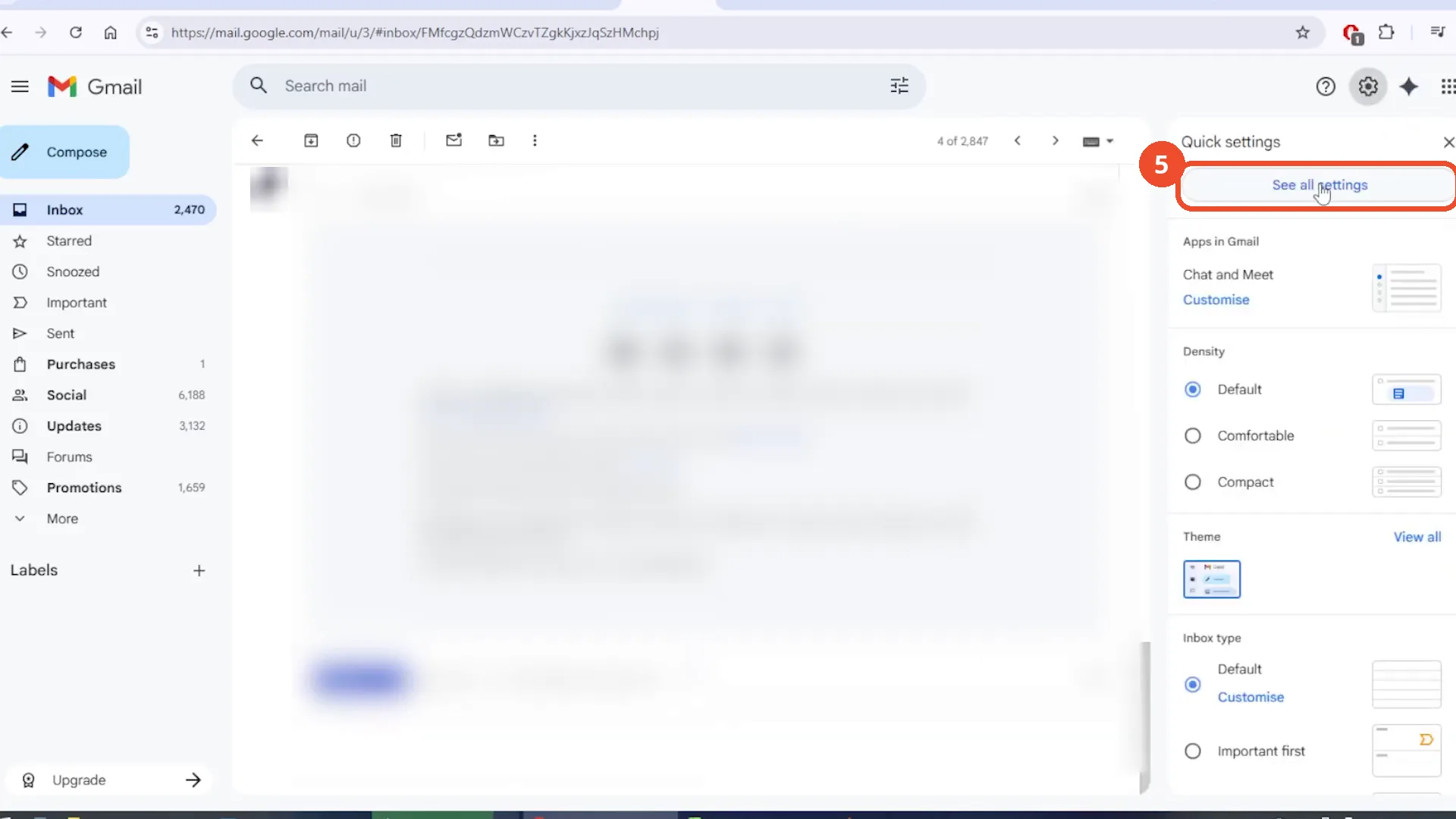
If the three-dot menu has no Forward option, open Settings - the gear icon, then ‘See all settings’ - and check Conversation view under General. The film opens Quick settings and hovers ‘See all settings’ but never scrolls to the Conversation view row, so that check is not shown legibly.
Good to know
- The film switches messages mid-flow: it opens the three-dot menu on Google’s storage email, then cuts to the PayPal legal-agreements email and clicks Forward there.
- Both forwarded messages are single-message emails, so the ’entire thread combined into one message’ result is narration only and never shown.
- The recipient address, the note, the attachments, and the Send click are all hidden behind the film’s own blur, and no ‘Message sent’ confirmation appears - sending is unverified on camera.
- The Conversation view check is not shown legibly: the film opens Quick settings and hovers ‘See all settings’ but never scrolls to the Conversation view row in General settings.
- The film starts with a detour through the empty Bin (about 10 seconds) before opening any email.
More on Gmail
- How to Create a Contact Group in Gmail
- How to Delete All Emails Before a Certain Date in Gmail
- How to Delete Folders in Gmail
- How to Delete All Unread Emails in Gmail
- How to Recover Deleted Emails in Gmail
- How to Automatically Forward Specific Emails in Gmail Using Filters
- How to Send Encrypted Emails in Gmail Using Confidential Mode
- How to Change the Archive Option to Delete in Gmail
- How to Download Emails from Gmail in Bulk
- How to Automatically Move Emails to a Folder in Gmail
- How to Delete All Promotional Emails in Gmail at Once