How to Find Archived Emails in Gmail
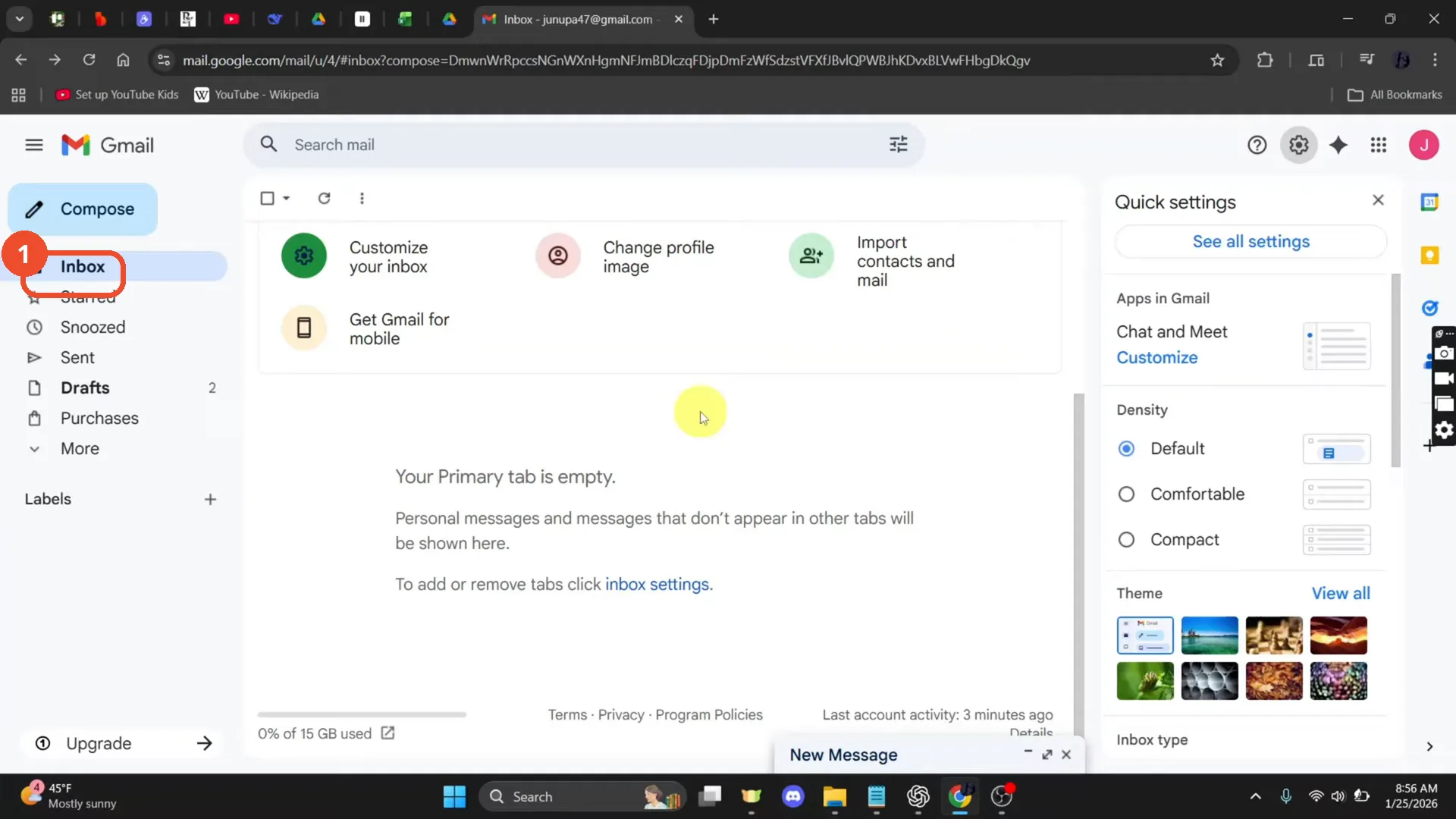
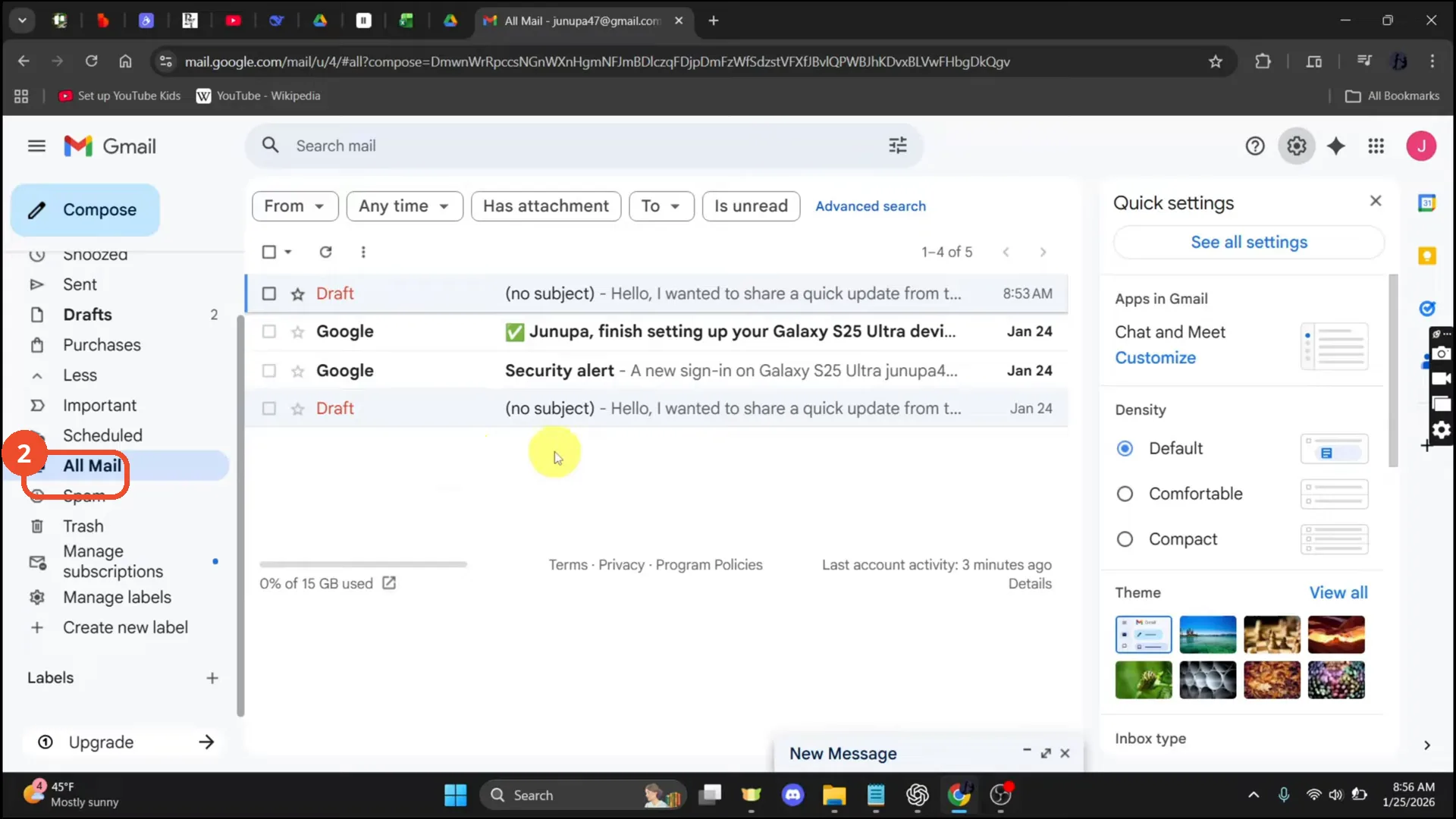
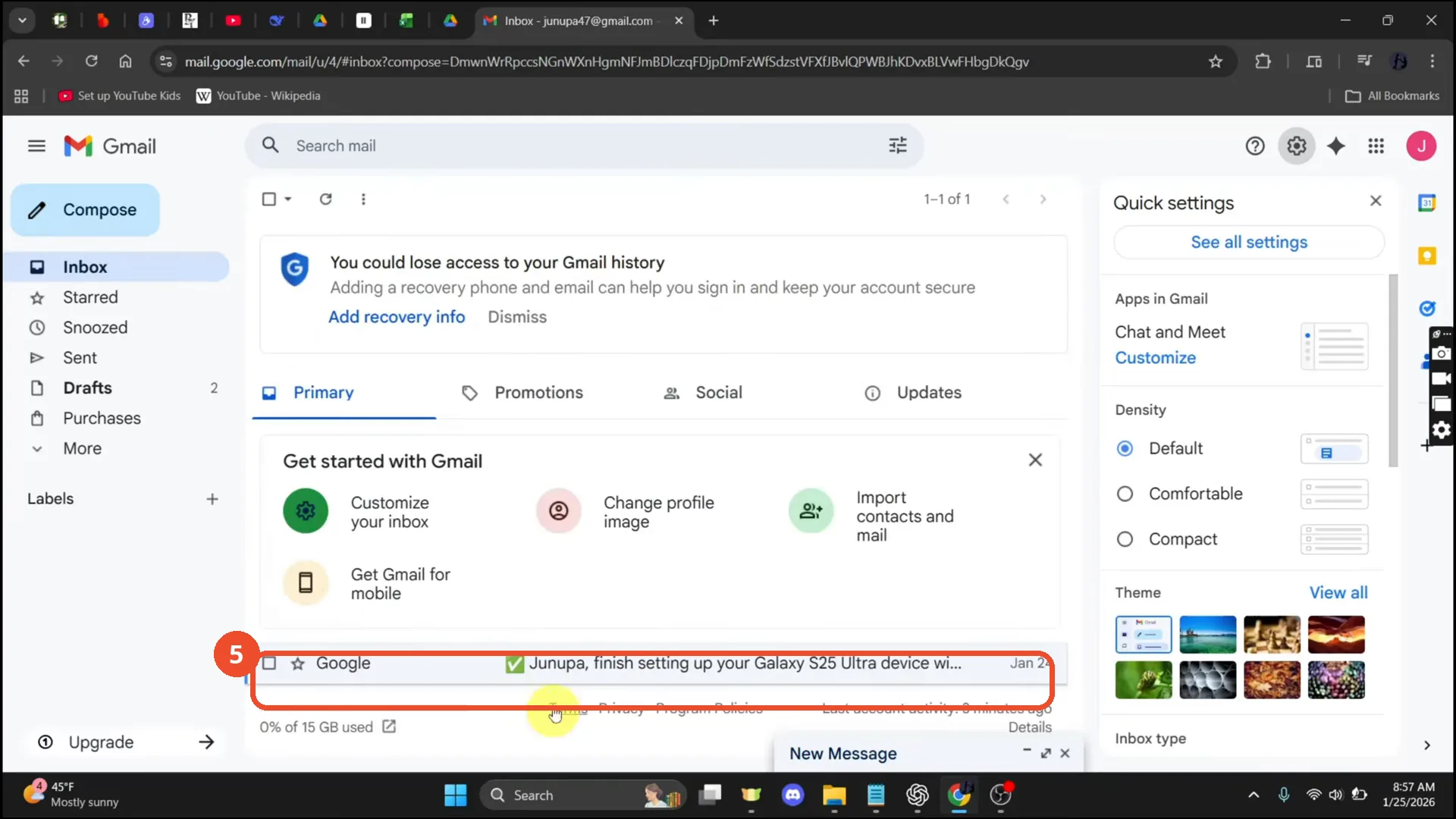
Archiving removes an email from the inbox without deleting it — so where does it go? It stays in All Mail. The film’s Primary tab is empty, but All Mail holds five messages; the film opens one and moves it back to the inbox.
- SystemWindows (browser)
- AppGmail web app
- Last verifiedNovember 22, 2026
Every screenshot below is taken from the actual recording on this device — no stock images.
Steps
Open Gmail
Open Gmail. The film’s Primary tab is empty — no mail in the inbox — which is why the archived messages have to be found in All Mail.
Open All Mail
In the left sidebar, click More if All Mail is hidden, then click All Mail. Archived mail lives here: the film’s All Mail holds five messages, including two Google messages and two drafts.
Open an archived email and move it to the inbox
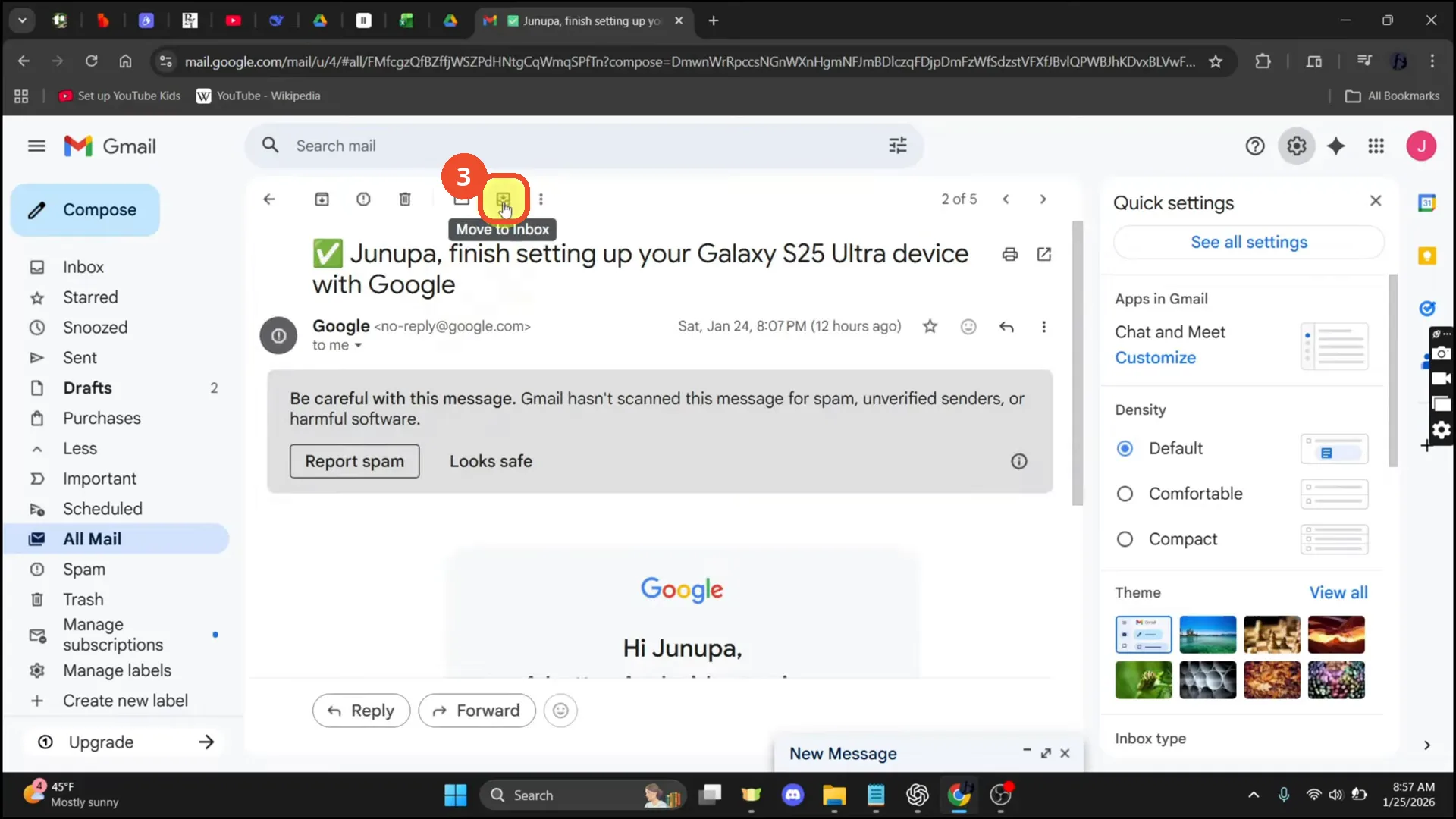
Open one of the archived emails, then click the Move to Inbox icon in the toolbar at the top.
Check the confirmation
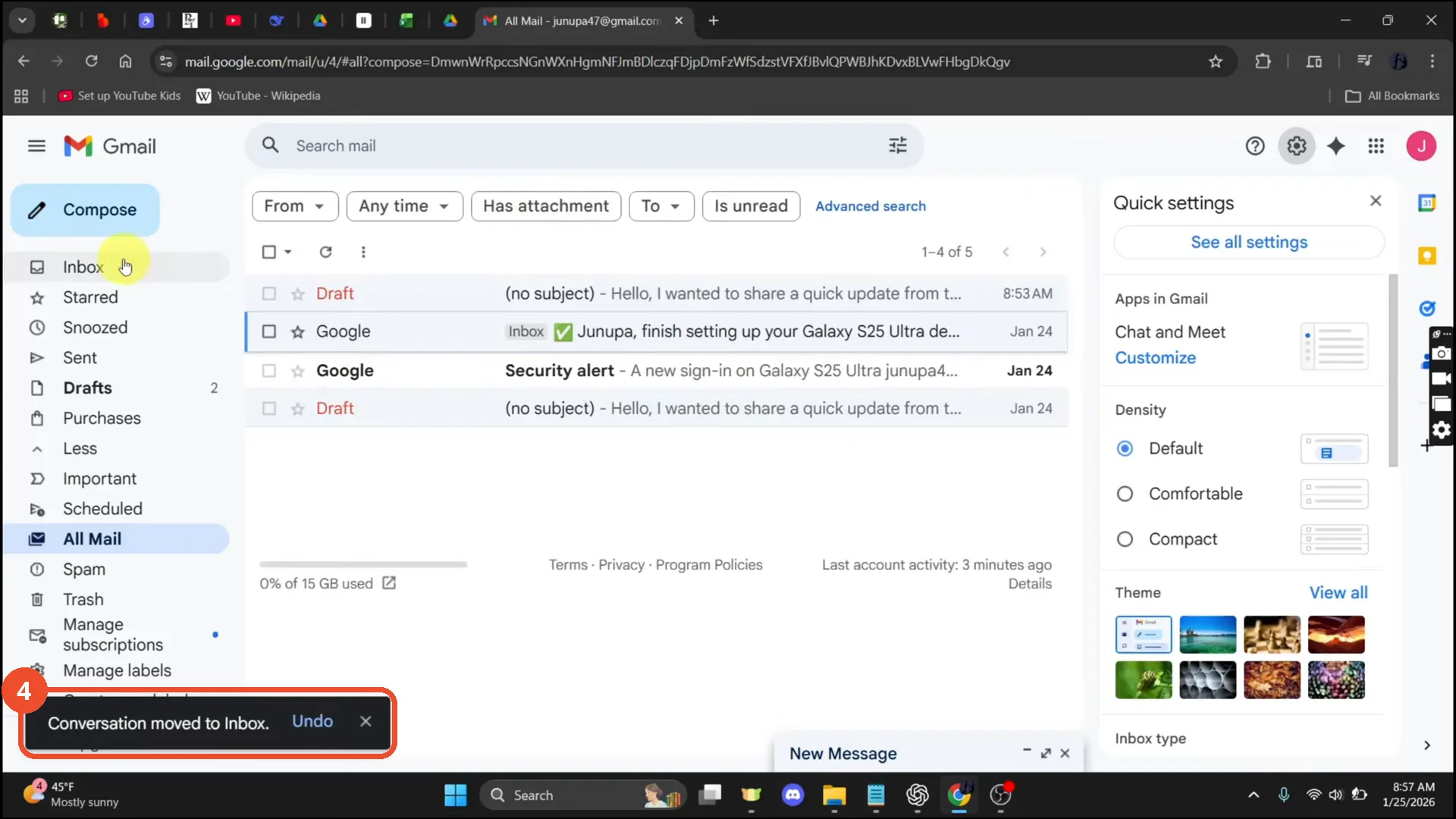
A toast reads “Conversation moved to Inbox”, and the email gains an Inbox label in the All Mail list.
Open the Inbox to confirm
Click Inbox in the sidebar. The email is back in the Primary tab — 1 of 1.
Good to know
- Archiving is not deleting: an archived email is only removed from the inbox, and it stays in All Mail until you delete it.
- The film’s Primary tab is empty, but All Mail holds five messages — two Google messages and two drafts — so an empty inbox does not mean the mail is gone.
- The Quick settings panel and a minimised New Message window are open from the start of the recording; they are part of the session, not part of the task.
- The film briefly opens the account switcher (“Hi, Junupa!”) before going to All Mail; that detour is not part of the steps.
- The account shown is the operator’s own junupa47@gmail.com, kept visible per precedent.
More on Gmail
- How to Create a Contact Group in Gmail
- How to Delete All Emails Before a Certain Date in Gmail
- How to Delete Folders in Gmail
- How to Delete All Unread Emails in Gmail
- How to Recover Deleted Emails in Gmail
- How to Automatically Forward Specific Emails in Gmail Using Filters
- How to Send Encrypted Emails in Gmail Using Confidential Mode
- How to Change the Archive Option to Delete in Gmail
- How to Automatically Move Emails to a Folder in Gmail
- How to Delete All Promotional Emails in Gmail at Once
- How to Forward an Entire Email Thread in Gmail
- How to Delete Attachments in Gmail
- How to Change Font Color in Gmail
- How to Delete Contacts From Gmail
- How to Change the Gmail Background
- How to Change Gmail to Dark Mode
- How to Create Folders in Gmail
- How to Download Emails from Gmail in Bulk
- How to Block and Unblock an Email Address in Gmail
- How to Recover a Forgotten Gmail Password
Guide complete
Every step above comes from the original recording, with a screenshot for each step. Want more like this? Browse all Gmail guides.