How to Delete All Unread Emails in Gmail
Unread emails pile up fast. Gmail’s is:unread search gathers them all in one list, and one checkbox selects the whole page — then the trash icon deletes them in one go. The film deletes two real unread emails on camera.
- SystemWindows (browser)
- AppGmail web app
- Last verifiedNovember 16, 2026
Every screenshot below is taken from the actual recording on this device — no stock images.
Steps
Open Gmail in your browser
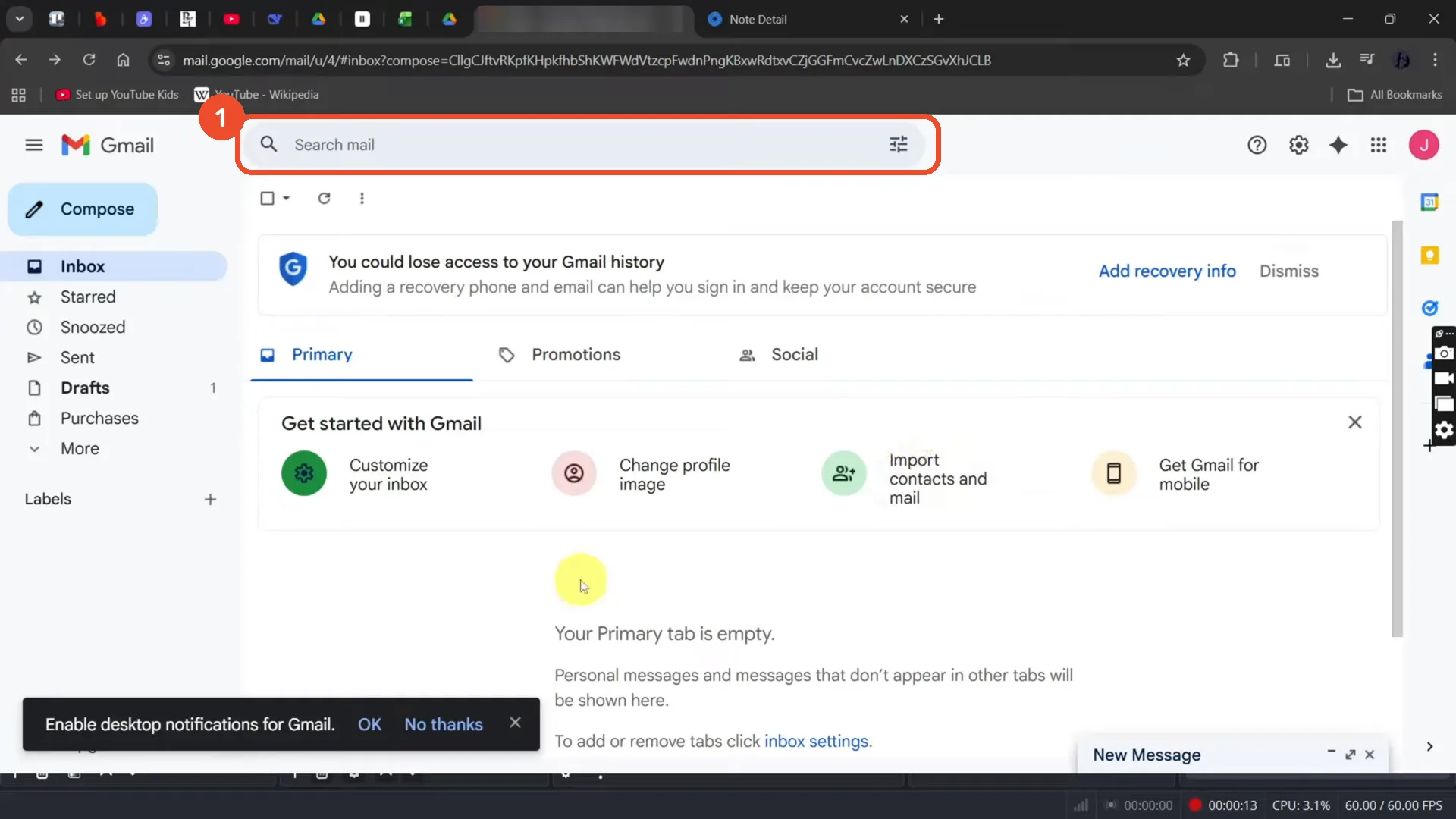
Open Gmail in a desktop browser and sign in. The inbox loads; this account’s Primary tab is empty.
Type is:unread in the search bar
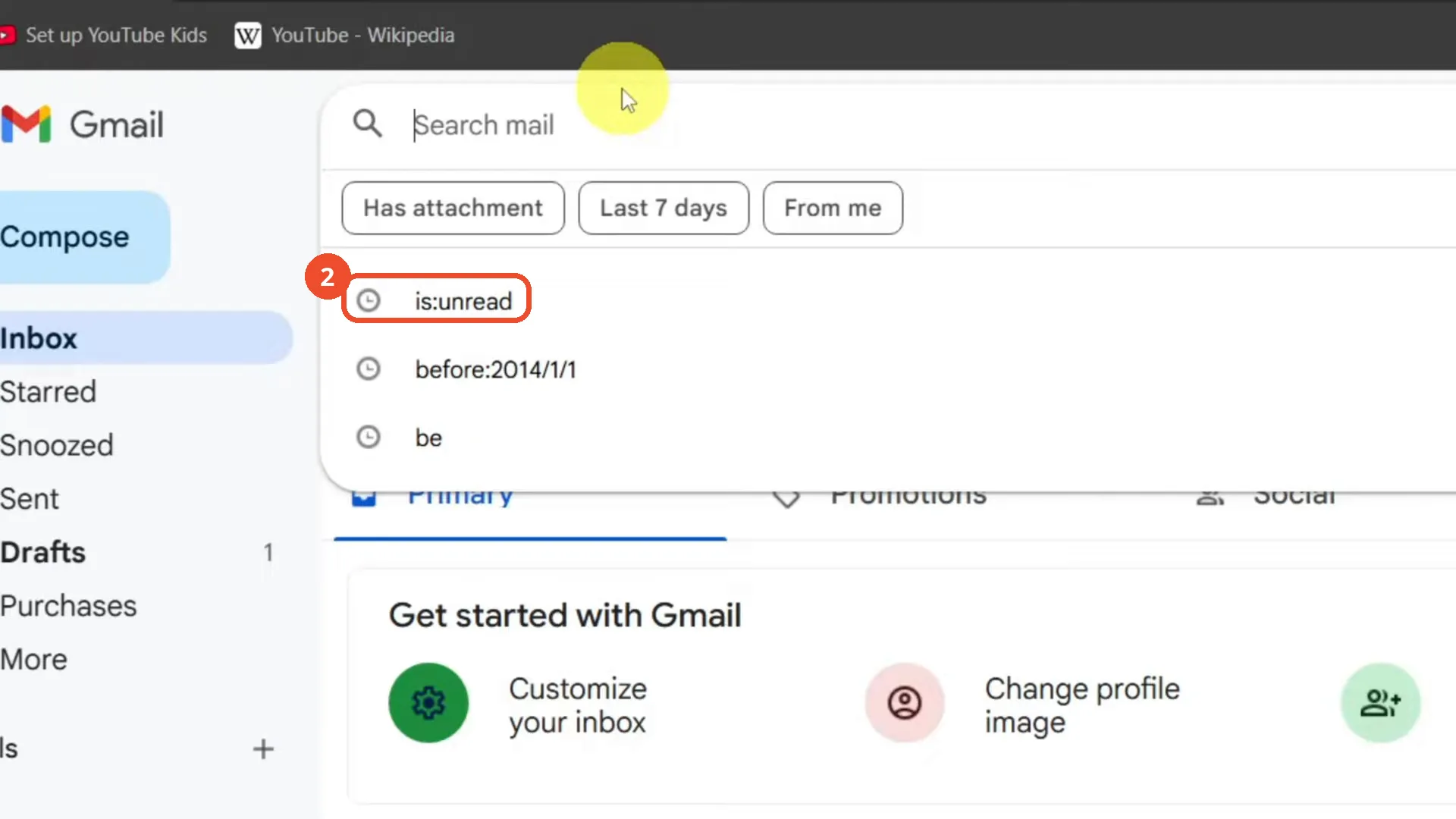
Click the search bar at the top and type is:unread. Gmail suggests is:unread from the search history — pick it or press Enter. The film zooms in on the search box for this shot.
Press Enter and read the unread results
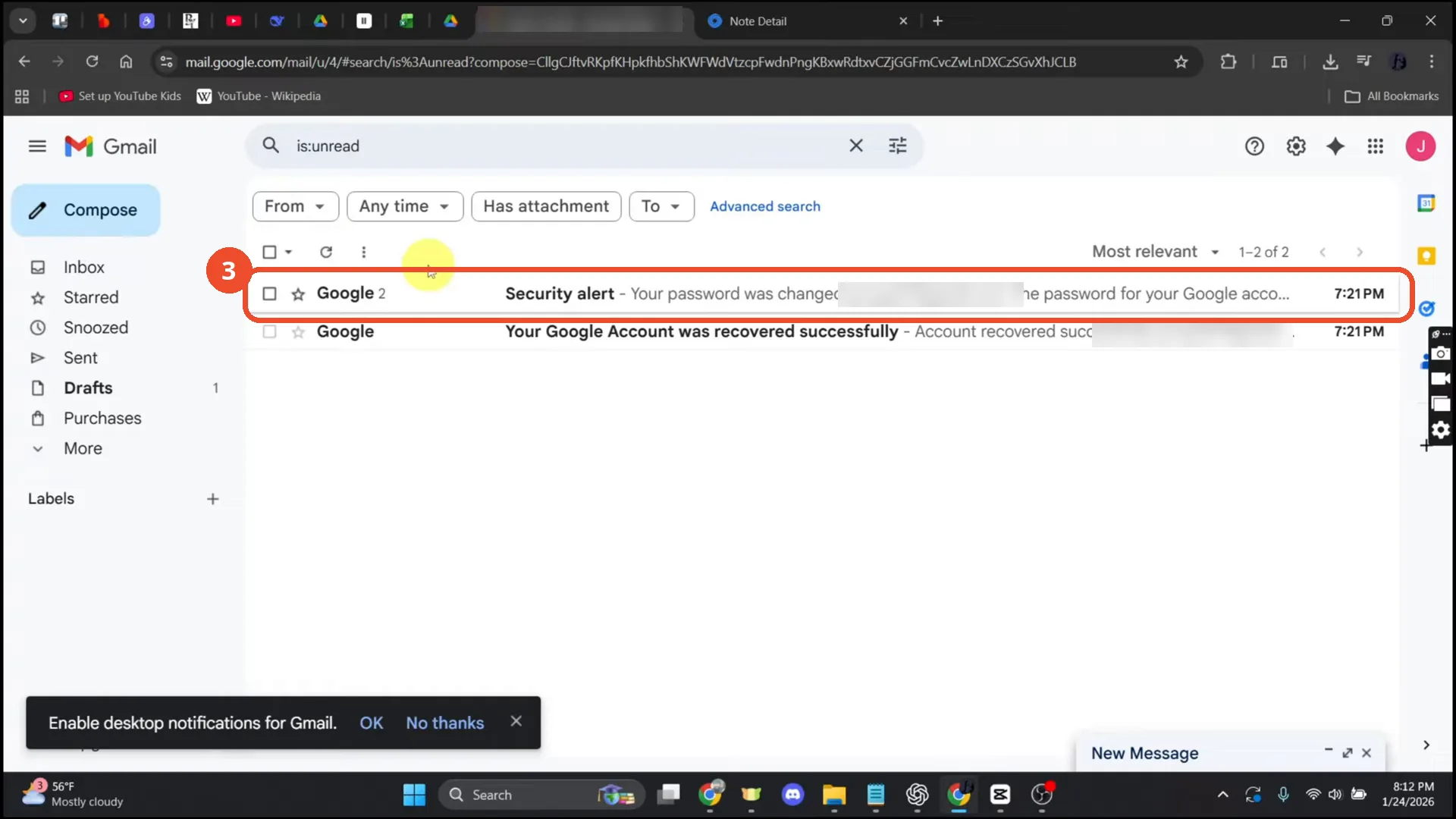
Gmail lists the unread emails: 2 results, both from Google. The count at the top right reads ‘1–2 of 2’.
Click the checkbox to select all visible emails
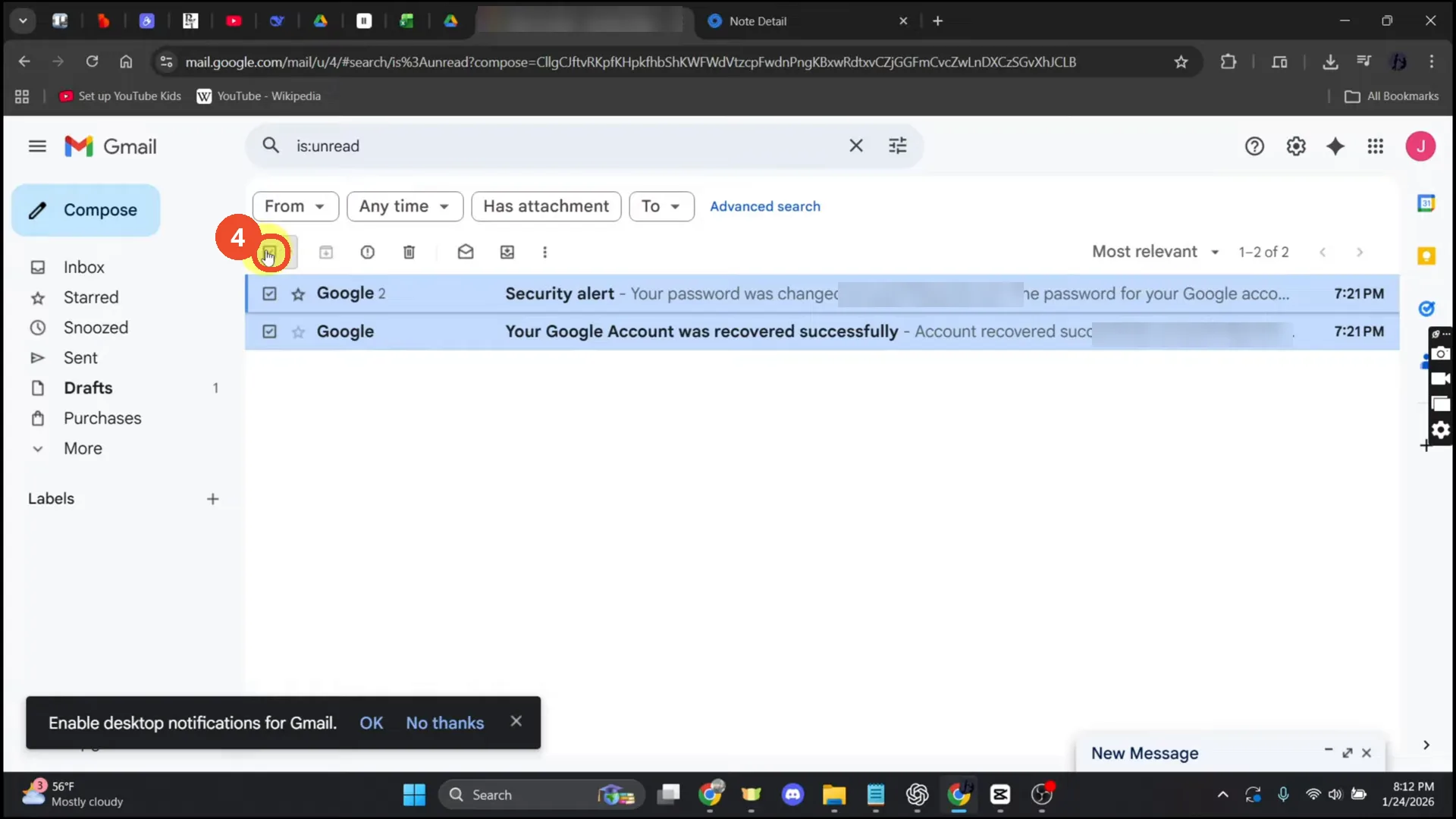
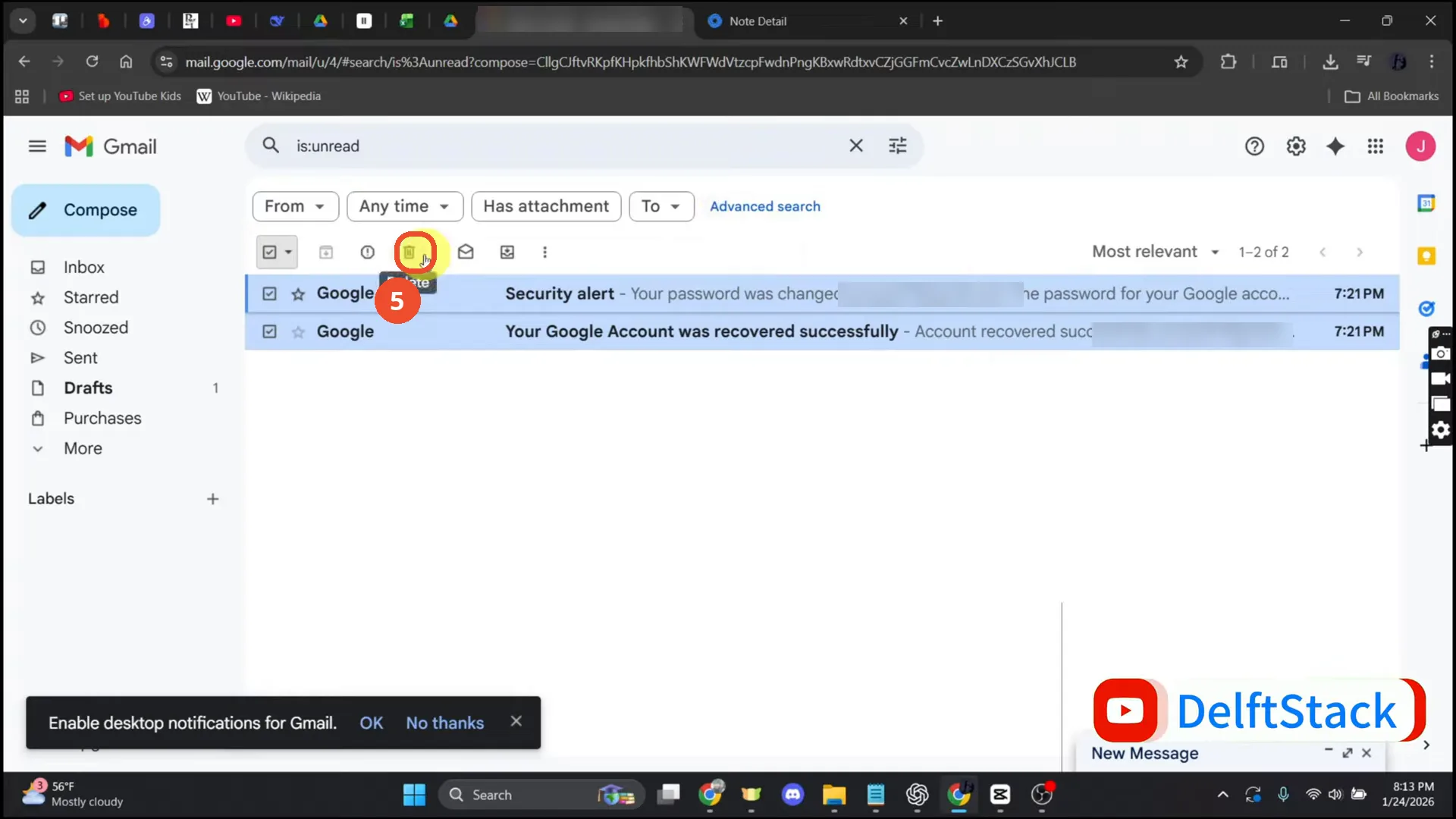
Click the checkbox at the top left of the list. Both emails are selected and turn blue, and the toolbar gains the archive, delete and other action icons.
Click the trash icon to delete them
In the toolbar, click the trash icon (the tooltip reads ‘Delete’). The narration also mentions a ‘Select all conversations’ message, but no such banner appears on camera; with only 2 results the page checkbox already selects everything.
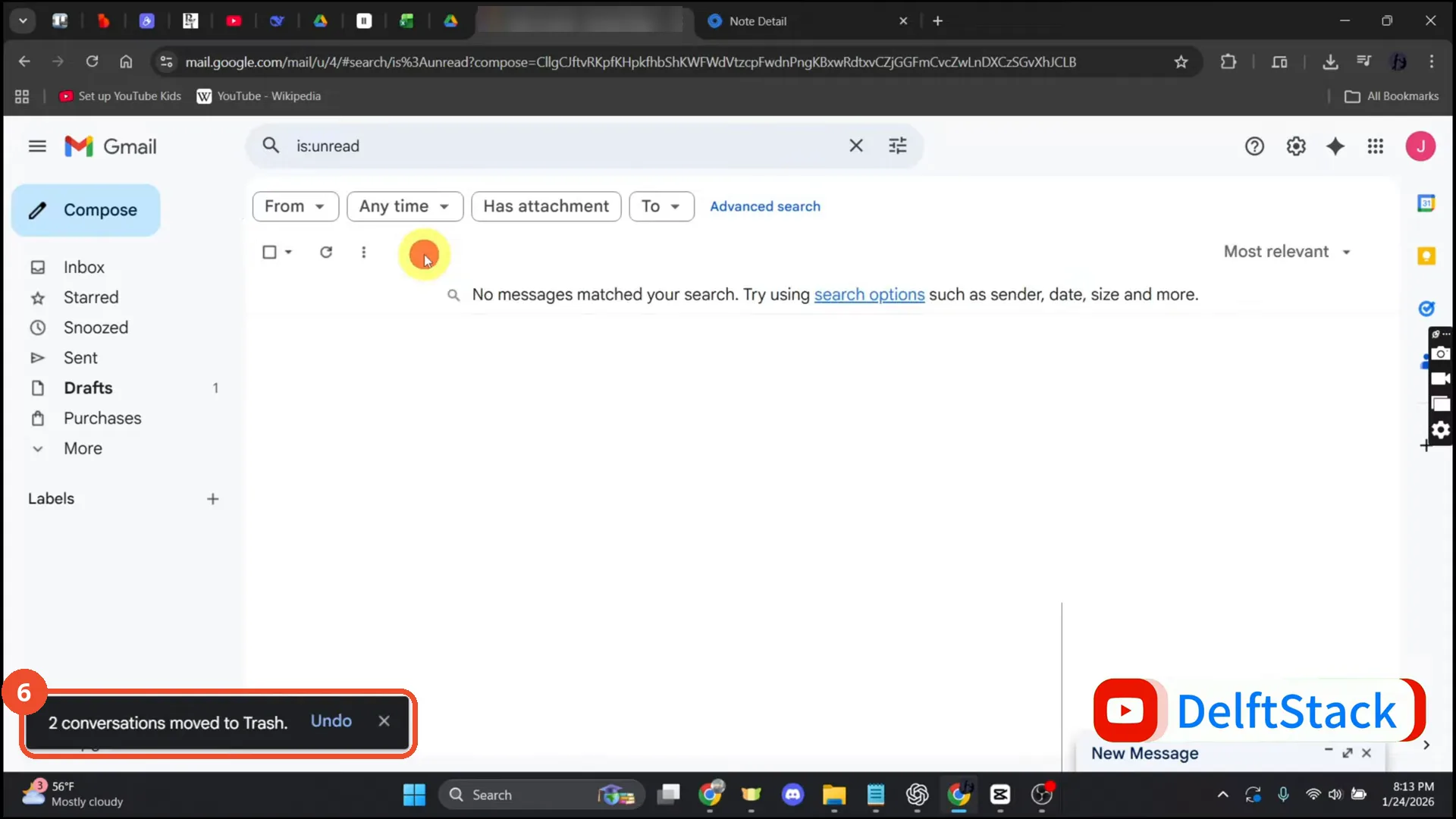
Check the toast confirms the move to Trash
The list is now empty — ‘No messages matched your search’ — and a toast at the bottom left reads ‘2 conversations moved to Trash.’ Both unread emails are deleted.
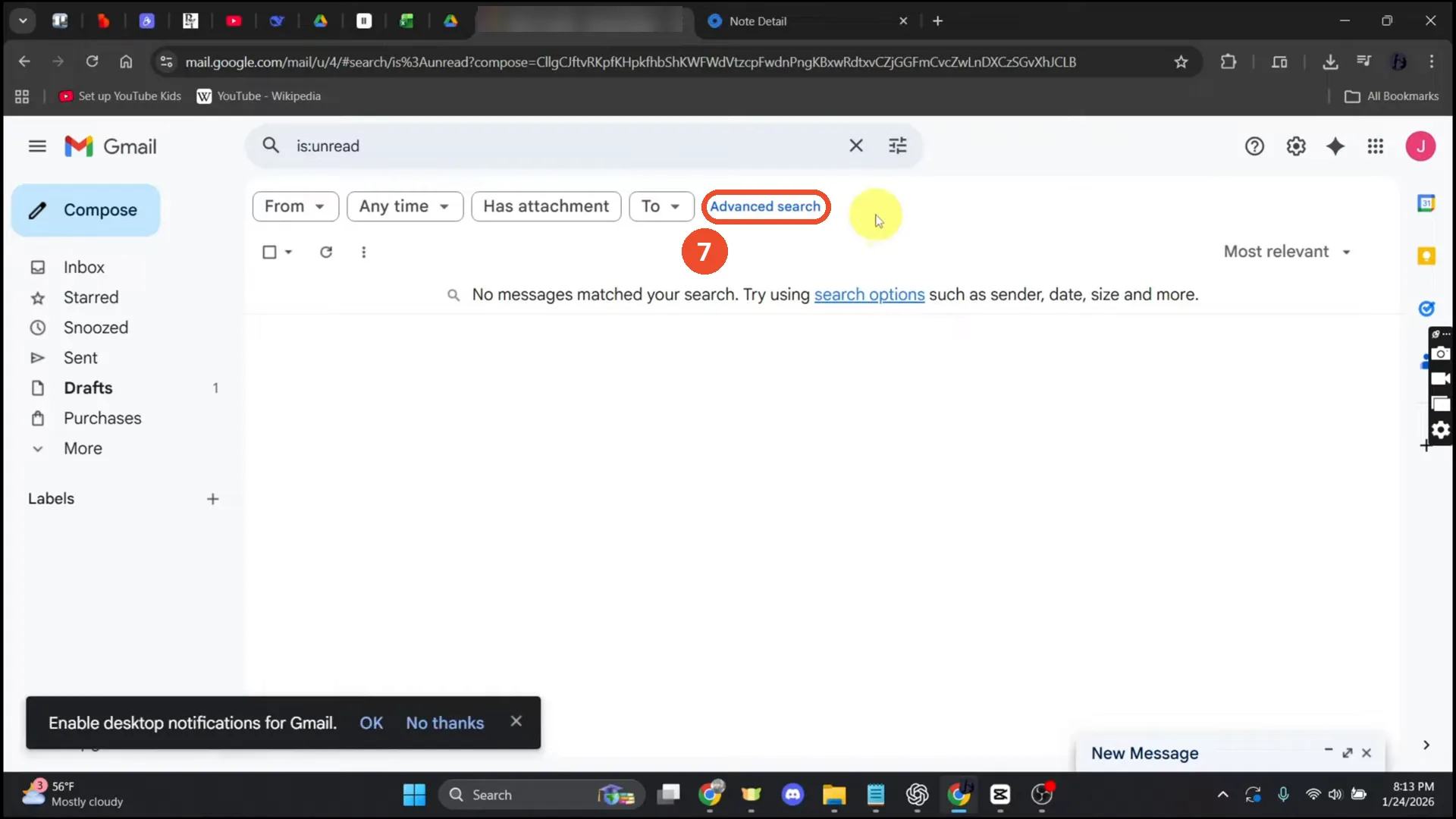
Optional: narrow the search to one label
To delete unread emails from one label only, use an operator such as label:inbox is:unread. The film only hovers the Advanced search link and narrates this variant; it never opens the panel or types the operator on camera.
Good to know
- The film’s search returns exactly 2 unread emails, both from Google, and both are deleted on camera — the toast reads ‘2 conversations moved to Trash.’
- The narration mentions a ‘Select all conversations that match this search’ message, but no such banner appears on camera at any point (checked t=33-47). With only 2 results the top checkbox already selects everything, so the delete still works.
- Deleted emails stay in Trash for 30 days, then Gmail deletes them permanently. Empty Trash to delete them immediately.
- To delete unread emails from one label only, the film suggests label:inbox is:unread, but it only hovers the Advanced search link and never opens the panel or types the operator on camera.
- The email address in the browser tab and in the two result snippets is the operator’s own; it is blurred in the screenshots.
- The search suggestions also show before:2014/1/1 — the same operator’s earlier search, and the filter used in the batch 19 article about deleting emails before a certain date.