How to Delete All Emails Before a Certain Date in Gmail
To delete every email before a certain date, Gmail’s search operator before: does the finding for you: type before: and the date, and Gmail lists every email older than that date. Then select them all and move them to Trash.
- SystemWindows (browser)
- AppGmail web app
- Last verifiedNovember 15, 2026
Every screenshot below is taken from the actual recording on this device — no stock images.
Steps
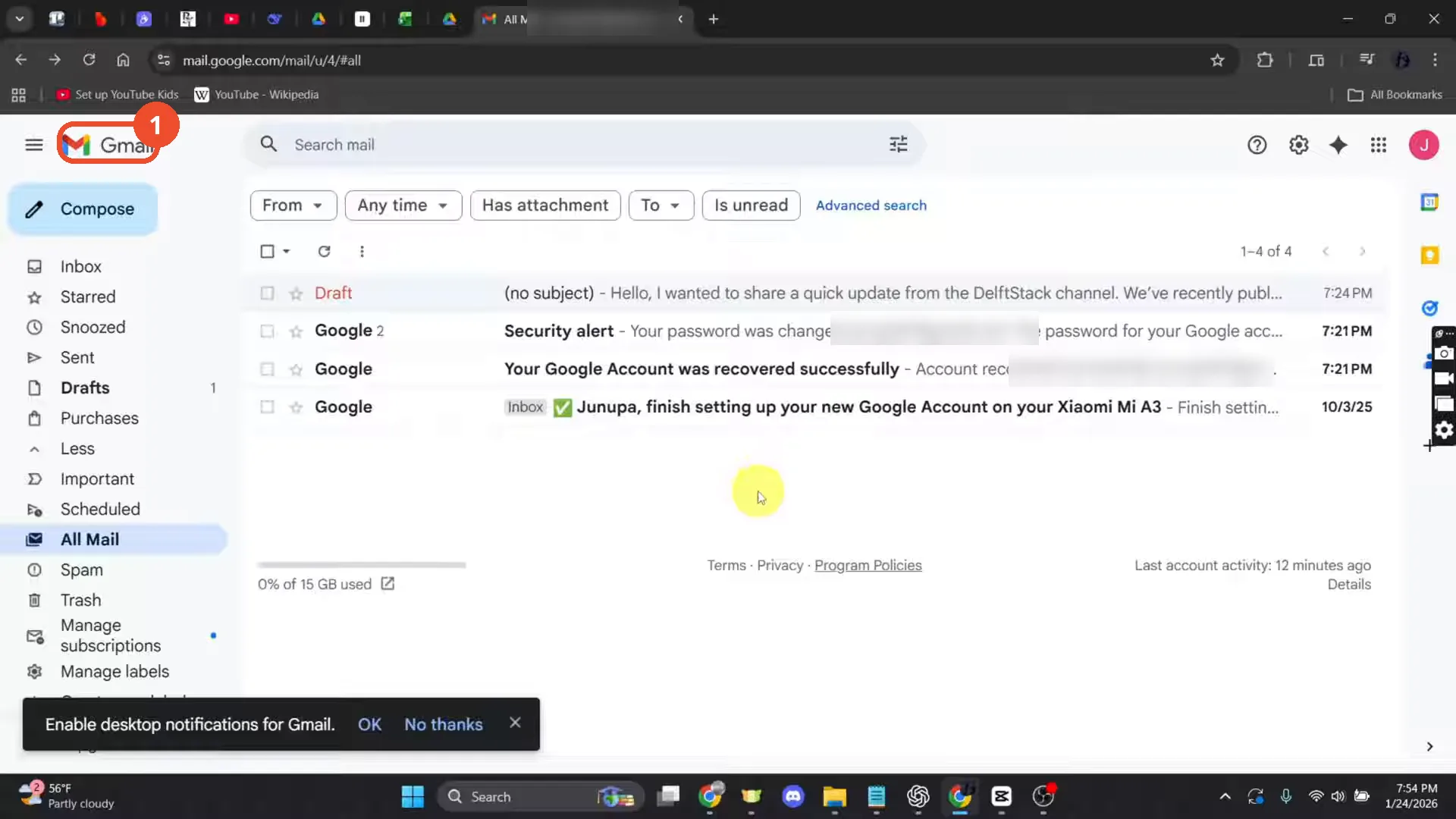
Open Gmail and sign in
Open Gmail in a desktop browser and sign in with your account. The film’s account is nearly empty — it has four messages in All Mail.
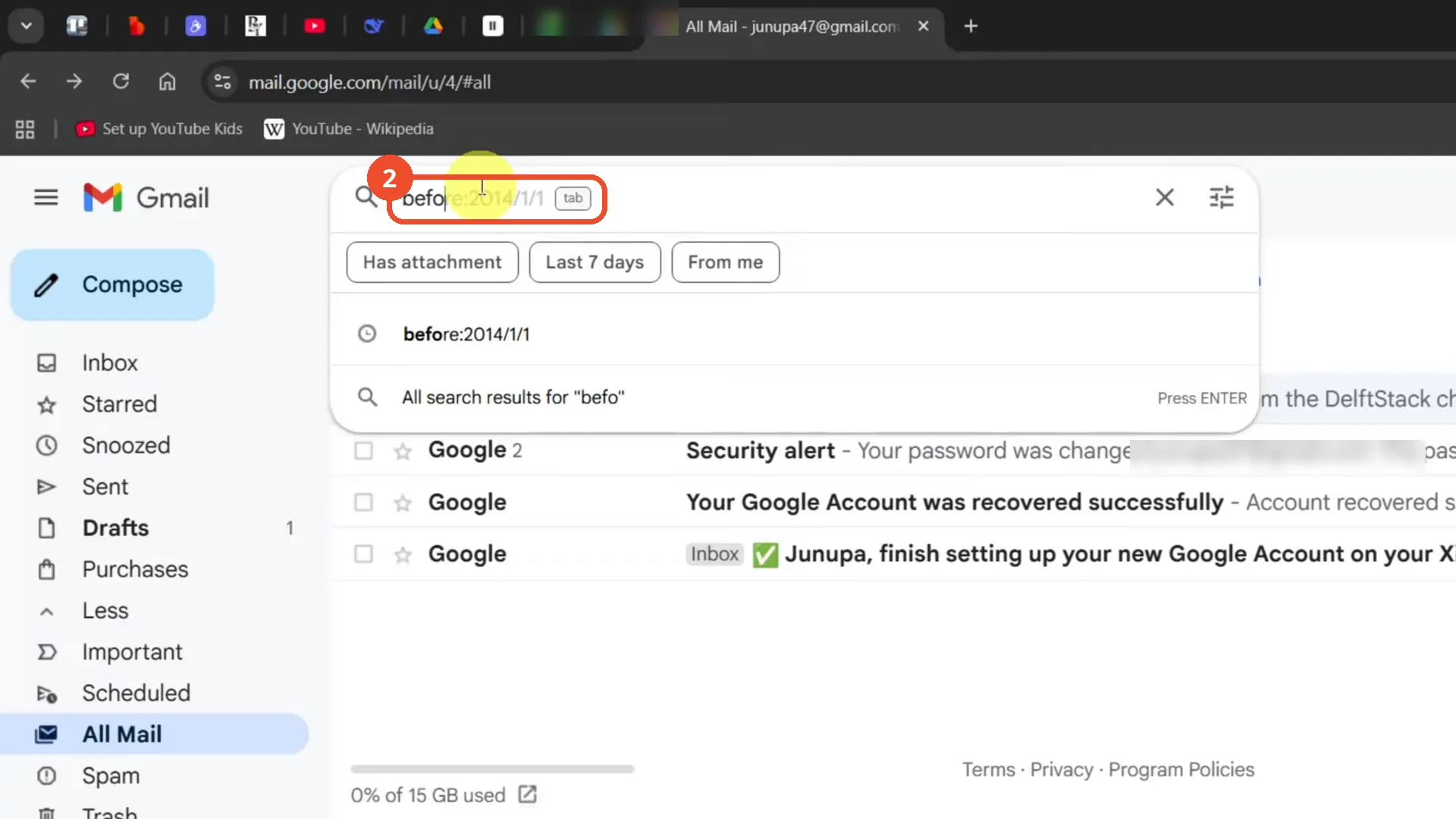
Type before: and the date in the search bar
Click the search bar at the top and type before: followed by the date in YYYY/MM/DD format — the film types before:2014/1/1. A suggestion appears for the same operator.
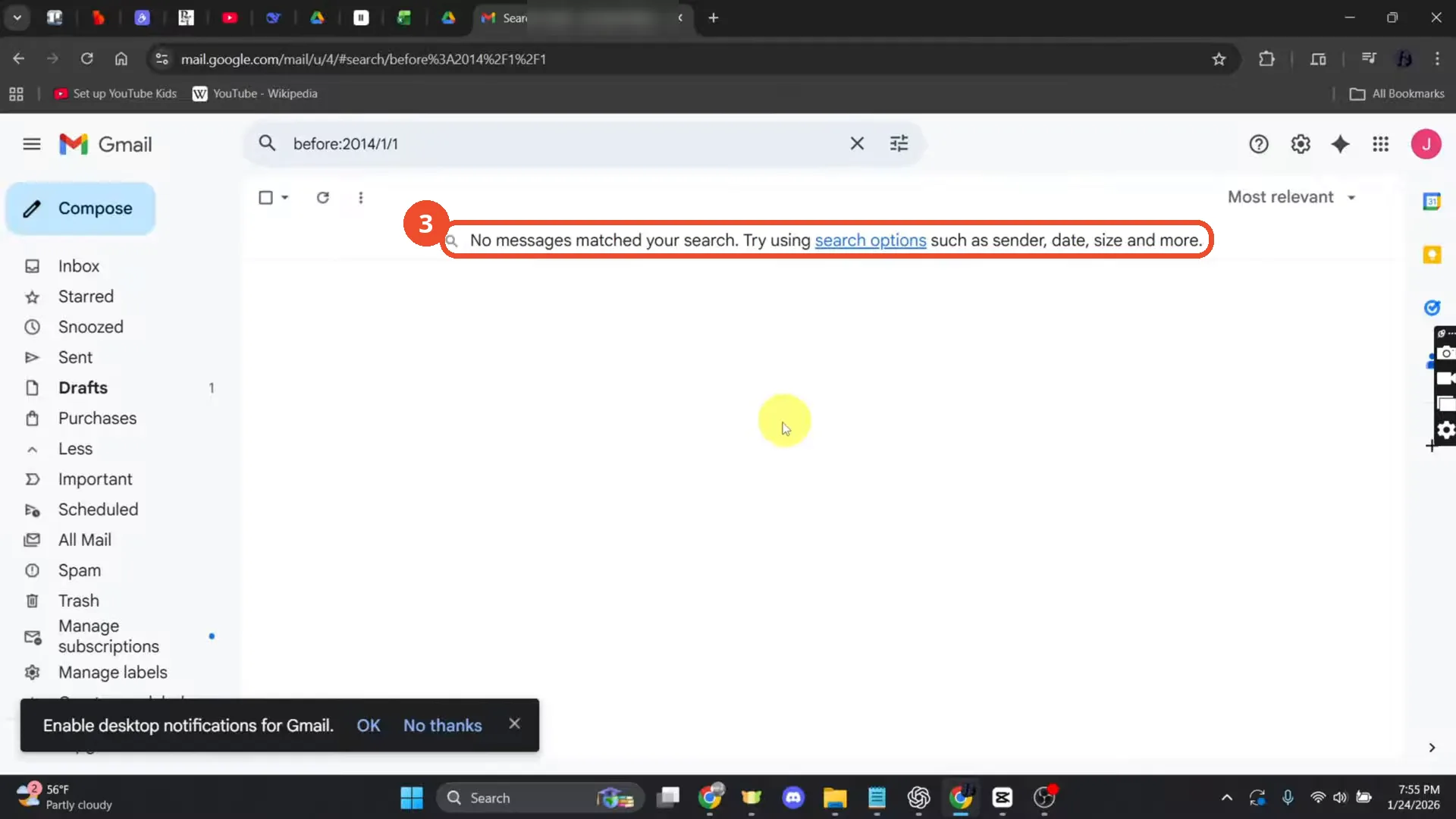
Press Enter and read the results
Press Enter to run the search. Gmail lists every email older than the date — or, as in the film, says ‘No messages matched your search’ when the account has no mail that old.
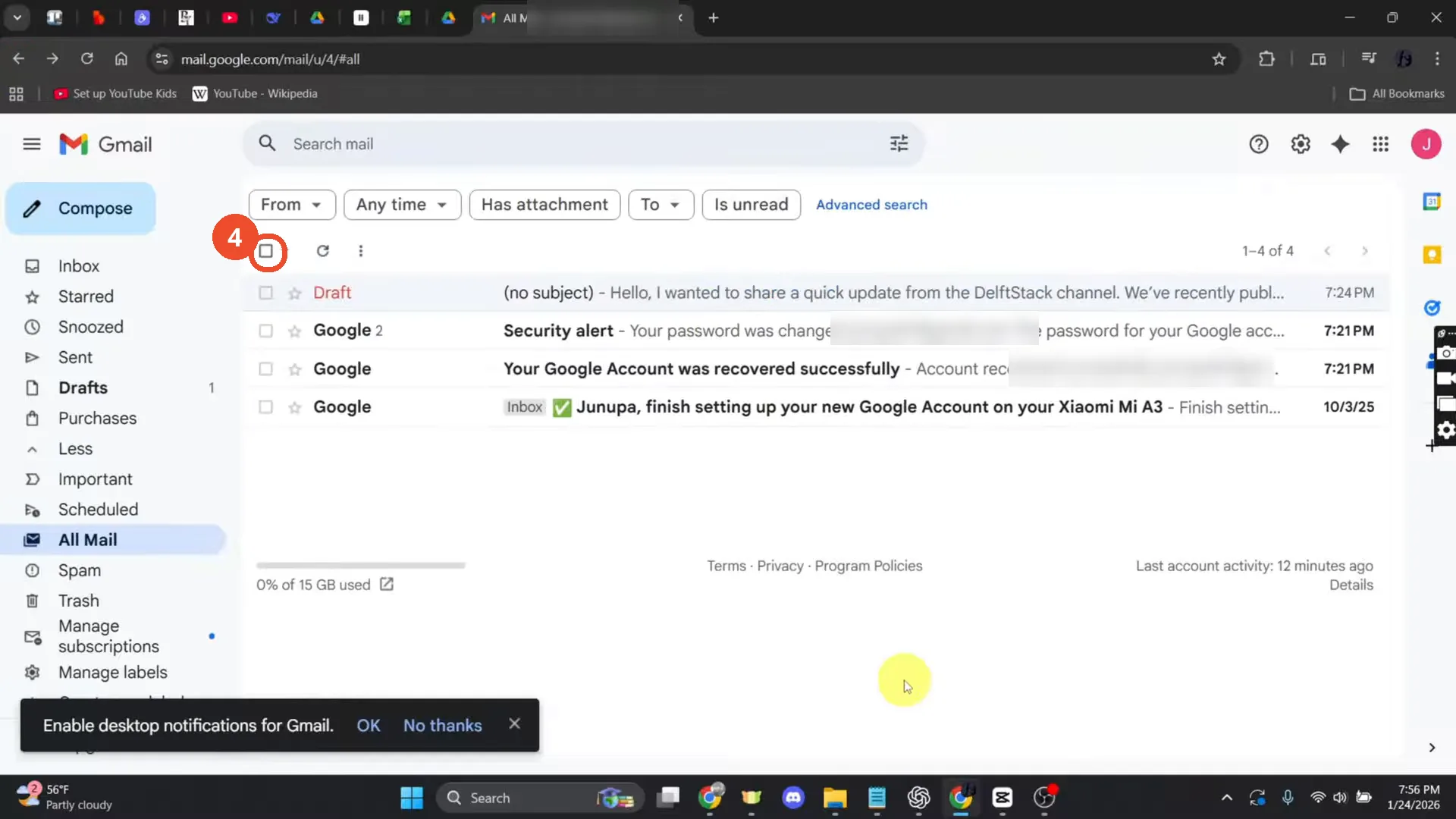
Select the matching emails and delete them
Tick the box at the top left of the list to select the page of results, then click the ‘Select all conversations that match this search’ link to include every match. Then click the trash icon and confirm. In the film the search found no matches, so these clicks are not shown on camera — they follow the narration.
Good to know
- The film’s search before:2014/1/1 returns ‘No messages matched your search’ — the account is nearly empty — so the select-all, trash and confirm clicks are described from the narration, not shown on camera.
- Deleted emails sit in Trash for 30 days before Gmail permanently deletes them. Empty Trash to delete them immediately.
- Use the date format YYYY/MM/DD after before:, for example before:2014/1/1.
- The film’s account is the operator’s own; the email part of the browser tab title and the email addresses in the subject lines are blurred in the screenshots.