How to See Who Owns a Discord Server
A Discord server’s owner is not printed on its profile anywhere, but Discord does mark them — you just need to know where to look. The recording shows both reliable ways on a small demo server (“thesavvy’s server”): the Members table in Server Settings, where the owner is the person who has been a member the longest, and the little gold crown next to the owner’s name in the member list of any channel. One member’s name in the settings screenshot was already blurred in the original recording; the join dates are untouched.
- SystemWindows (browser)
- AppDiscord web app
- Also works onDiscord desktop and mobile apps (the crown shows everywhere)
- Last verifiedOctober 28, 2026
Every screenshot below is taken from the actual recording on this device — no stock images.
Before you start
- You must be a member of the server; you cannot inspect the member list of a server you have not joined.
- Step 1–2 need access to Server Settings. If the server keeps settings behind admin permissions, skip straight to step 3 — the crown works for every member.
- “Owner” is one specific account. Admins and moderators, however powerful, do not get the crown.
Steps
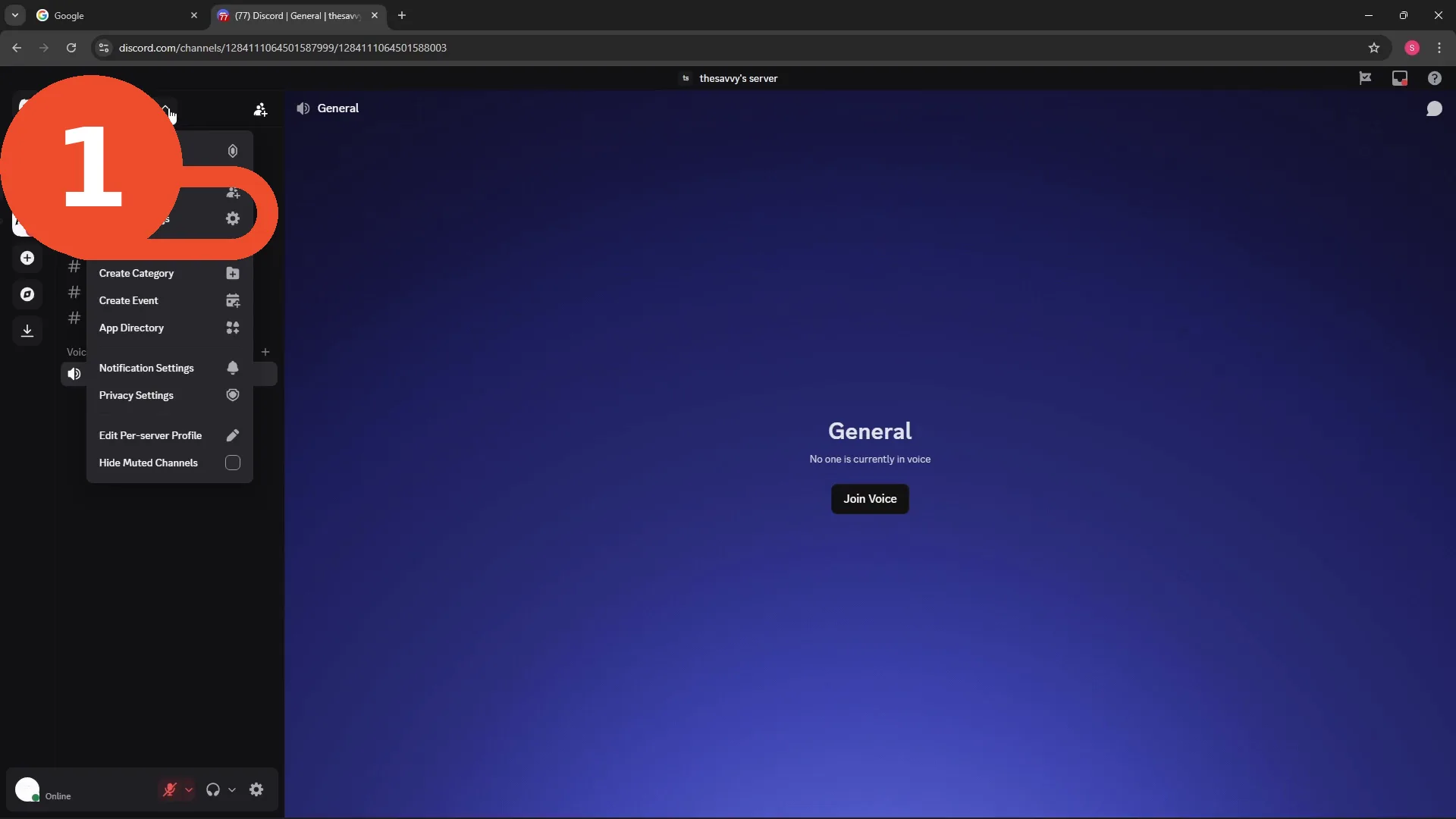
Open Server Settings
Click the server name at the top left and choose Server Settings from the menu.
Open the Members list
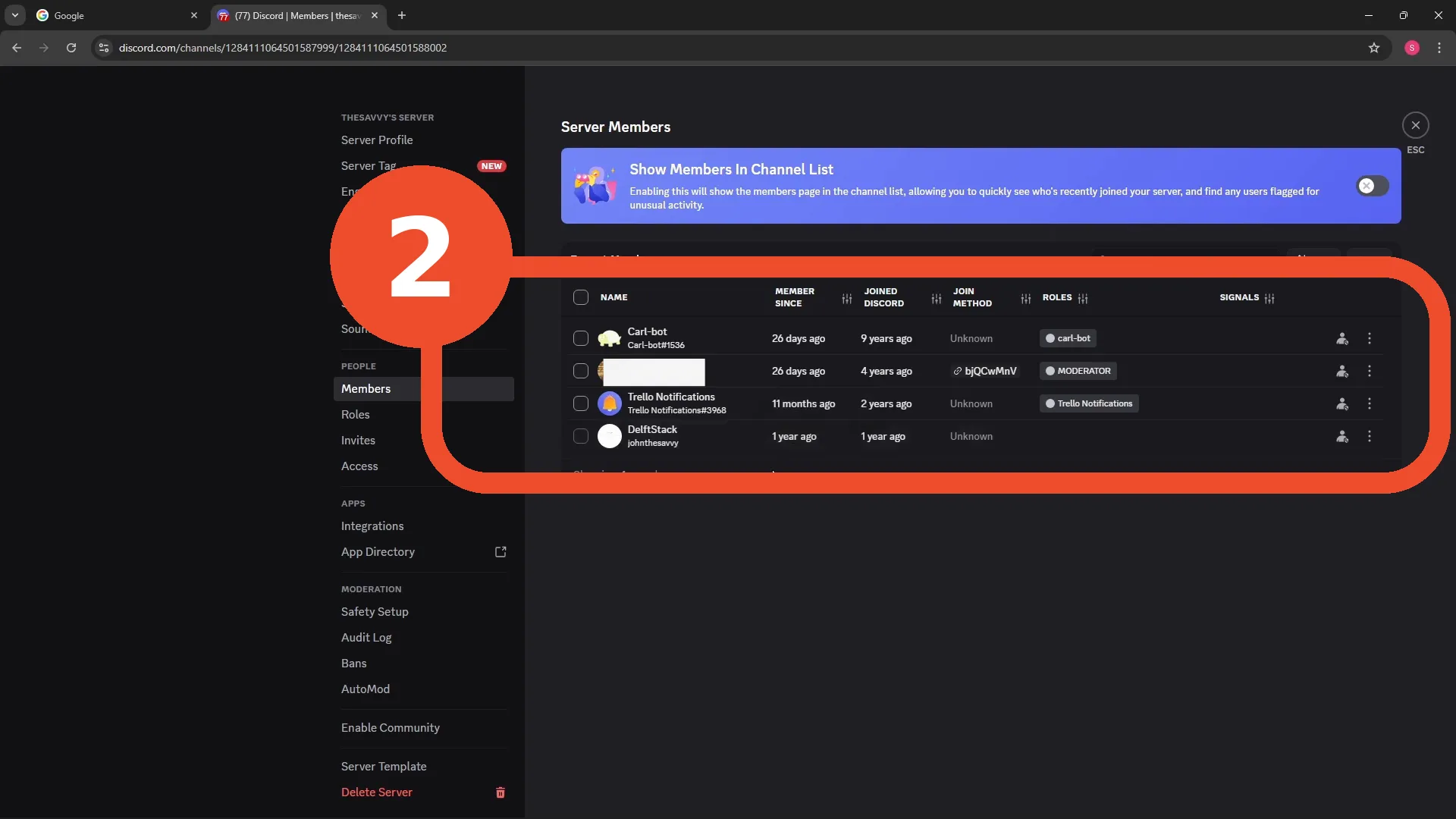
In Server Settings, open Members. The table lists everyone with their Member since date — the owner created the server, so they are always the earliest member in the list. In this server that is DelftStack, a member for 1 year; the bots and the moderator joined later.
Find the crown in the member list
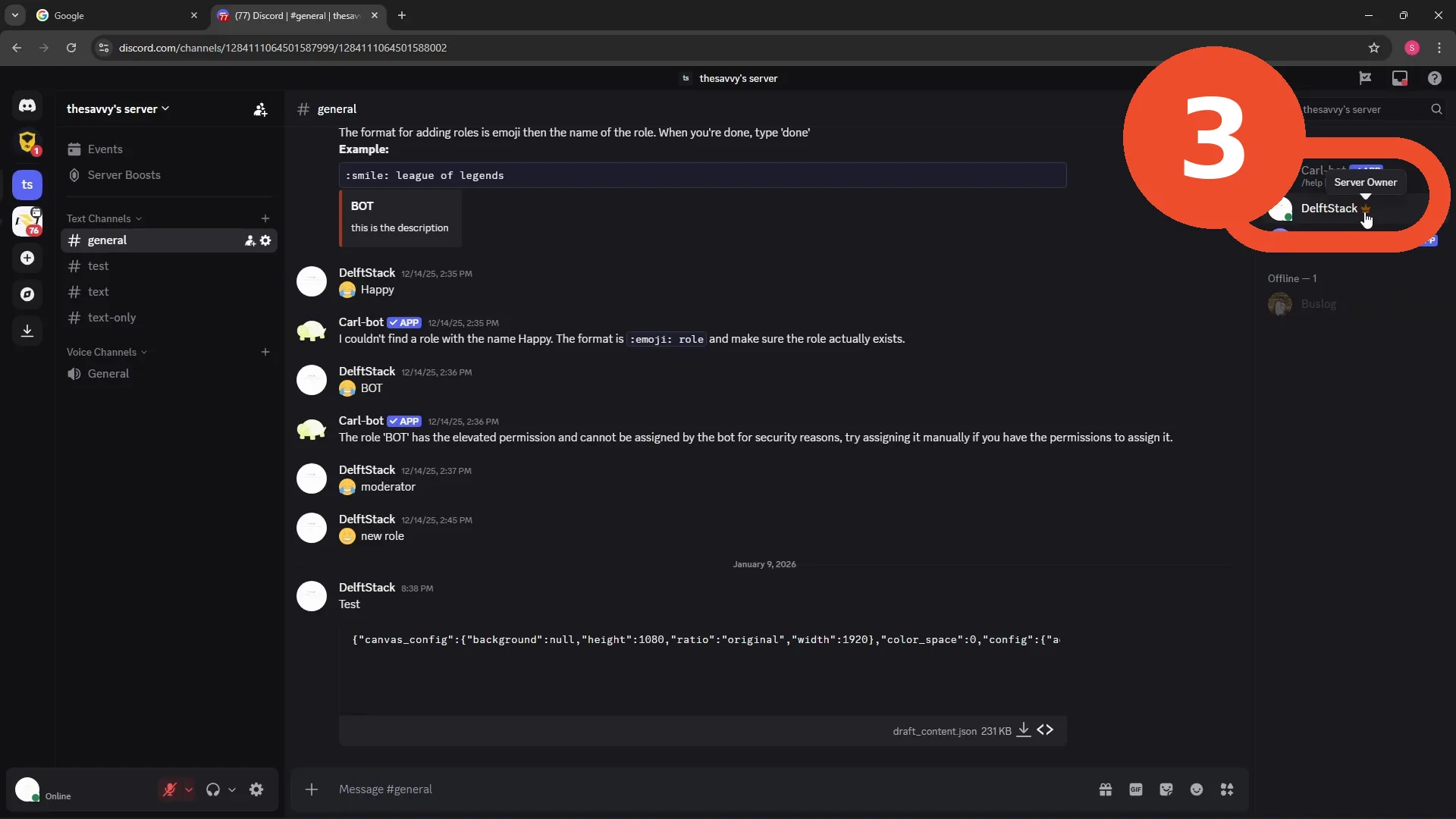
Back in any channel, look at the member list on the right. The owner carries a small gold crown next to their name — hover it and Discord confirms with a Server Owner tooltip. Here the crown sits next to DelftStack, matching the join dates from step 2.
Good to know
- Ownership can be transferred (Server Settings → Members → transfer), so the crown can move — it always shows the current owner.
- If the owner’s account is deleted, Discord’s support process decides the server’s fate; admins cannot crown themselves.
- The crown only shows in the member list, not next to message authors in chat — check the list, not the conversation.