How to Remove Someone from a Discord Group
To get someone out of a Discord group, you work from the member list, not from the chat itself. The recording uses the operator’s own two demo accounts, so no real user is removed: it finds the person in the group’s member list on the right, right-clicks, and uses Remove Friend — the action that cuts the connection in a group context. The confirmation dialog names the account you are about to remove, so there is no guessing.
- SystemWindows
- AppDiscord (desktop app)
- Also works onDiscord web and mobile apps (long-press instead of right-click)
- Last verifiedOctober 28, 2026
Every screenshot below is taken from the actual recording on this device — no stock images.
Before you start
- Remove Friend removes the friend connection. In a group DM that also ends your shared group access with that person; in a server, removing a member from the server itself is Kick (same right-click menu, moderator-only).
- The other person is not shown a “you were removed” message, but the group or friendship simply disappears from their side.
- On mobile, long-press the name wherever this guide says right-click.
Steps
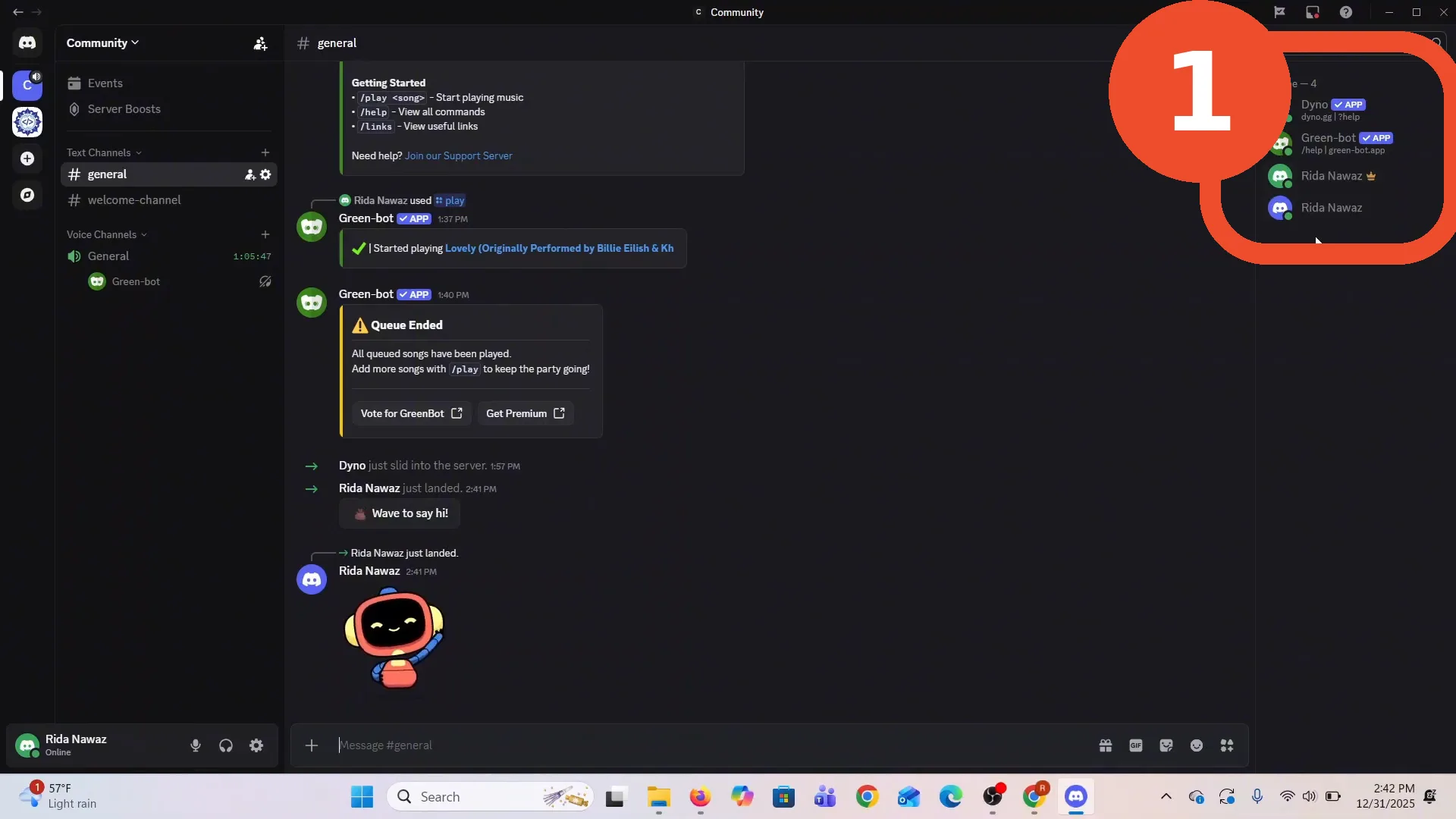
Find the person in the member list
Open the group (or server channel) and look at the member list on the right — everyone in the group is listed there, currently Dyno, Green Bot and the two demo accounts in this recording.
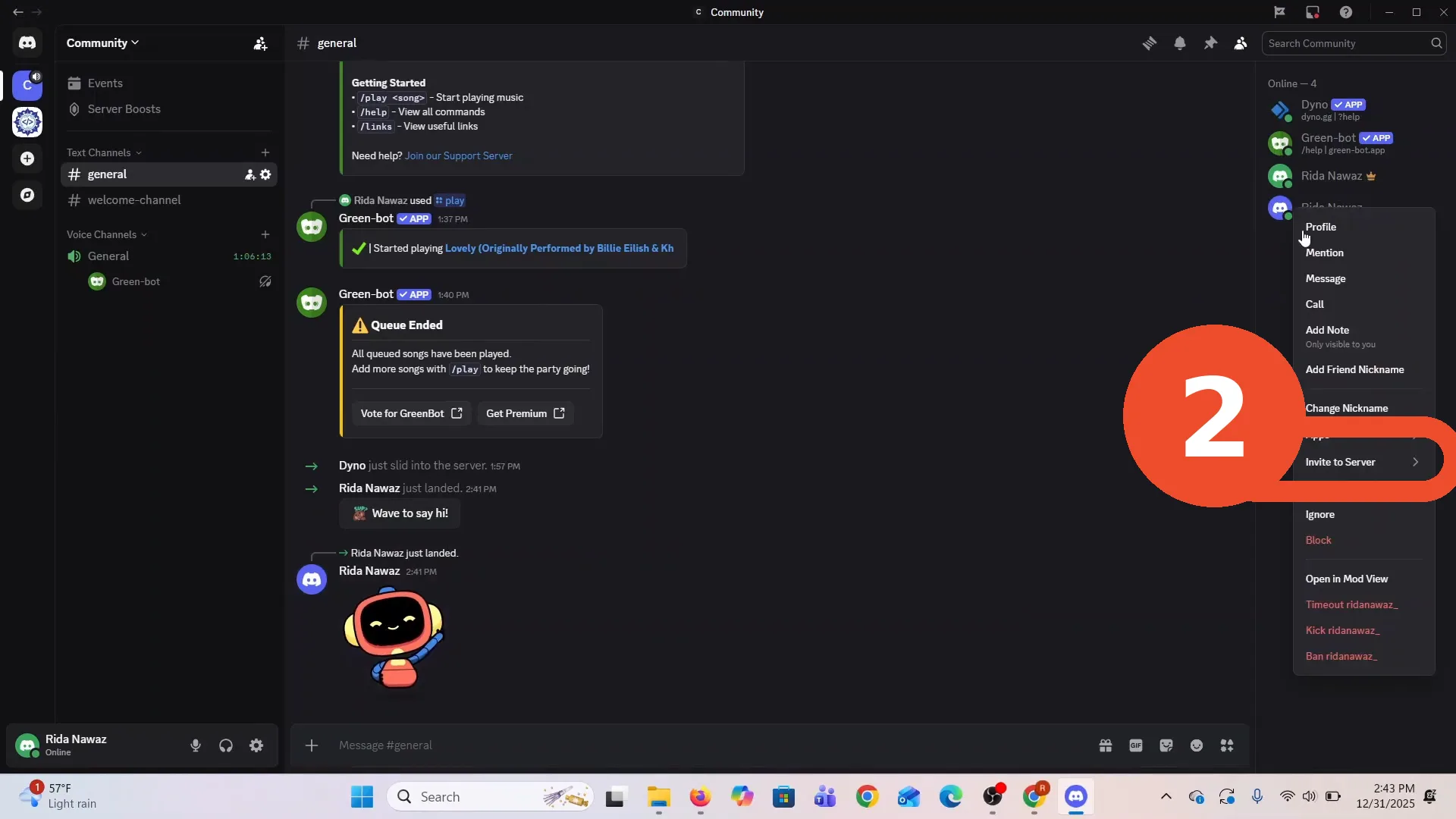
Right-click and choose Remove Friend
Right-click the person’s name and choose Remove Friend in the context menu. (Your own profile card in a DM offers the same button; in a server, moderators additionally see Timeout, Kick and Ban in this menu.)
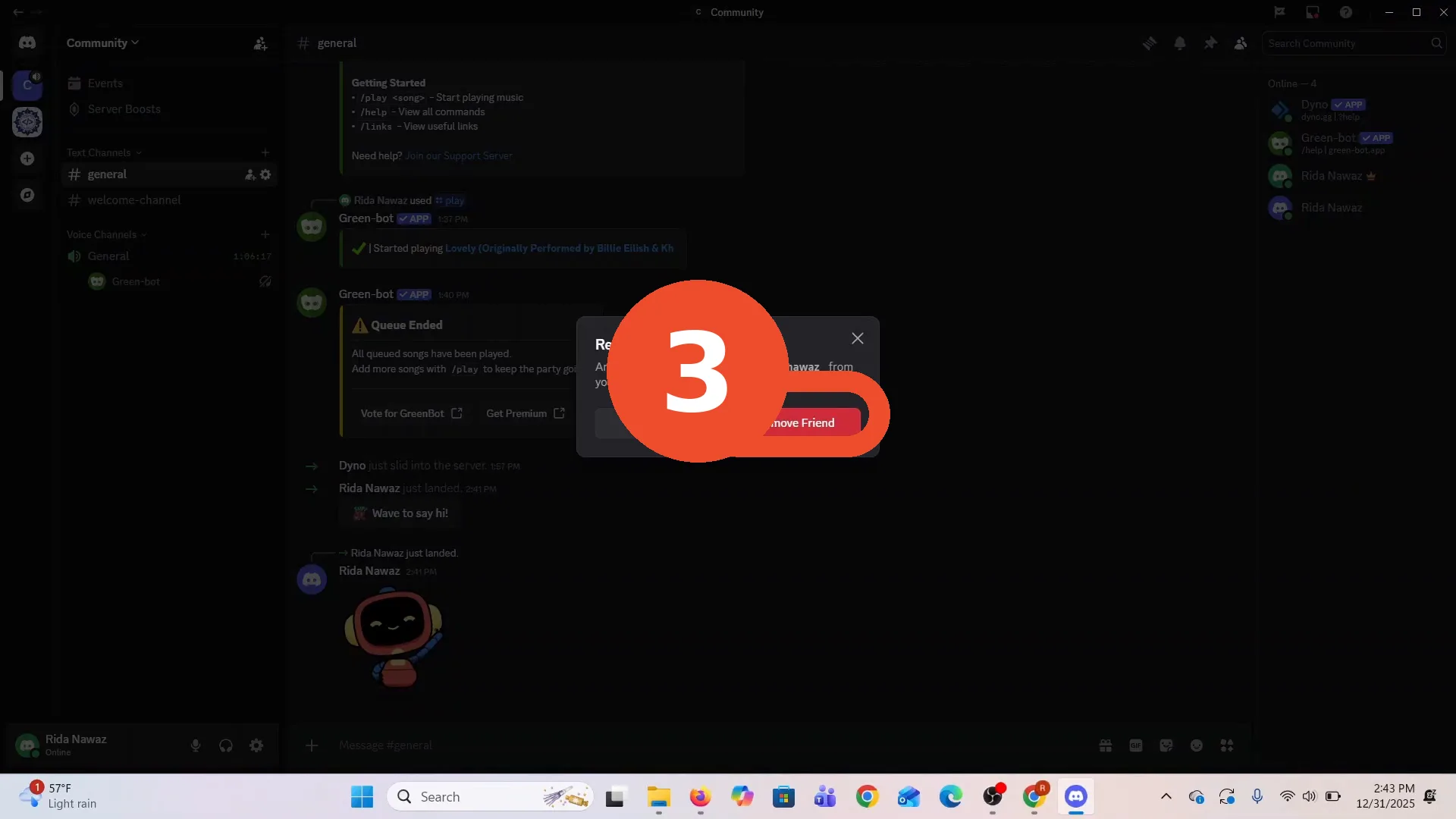
Confirm with Remove Friend
Discord asks once more — “Are you sure you want to remove … from your friends?” Click the red Remove Friend button to finish. The person disappears from the member list immediately.
Remove, kick or ban?
- Remove Friend — ends the friendship/group connection between the two accounts. They can be re-added later.
- Kick — removes a member from a server (they can rejoin with a new invite). Moderator permission required.
- Ban — removes them from a server and blocks rejoining until unbanned. Use it for abuse, not for tidying up.