How to Make Your Name Invisible on Discord
Discord shows your display name everywhere you post. Replace it with an invisible character and the name slot renders blank.
- SystemWindows (browser)
- AppDiscord web app
- Also works onDiscord desktop app (the settings look the same)
- Last verifiedOctober 29, 2026
Every screenshot below is taken from the actual recording on this device — no stock images.
Steps
Open User Settings
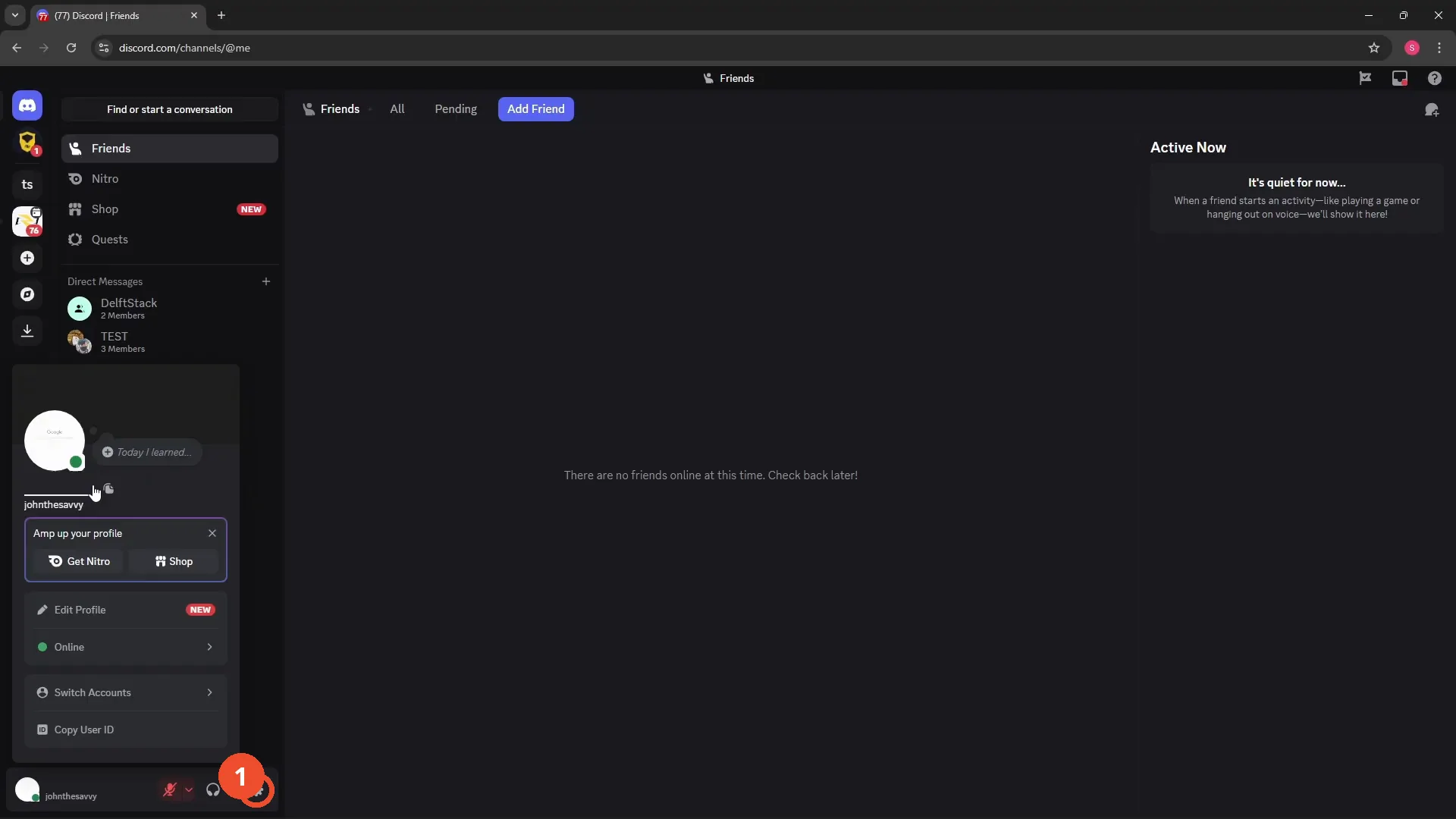
Open Discord in your browser and click the gear icon at the bottom left to open User Settings.
Edit your Display Name
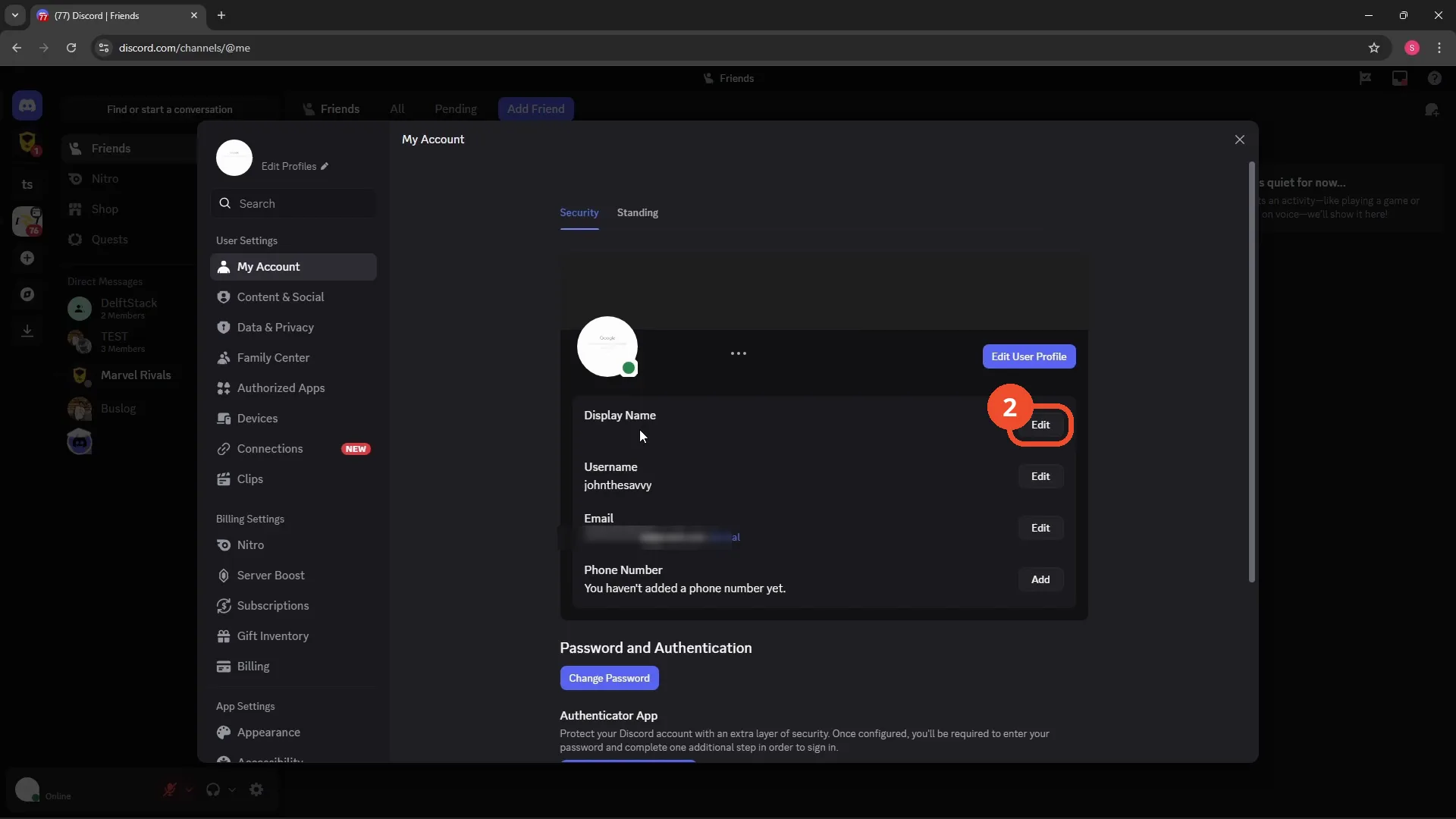
In User Settings, open My Account and click Edit next to Display Name.
Copy an invisible character
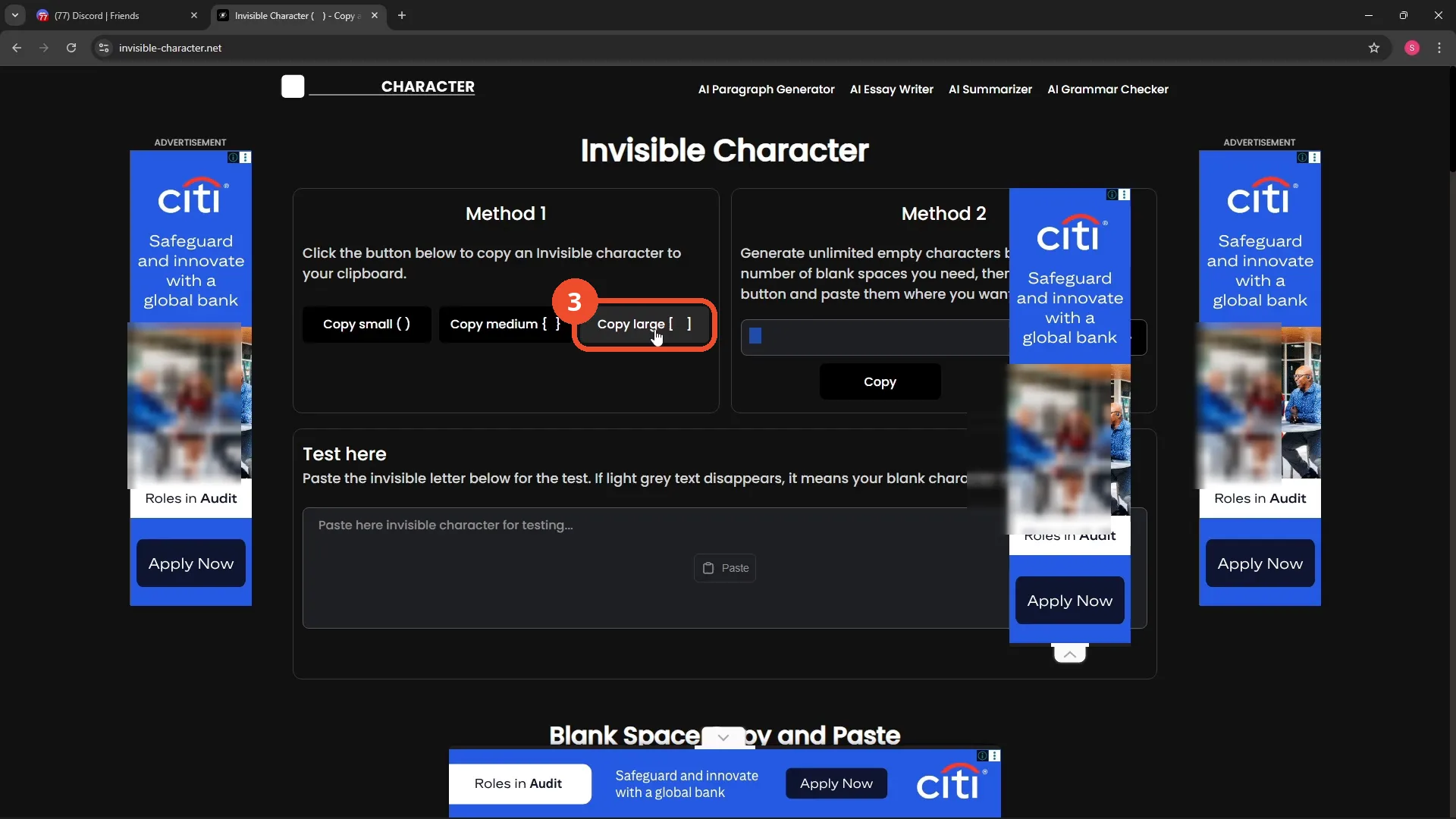
Open invisible-character.net and click Copy large. The character looks like nothing — that is the point.
Paste it as your Display Name
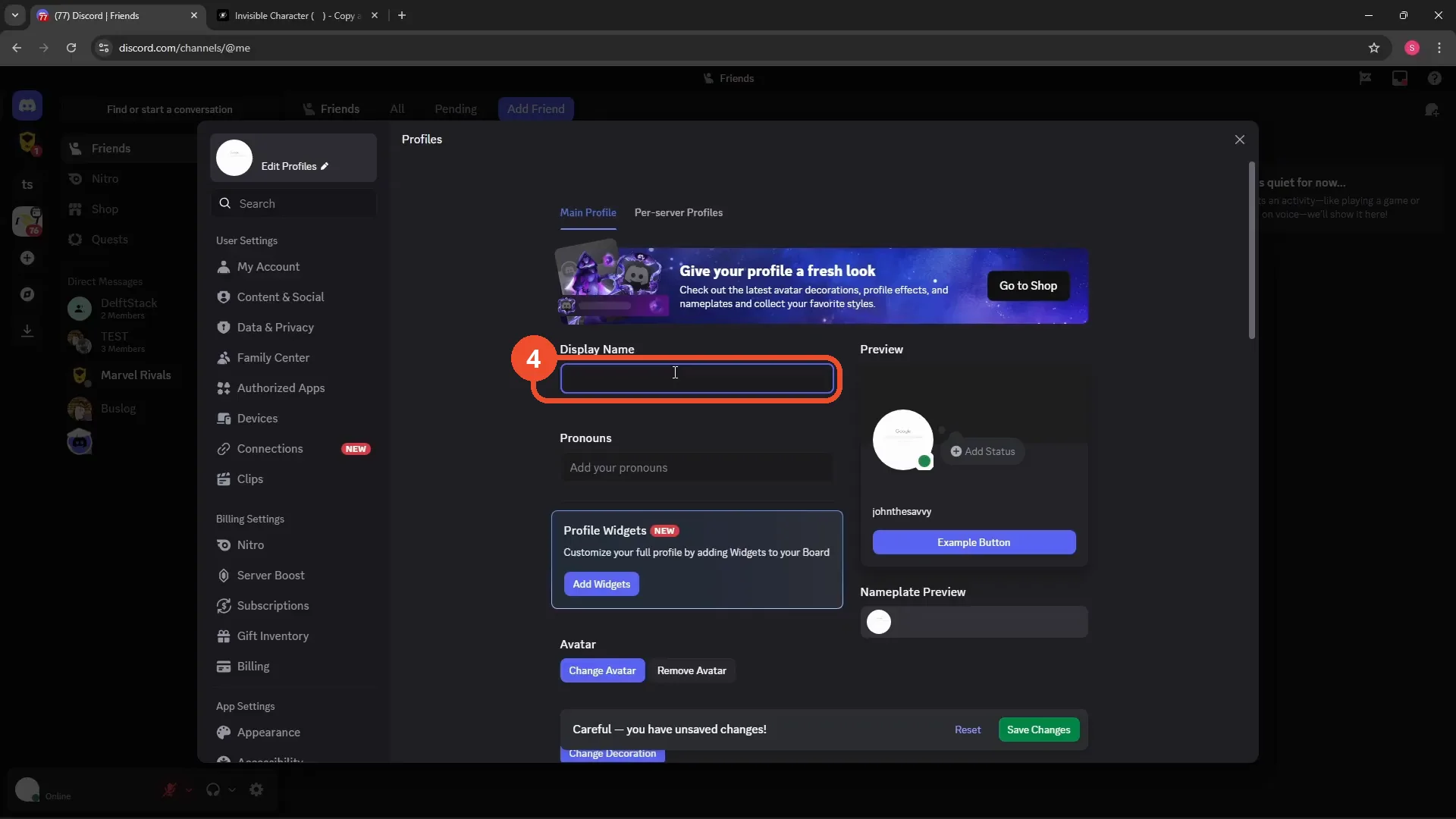
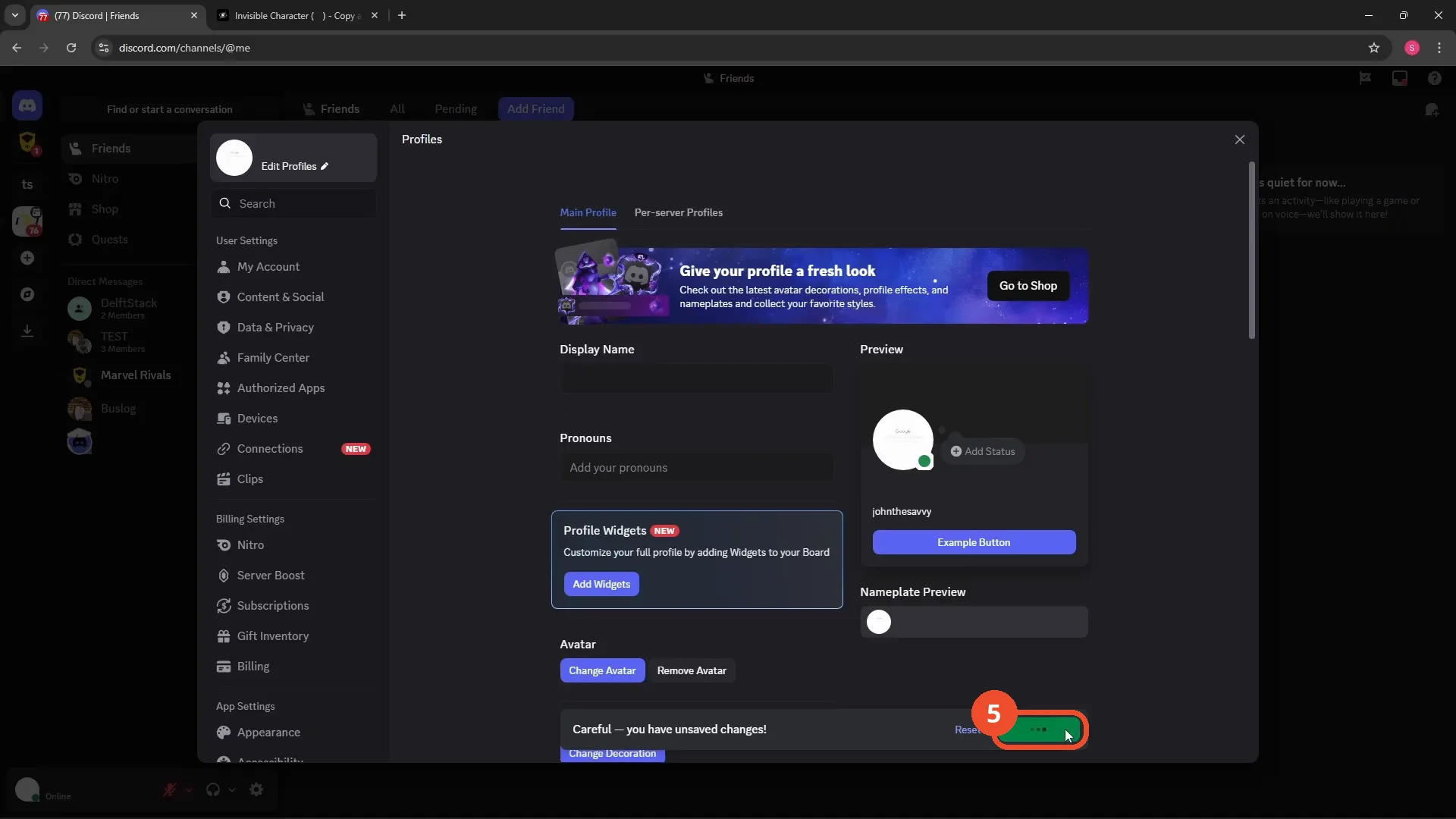
Back in Discord’s Profiles page, clear the Display Name field and paste (right-click → Paste). The field looks empty — that empty look is the invisible character.
Save Changes
Click Save Changes at the bottom right of the Profiles page and wait for it to finish saving.
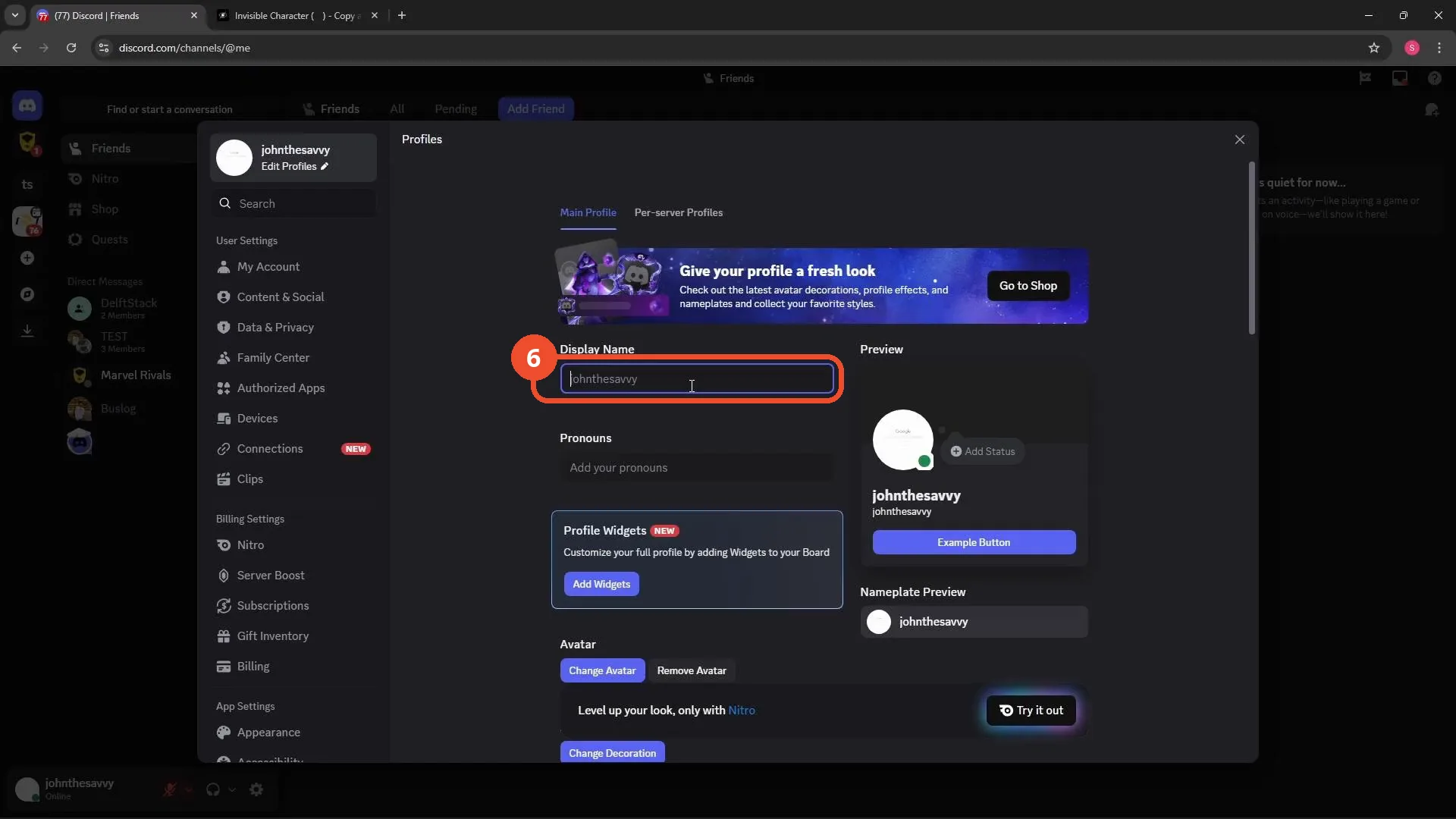
Check the Display Name field
After saving, reopen Profiles: the Display Name box shows only your username in grey placeholder text, meaning no visible display name is stored.
Good to know
- Your username (here, johnthesavvy) does not change — only the display name goes blank, and Discord falls back to showing the username in settings fields.
- If the field shows your old name again after saving, the paste did not take — clear it, paste again, and save before leaving the page.
- The video notes many sites offer invisible characters; if one site’s character is rejected, try another source.
More on Discord
- How to Stop Spotify From Pausing on Discord
- How to See Who Owns a Discord Server
- How to Make Discord Open on a Second Monitor by Default
- How to Remove Someone from a Discord Group
- How to Self-Assign Roles in Discord Using ProBot
- How to Scan a QR Code with the Discord Mobile App
- How to Stream OBS to Discord with Sound
- How to Add Someone to an Ongoing Discord Voice or Video Call
- How to Create a Discord Server Template Link