How to Hide Game Activity on Discord
Discord shares the game or app you are running through the Share my activity switch in Activity Privacy. Switch it off and your status stops advertising what you play.
- SystemWindows
- AppDiscord in Chrome (web app)
- Last verifiedNovember 4, 2026
Every screenshot below is taken from the actual recording on this device — no stock images.
Steps
Open Discord in your browser
Open Discord in your browser and sign in. The recording uses discord.com in Chrome, not the desktop app.
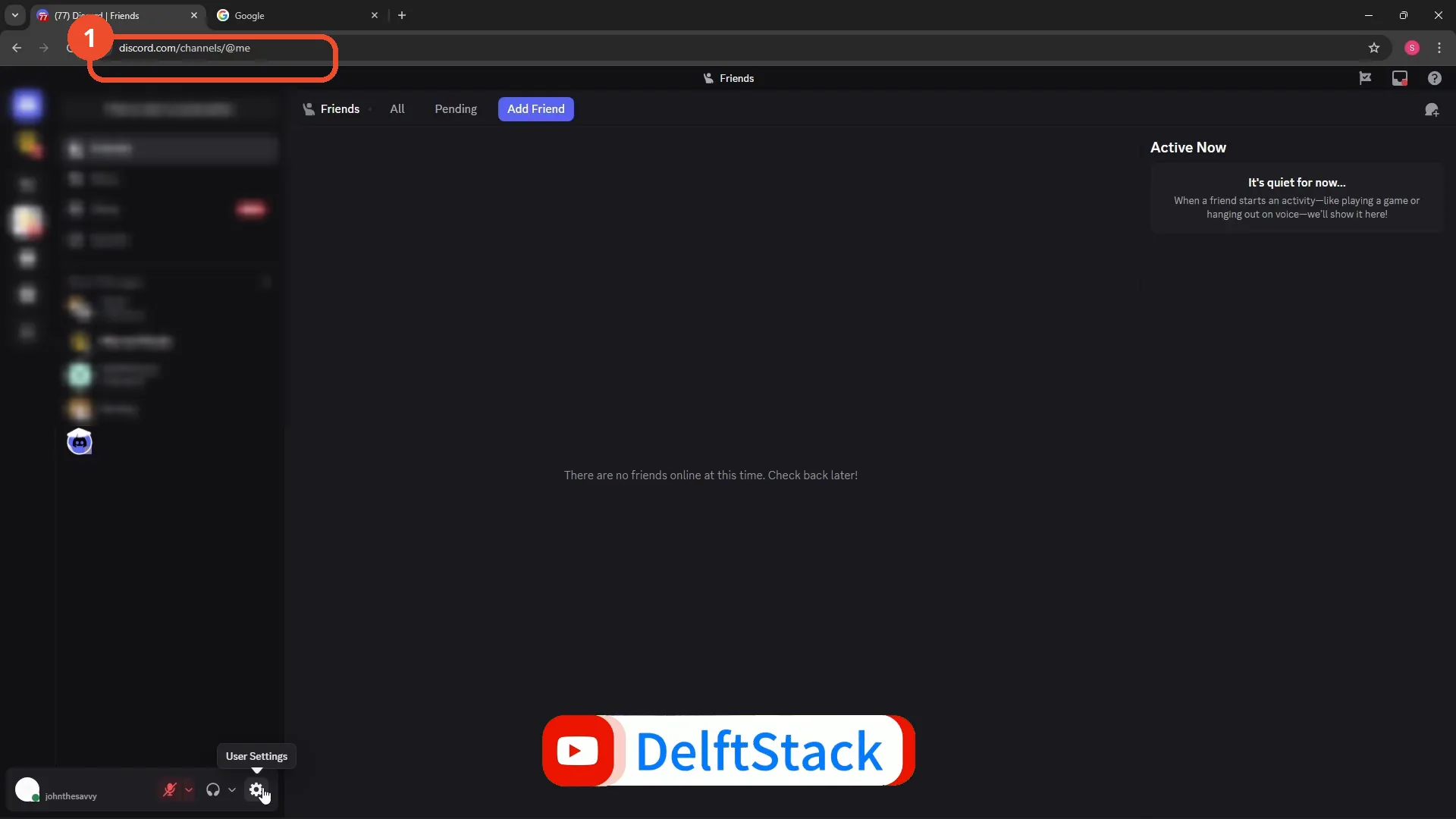
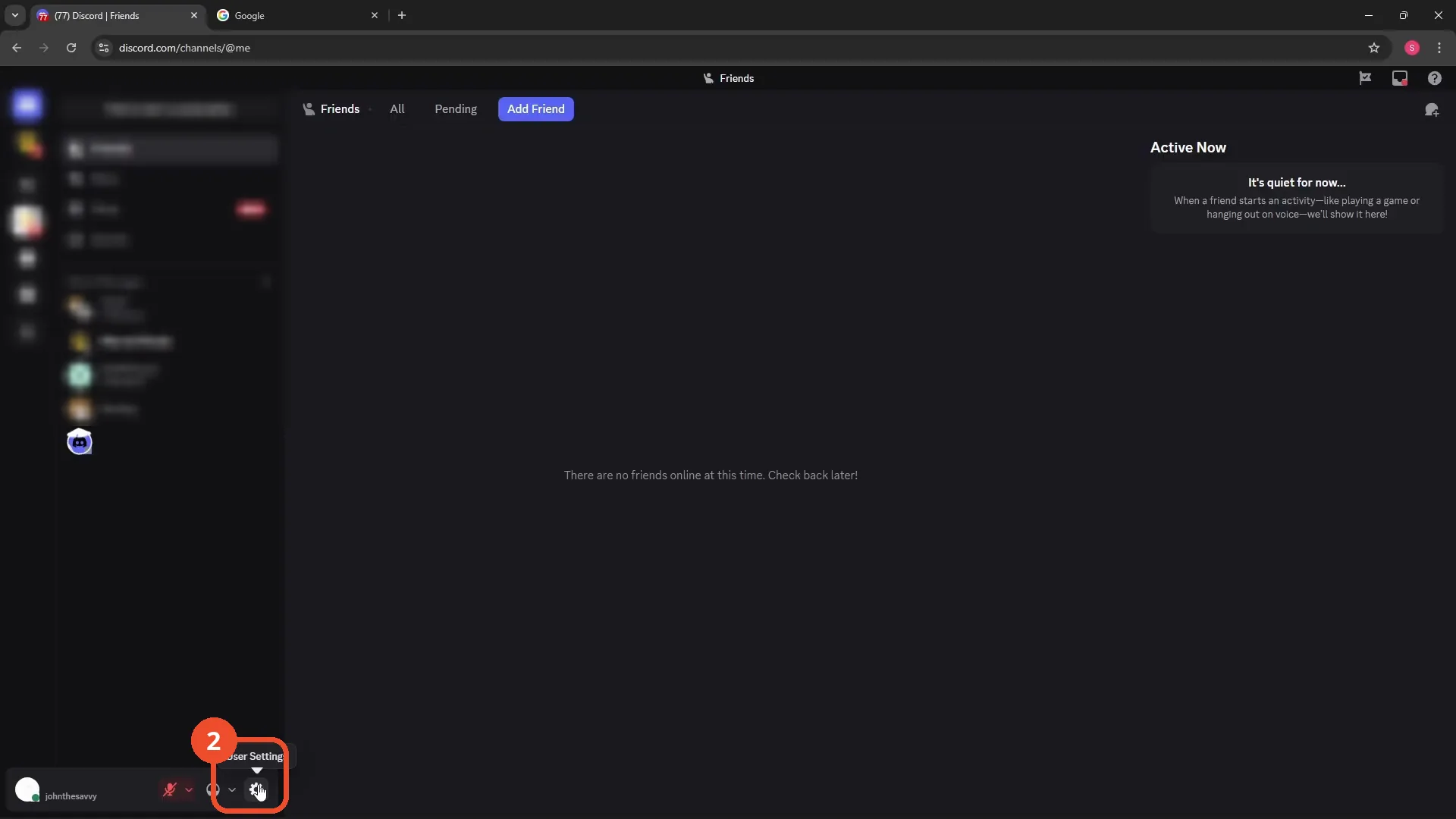
Open User Settings
Click the gear at the bottom left to open User Settings.
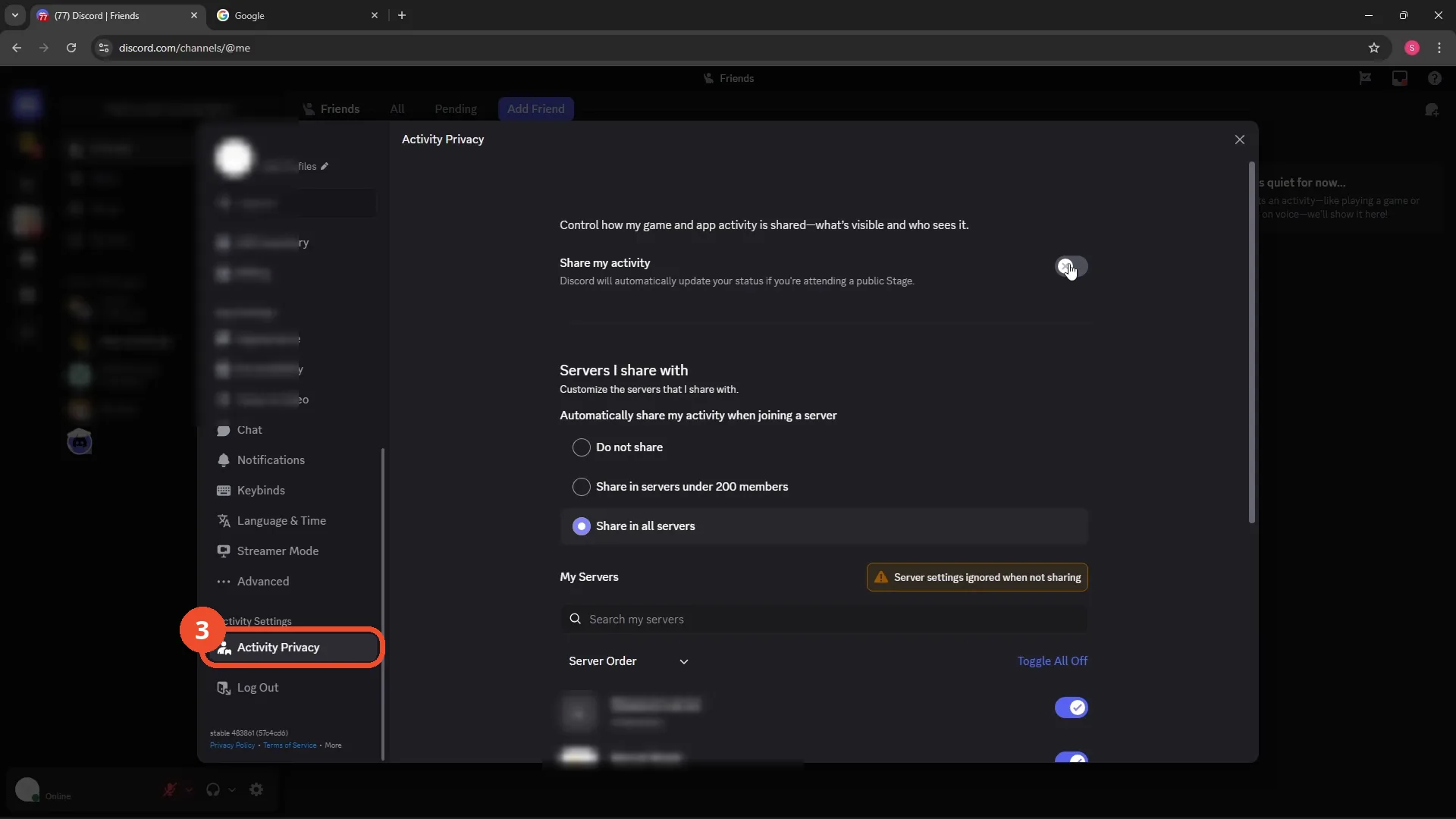
Open Activity Privacy
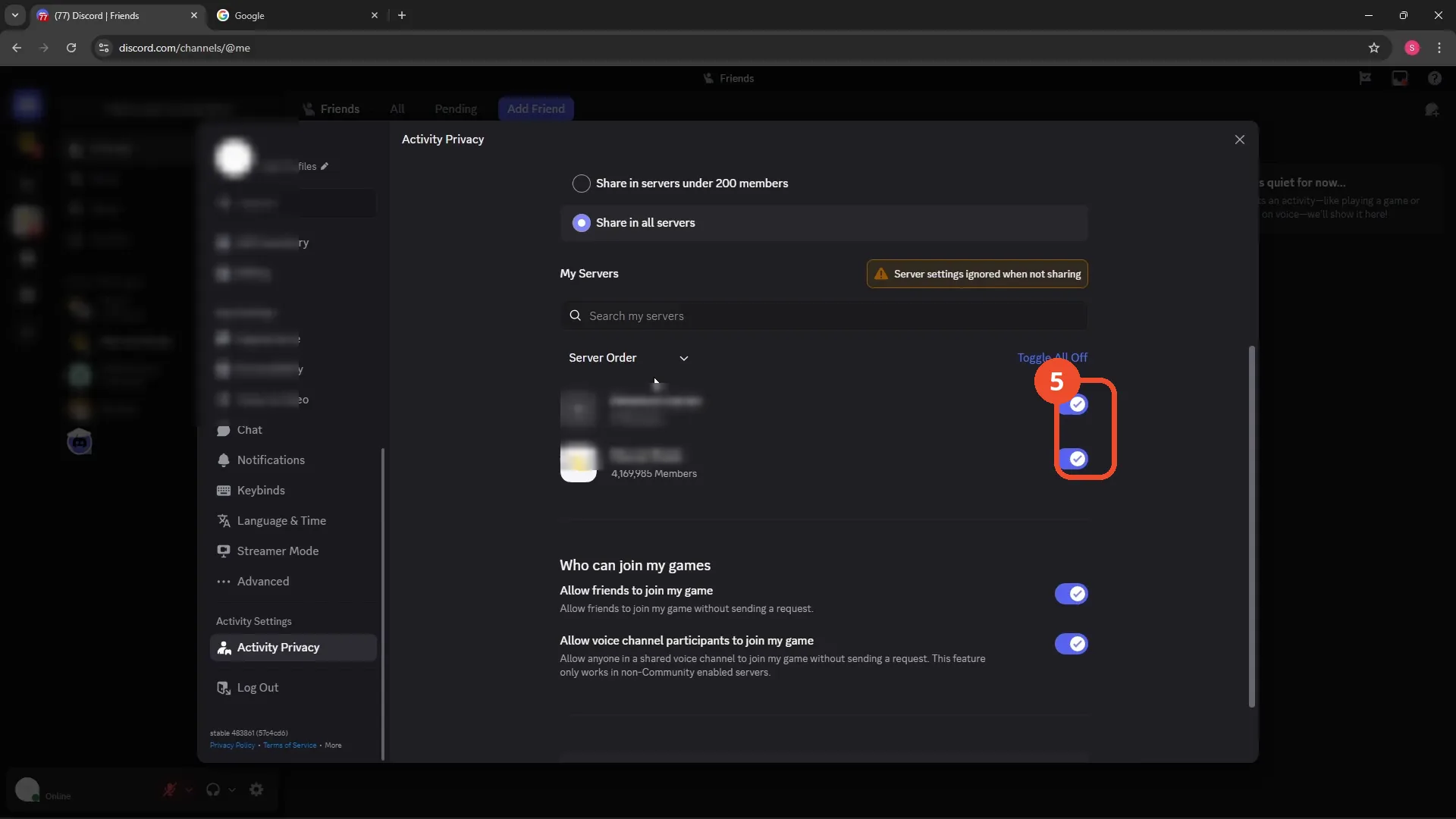
Scroll down the left menu to Activity Settings and click Activity Privacy.
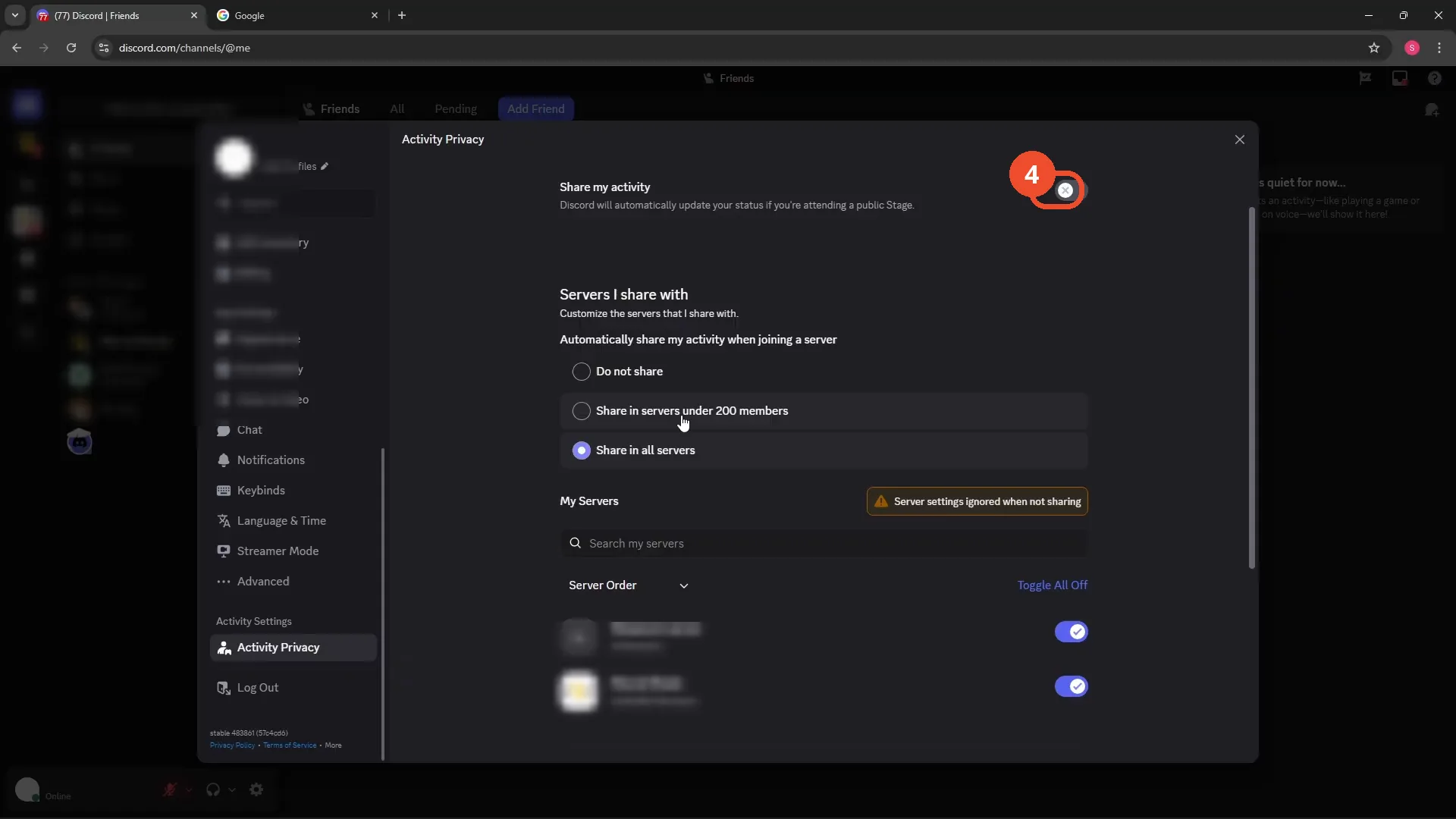
Turn off Share my activity
Switch off Share my activity at the top. In this recording it is already off — that off state is exactly what hides your activity; if yours is on, tap it off.
Limit sharing per server instead (optional)
Further down, the Servers I share with radios and per-server toggles let you hide activity in some servers while sharing in others. These only matter while the master switch is on.
Good to know
- The master switch overrides everything below it: with Share my activity off, the still-selected “Share in all servers” radio does nothing.
- The recording never taps the master switch on camera, so the on-to-off change itself is not demonstrated — only the setting and its off state.
- Allow friends to join my game and Allow voice channel participants to join my game, further down the same page, are separate settings and do not control activity sharing.
More on Discord
- How to Stop Spotify From Pausing on Discord
- How to See Who Owns a Discord Server
- How to Make Discord Open on a Second Monitor by Default
- How to Remove Someone from a Discord Group
- How to Self-Assign Roles in Discord Using ProBot
- How to Scan a QR Code with the Discord Mobile App
- How to Stream OBS to Discord with Sound
- How to Create a Discord Server Template Link
- How to Make Your Name Invisible on Discord
- How to Send a Discord Friend Request
- How to Turn Off DMs on Discord
- How to Enable Age-Restricted Commands on Discord Mobile
- How to Zoom In and Out on Discord
- How to Create a GIF and Share It in Discord
- How to Exit Full Screen on Discord
- How to Send Files Through Discord
- How to Skip a Line in Discord
- How to Find Gradient Role Settings in Discord (Nitro Required)
- How to Make an Animated Discord Banner GIF in CapCut
- How to Add Discord Audio to OBS
- How Discord Text-to-Speech Works (TTS Explained for Text Channels)
- How to Highlight Text in Discord on Desktop
- How to Add Someone to an Ongoing Discord Voice or Video Call
- How to Fix Discord Freezing When Closing Valorant
- How to Type in Bold on Discord
- How to Add a Welcome Channel to Your Discord Server
- How to Listen to Spotify with Friends on Discord
- How to Italicize Text in Discord