How to Enable Age-Restricted Commands on Discord Mobile
Discord hides app commands marked as age-restricted in direct messages unless you opt in. One toggle in Content & Social switches them on.
- SystemAndroid
- AppDiscord mobile app
- Also works oniPhone (Discord mobile settings look the same on iOS).
- Last verifiedOctober 30, 2026
Every screenshot below is taken from the actual recording on this device — no stock images.
Steps
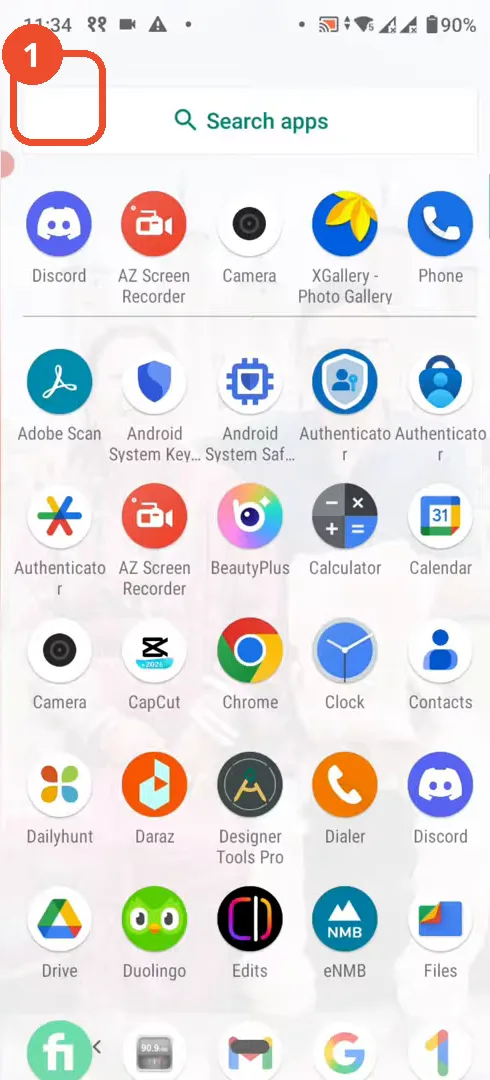
Open Discord
From your Android app drawer, tap the Discord icon.
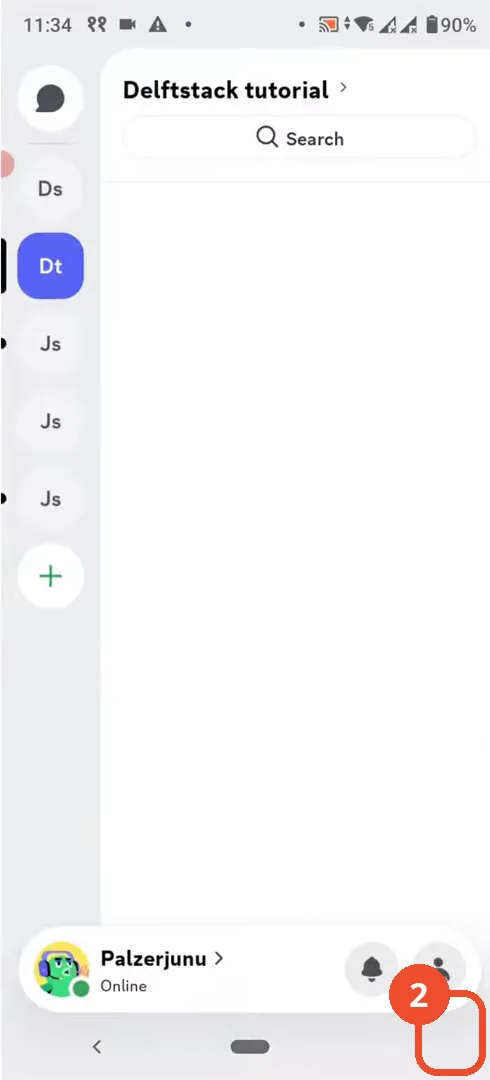
Open your profile
In Discord, tap your avatar at the bottom right to open your profile.
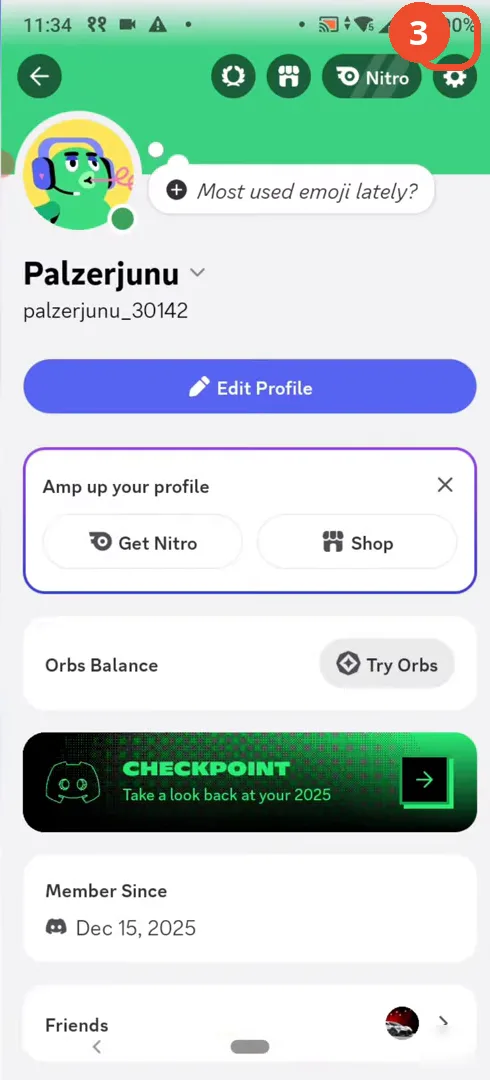
Open Settings
On your profile page, tap the gear icon at the top right to open Settings.
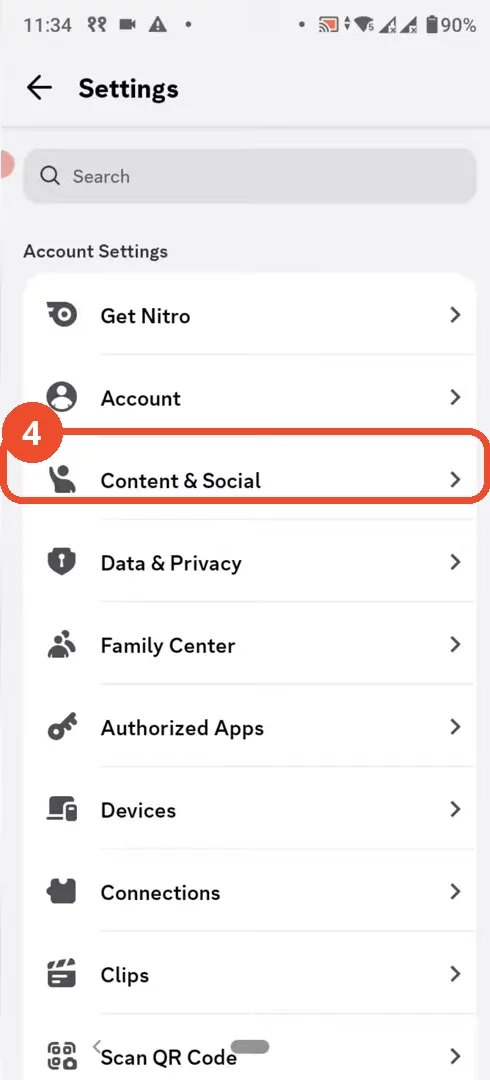
Open Content & Social
In Settings, under Account Settings, tap Content & Social.
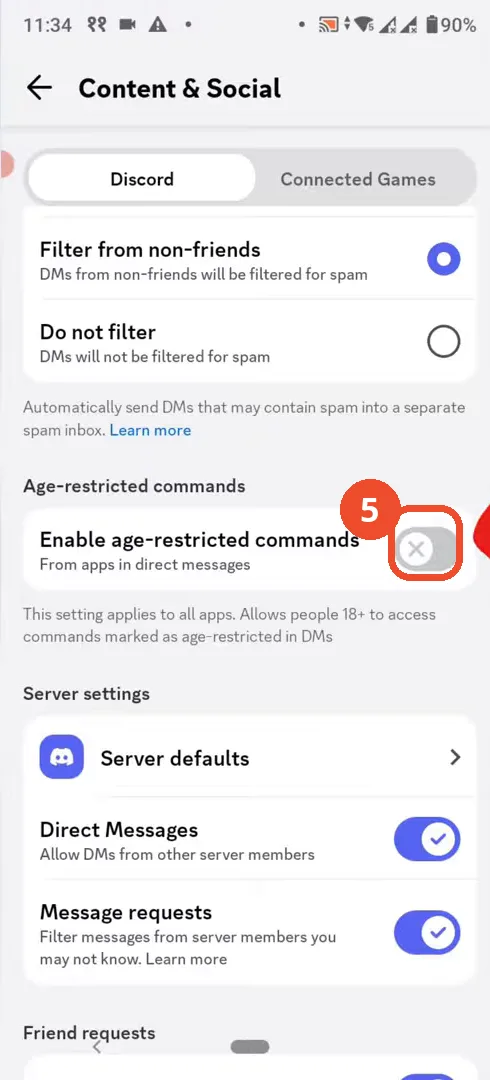
Turn on age-restricted commands
Scroll down to Age-restricted commands and tap the toggle next to ‘Enable age restricted commands’ to switch it on. This lets people 18+ use commands marked as age-restricted in DMs.
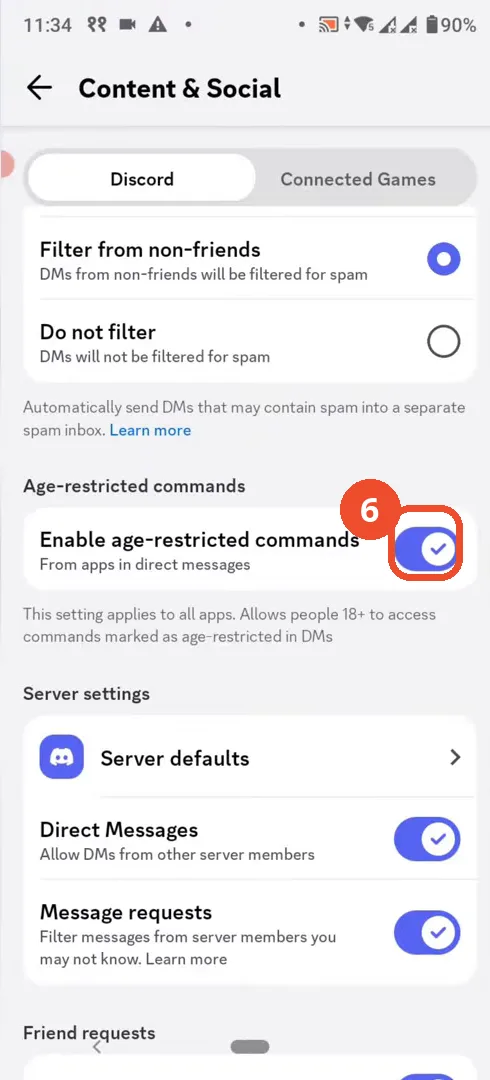
Check the toggle is on
The toggle is now blue (on). Age-restricted commands from apps are now available in your direct messages.
Good to know
- This setting applies to all apps and only affects people 18+.
- It controls app commands in direct messages, not server channels.
- On iOS, age-restricted servers need the separate ‘Allow access to age-restricted servers on iOS’ toggle on desktop/web.
More on Discord
- How to Stop Spotify From Pausing on Discord
- How to See Who Owns a Discord Server
- How to Make Discord Open on a Second Monitor by Default
- How to Remove Someone from a Discord Group
- How to Self-Assign Roles in Discord Using ProBot
- How to Scan a QR Code with the Discord Mobile App
- How to Stream OBS to Discord with Sound
- How to Create a Discord Server Template Link
- How to Make Your Name Invisible on Discord
- How to Send a Discord Friend Request
- How to Turn Off DMs on Discord
- Add Someone to an Ongoing Discord Voice or Video Call